
Microsoldering Methods
The Xii-Boy Ultra requires advanced soldering methods in order to complete the build. It is highly recommended to practice the following methods on a junk PCB before bringing the iron near the Wii or other custom PCBs.
General Soldering
Solder is a metal alloy that acts like glue for electronics. It holds components together and is conductive, meaning electricity can flow through it freely. A soldering iron is the tool that melts the solder to make connections. A good soldering iron is one that is temperature-controlled and conducts heat well. The recommended soldering iron temperature for the Xii-Boy Ultra build is 350°C. The only exception is the 1.8V LDO because of the large pads which sink a large amount of heat. An iron’s tip greatly affects heat transfer, a conical tip is nowhere as effective as a TS-D24 tip or similar. However, conical tips can still be useful for tiny pins and flex soldering where less heat is required.
General Soldering Process:
- Power on the iron and set the temperature to
350°C. - Clean residual solder off the tip using a brass wool or a damp sponge.
- Apply flux to the pad that will be soldered. The flux is essential to letting the solder flow, and prevents bridging pads.
- Place the soldering iron on the pad. Allow it to heat the pad for a second.
- Put the end of the solder roll on the joint between the iron tip and the pad. Allow the solder to melt briefly before removing the solder roll. Then, remove the iron.
- Inspect for bridged component leads, pads, or vias. If necessary, apply flux and reflow the joint with the iron.
- Clean residual flux using a Q-tip and 91% isopropyl alcohol.
Scraping Vias
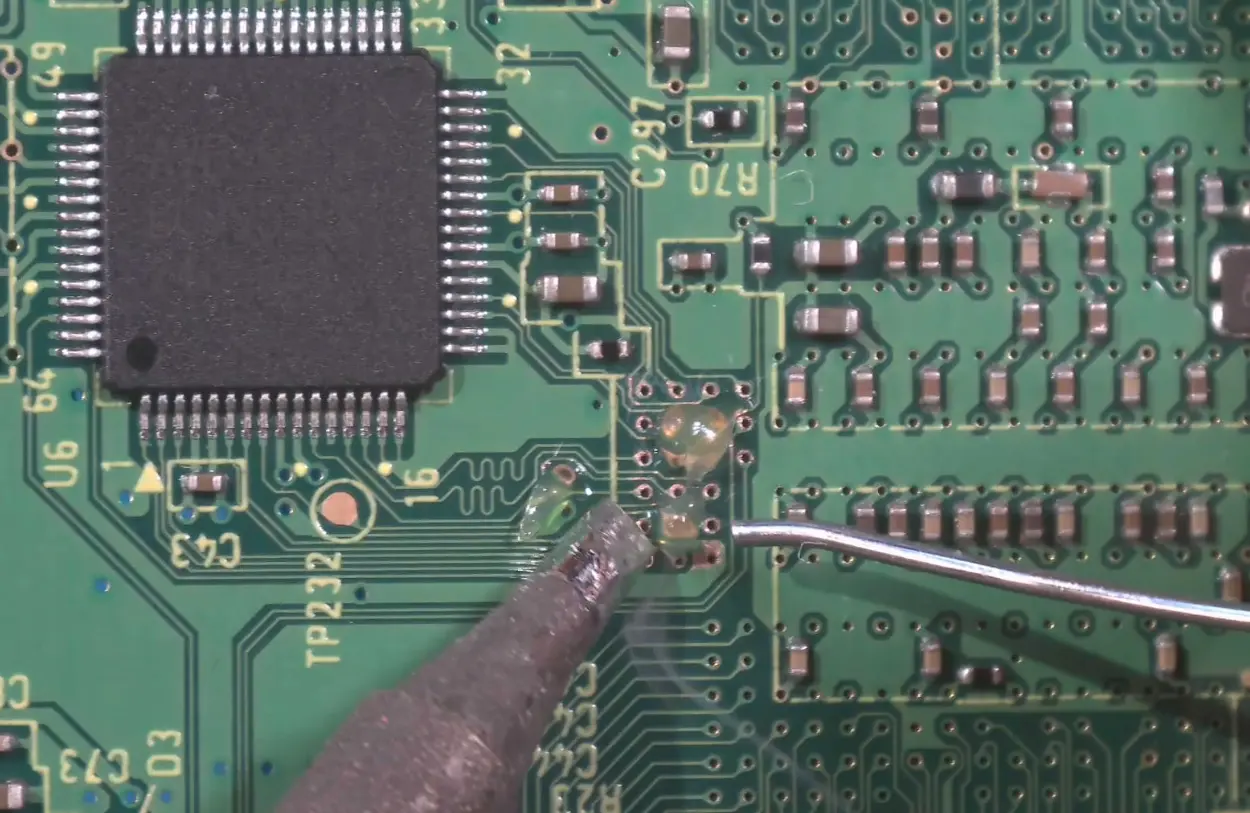
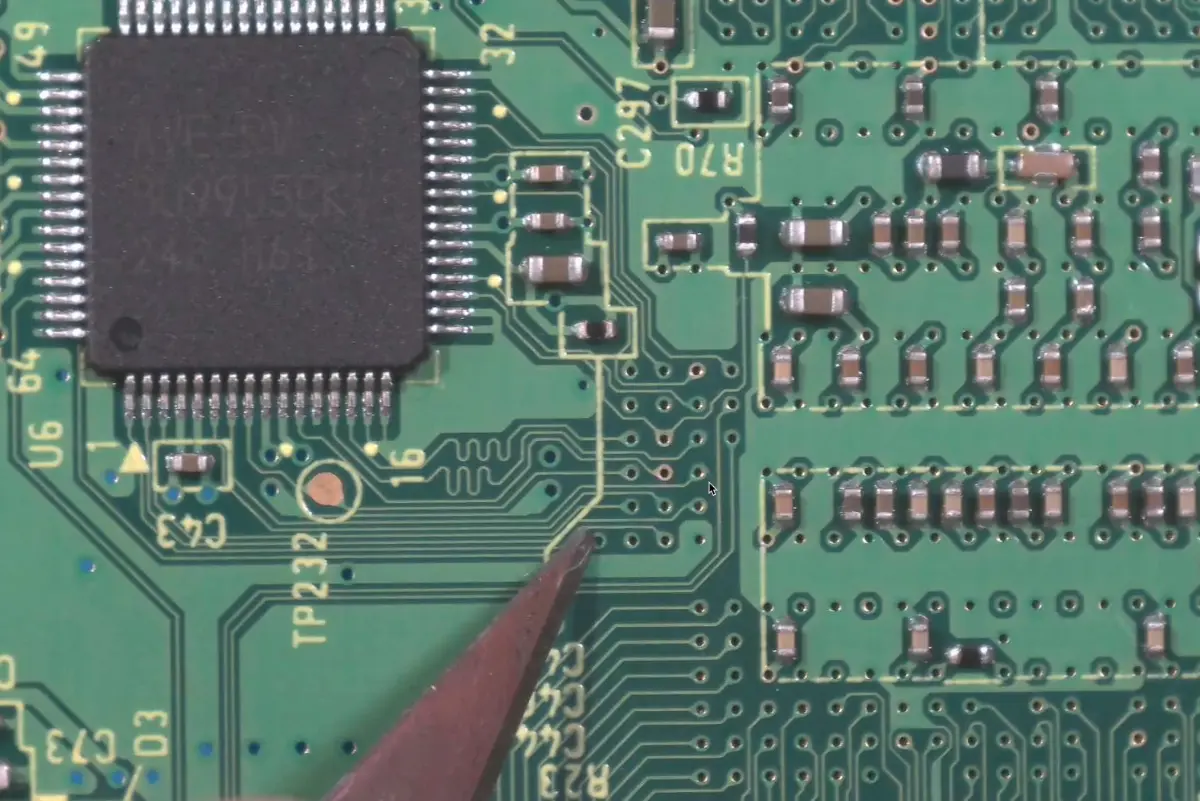
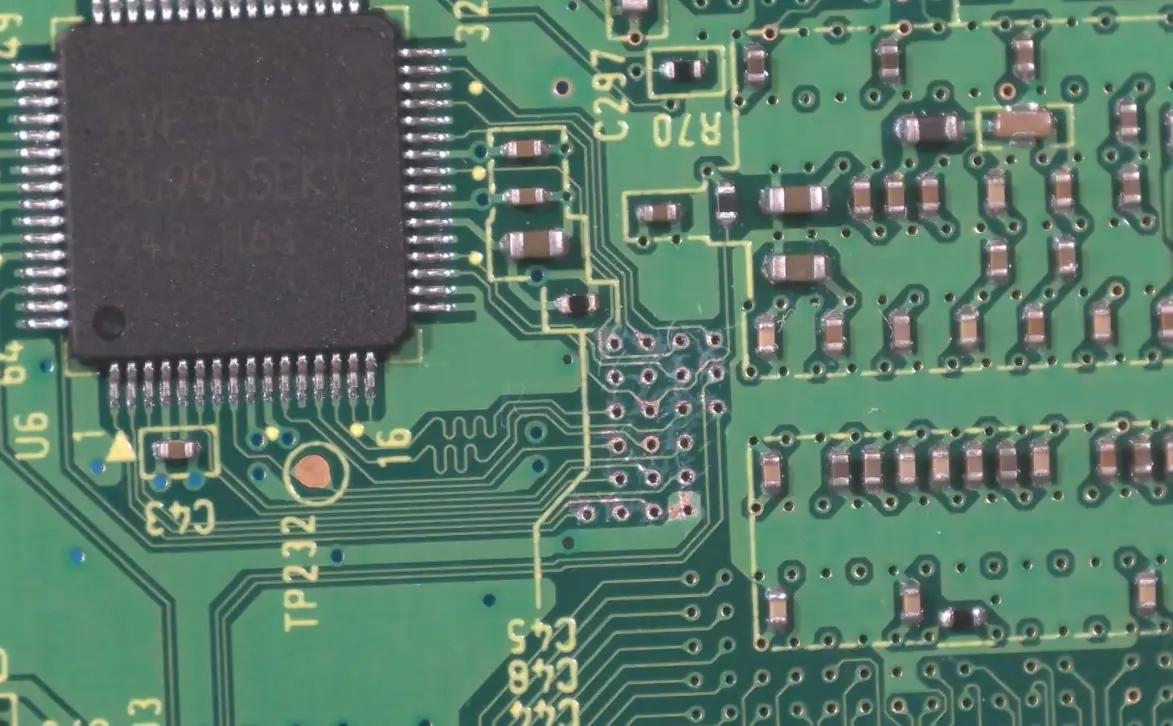
The vias on the Wii’s motherboard are coated with solder mask, and the copper isn’t fully exposed. Copper has to be exposed for solder to bond, so the solder mask needs to be scraped off.
- Prepare the X-Acto knife with a
#2blade. - Gently scrape along the edge of the via with the tip of the blade. Move it in a circular motion until the copper is fully exposed. Remember, only the solder mask should be scraped. Do not scrape away the copper!
- Clean solder mask flakes using a Q-tip and 91% isopropyl alcohol.
Flex Soldering
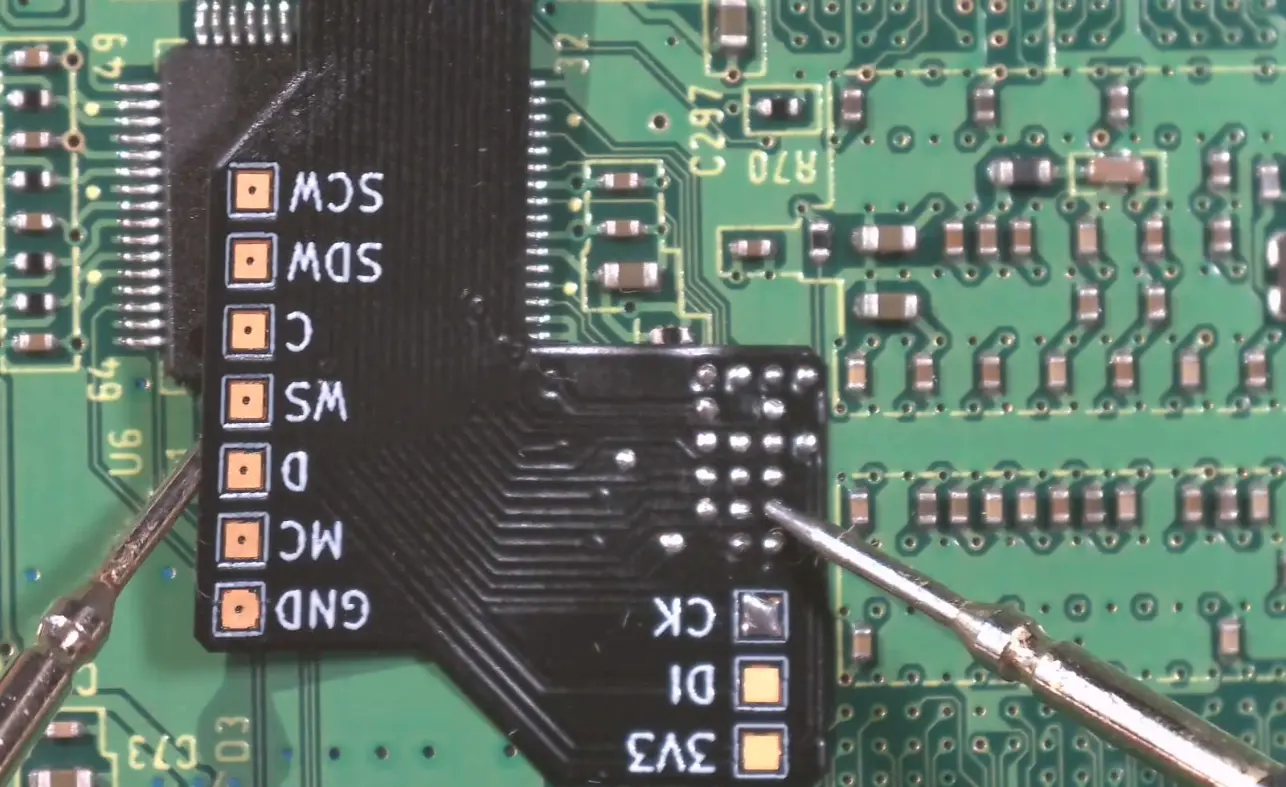
Flex cables are soldered directly to the scraped vias. A proper connection is absolutely necessary for the portable to work.
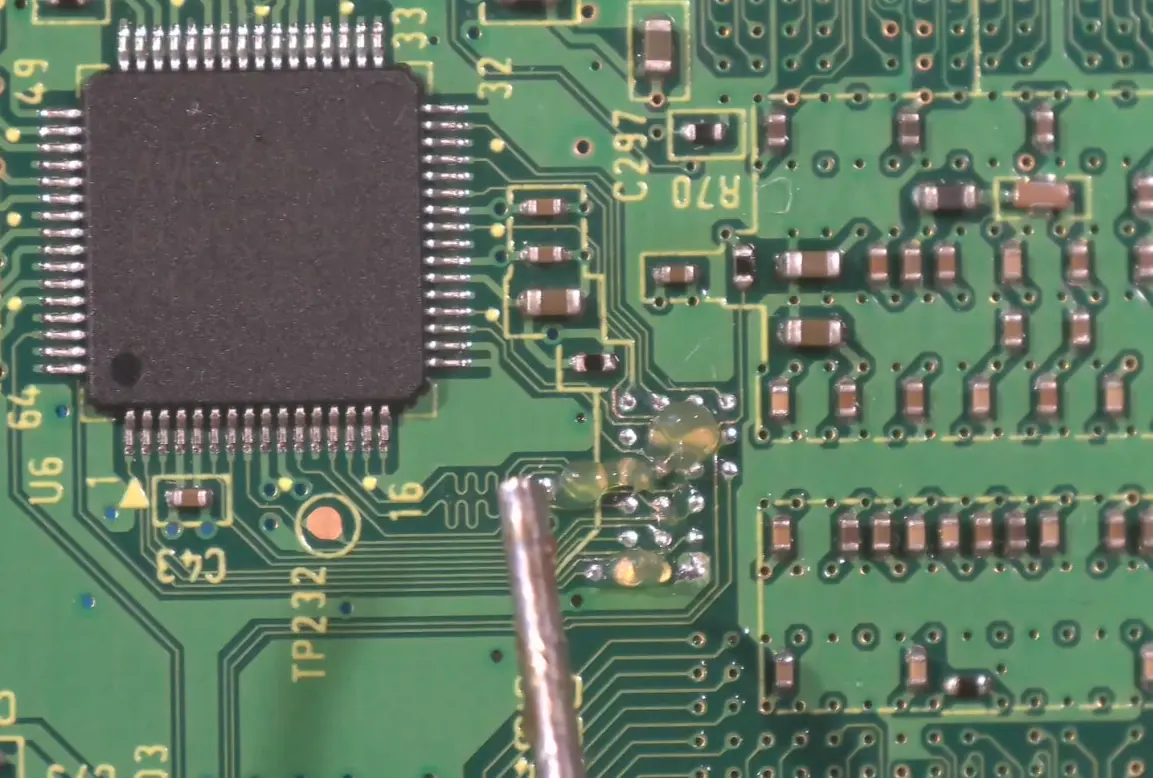
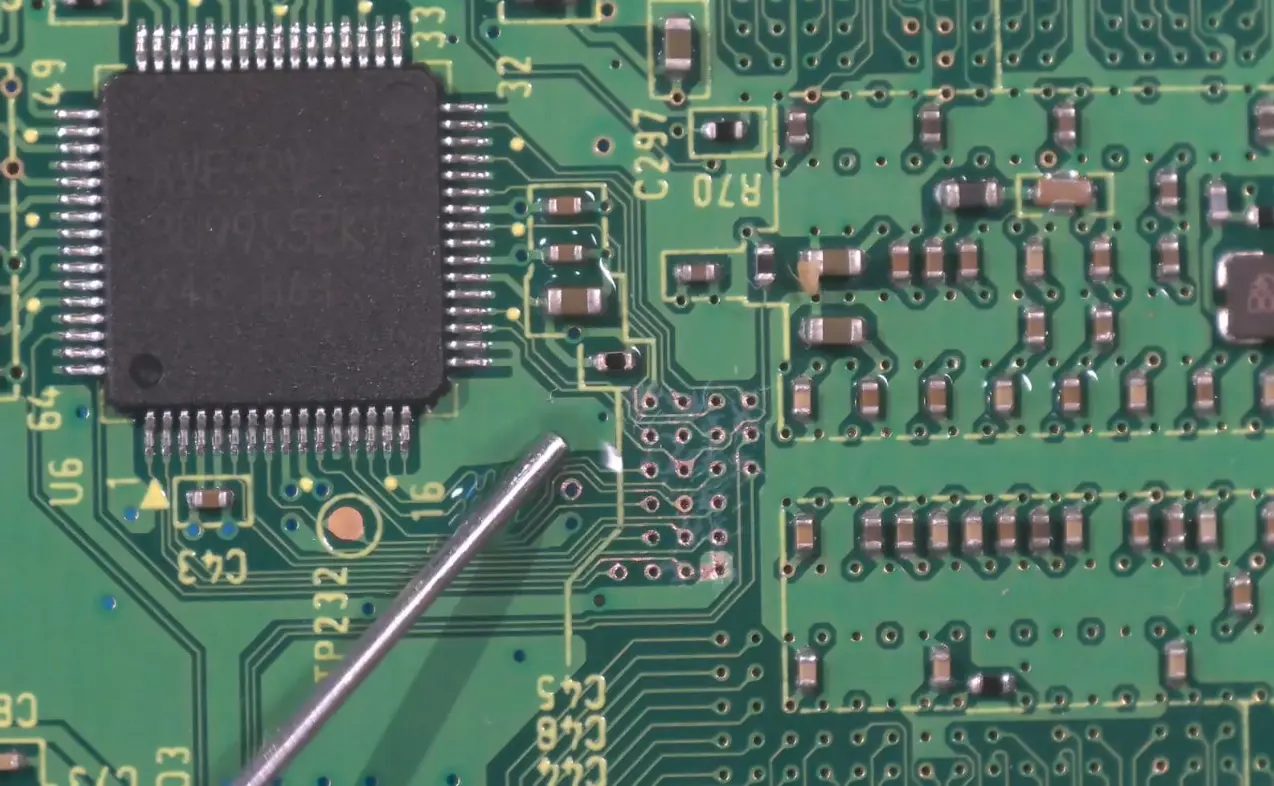
- Apply flux over all exposed vias.
- Heat the soldering iron and lightly touch it to the vias.
- Apply solder and distribute it so each via is fully tinned. Ensure there is no bridging between adjacent vias.
- Clean the area using a Q-tip and 91% isopropyl alcohol, then apply a fresh layer of flux over the tinned vias.
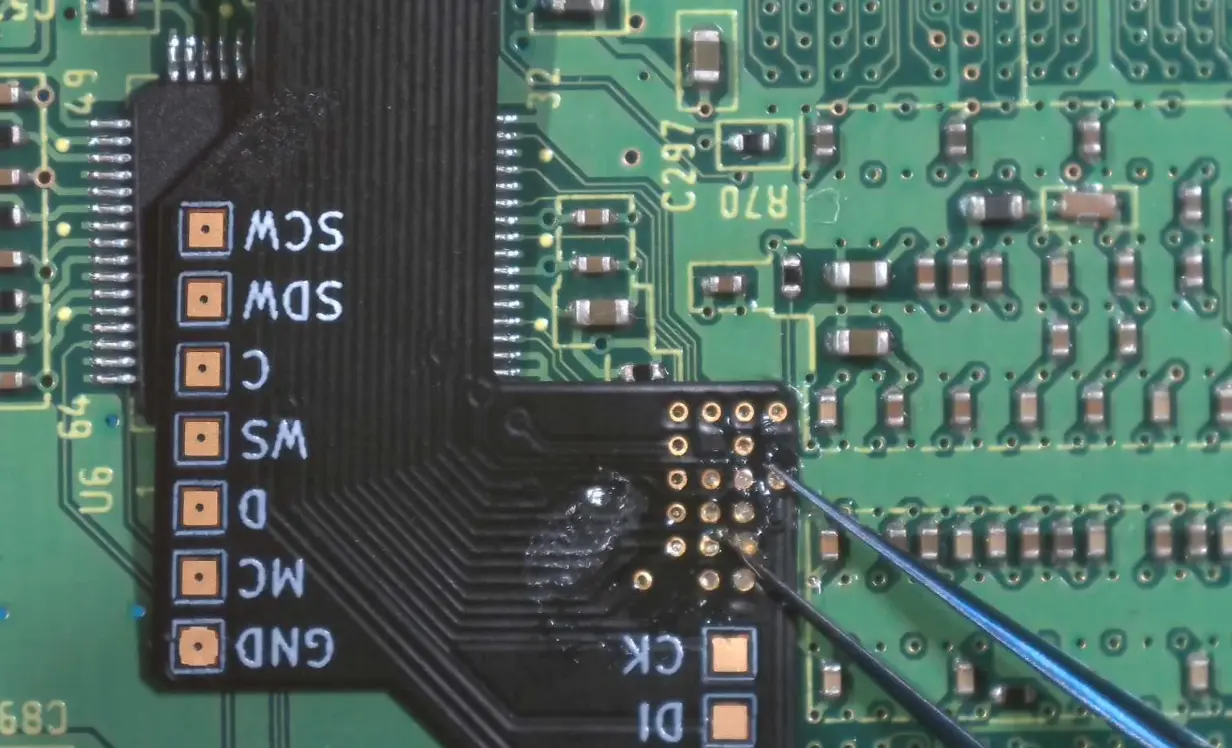
- Align the flex cable over the vias. Make sure the silver pad of each flex trace is centered and visible on its corresponding via.
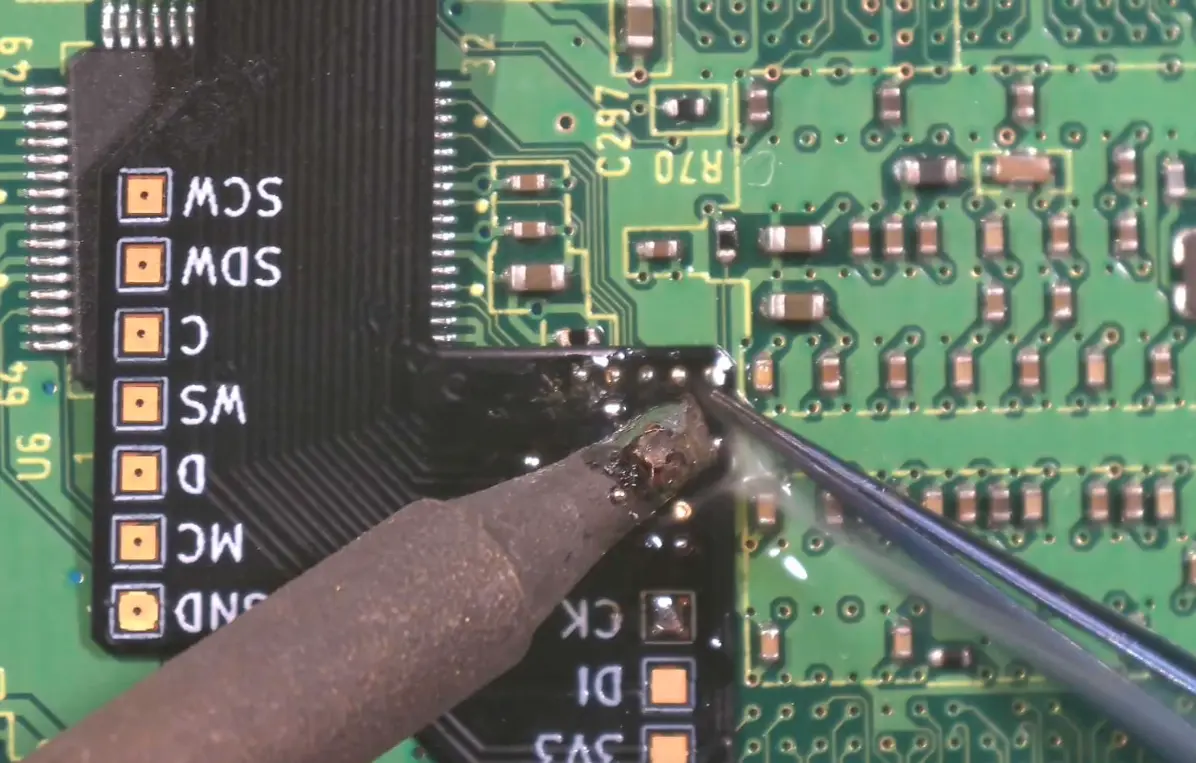
- Hold the flex in place with tweezers. Using a lightly tinned iron, solder each pad while applying gentle pressure so the flex sits flush against the board.
- Clean the area again with isopropyl alcohol.
- Test each connection using a multimeter. Rework any vias that do not show proper continuity.