

Bottom Half Assembly
Joystick Trigger Modification
Important
This trigger mod is only compatible with a specific revision of 3rd party joysticks. OEM and Hall sticks are not compatible and will not work. Use the included joysticks in the Xii-Boy Ultra Kit.
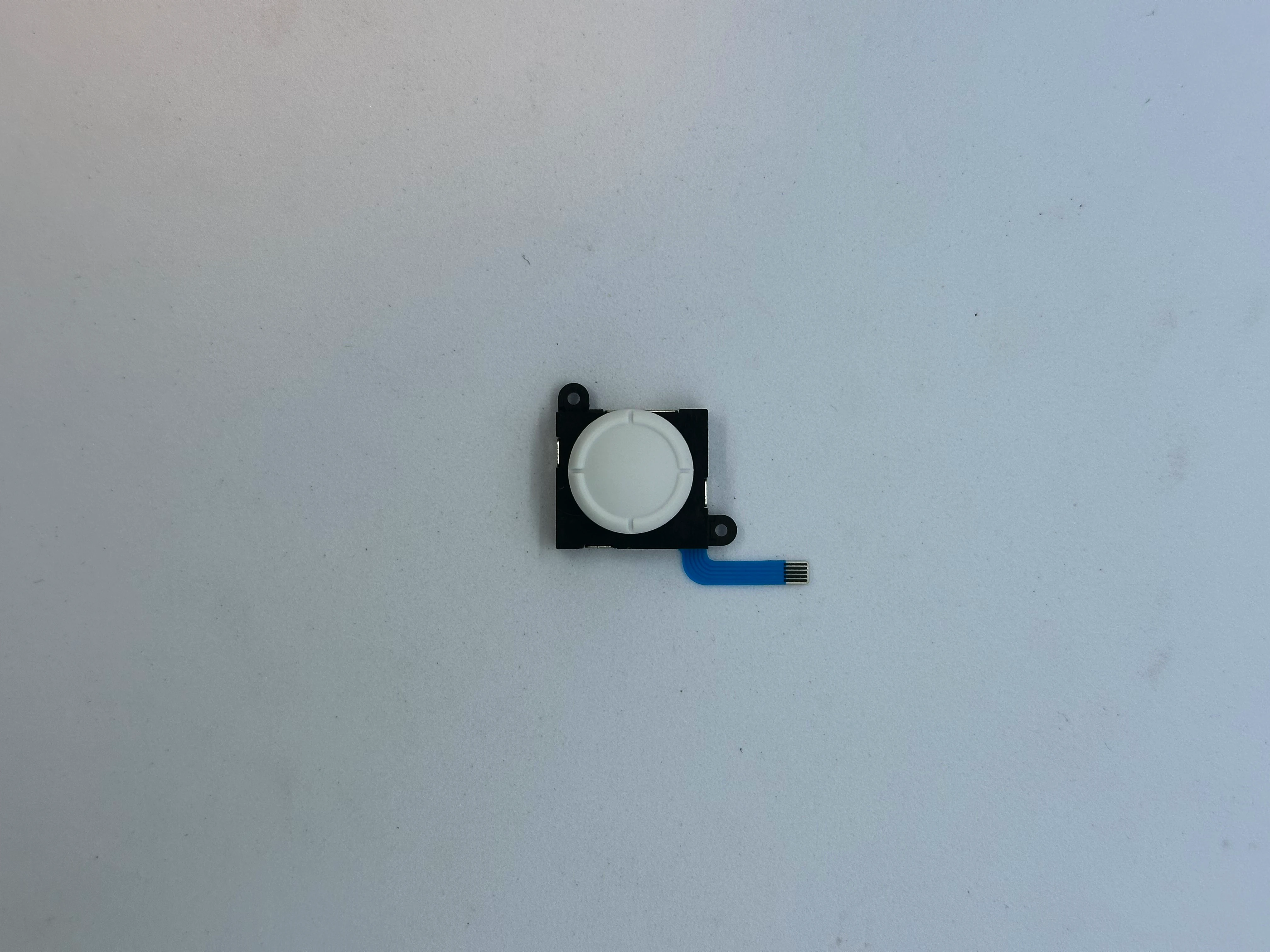
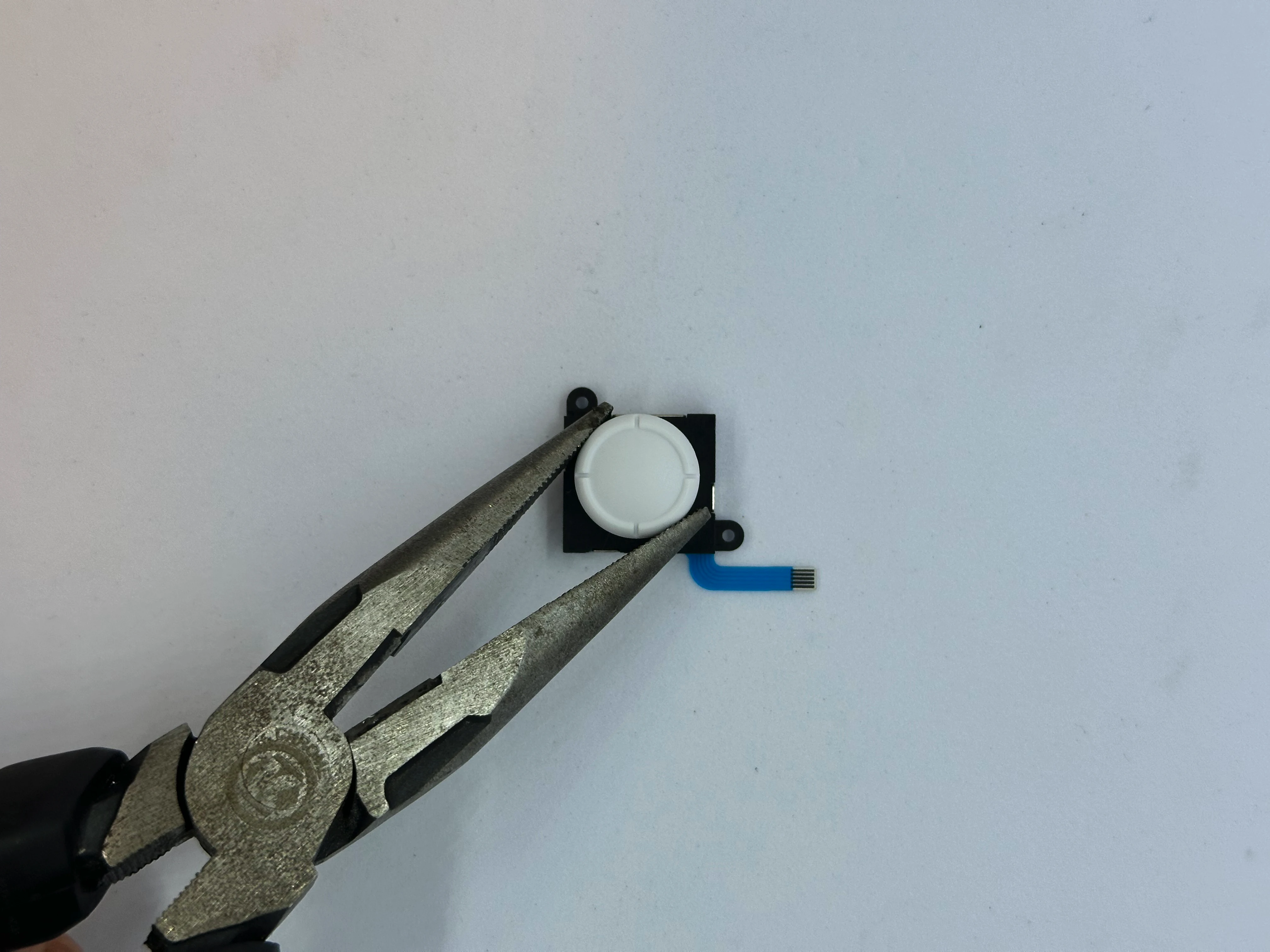
- Retrieve a joystick from Bag G2. Grip the joystick head with pliers and carefully rotate it
90°counterclockwise. Keep the pliers as flat as possible. The stick should detach from the mechanism. Dispose of the joystick head. Sometimes, the stick may break during removal, leaving a bit of plastic inside the base of the mechanism. This is not a major issue, the plastic can be removed later, but it can be quite difficult.
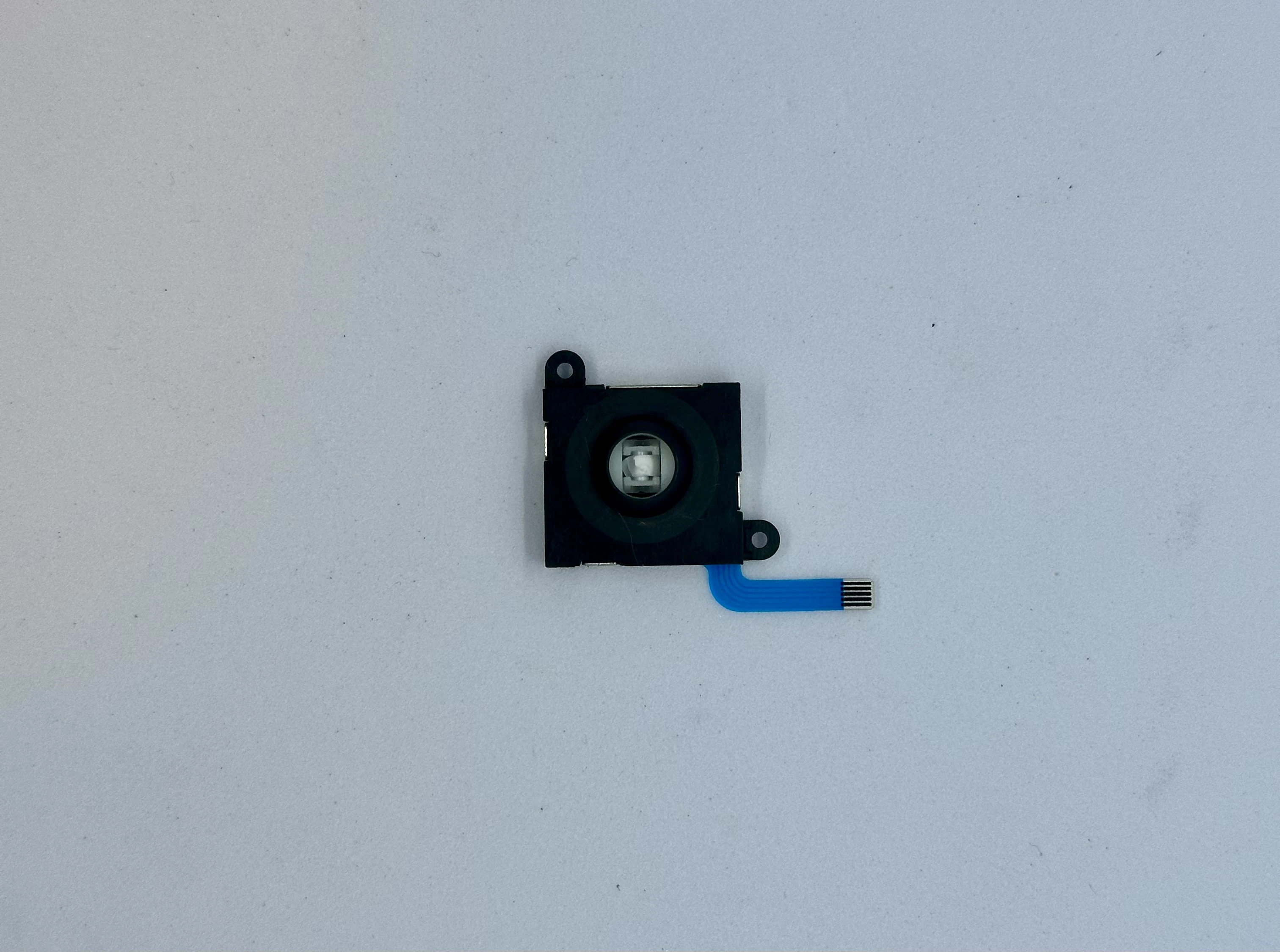
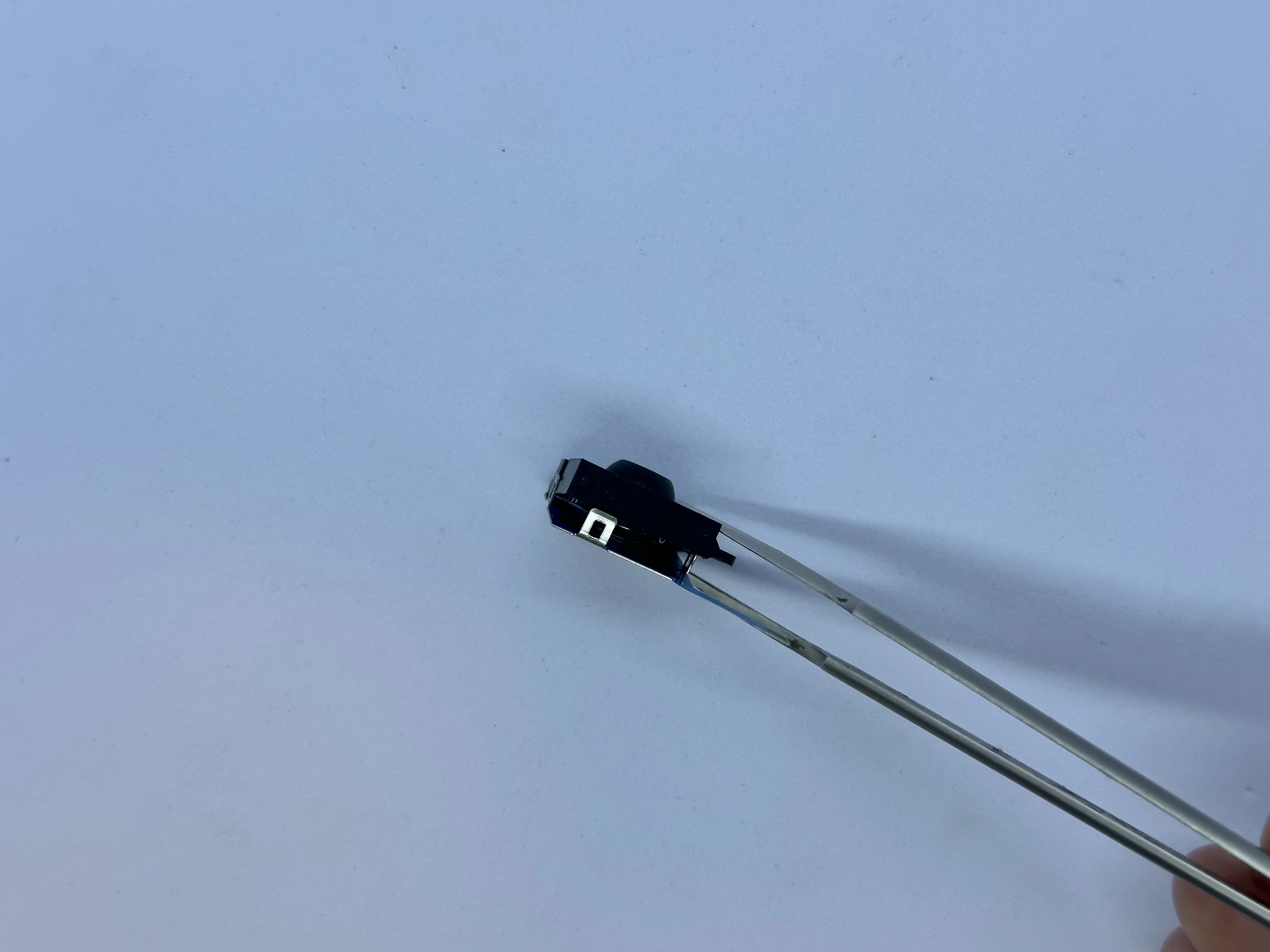
- Remove the back metal cover from the joystick assembly. There are four clips, use an X-ACTO blade to slightly bend the three small clips. The metal plate will then detach. Be careful not to lose any small parts.
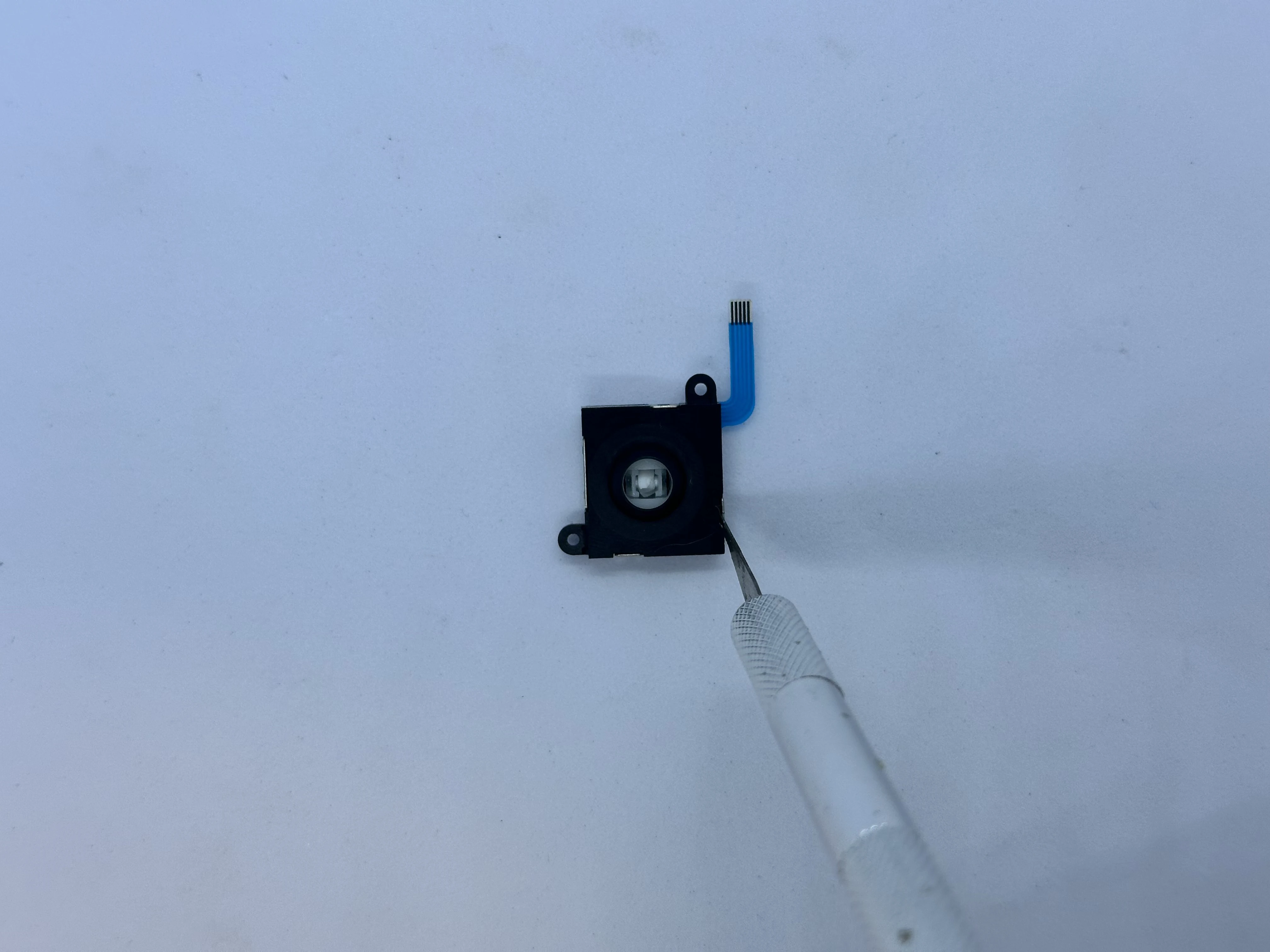
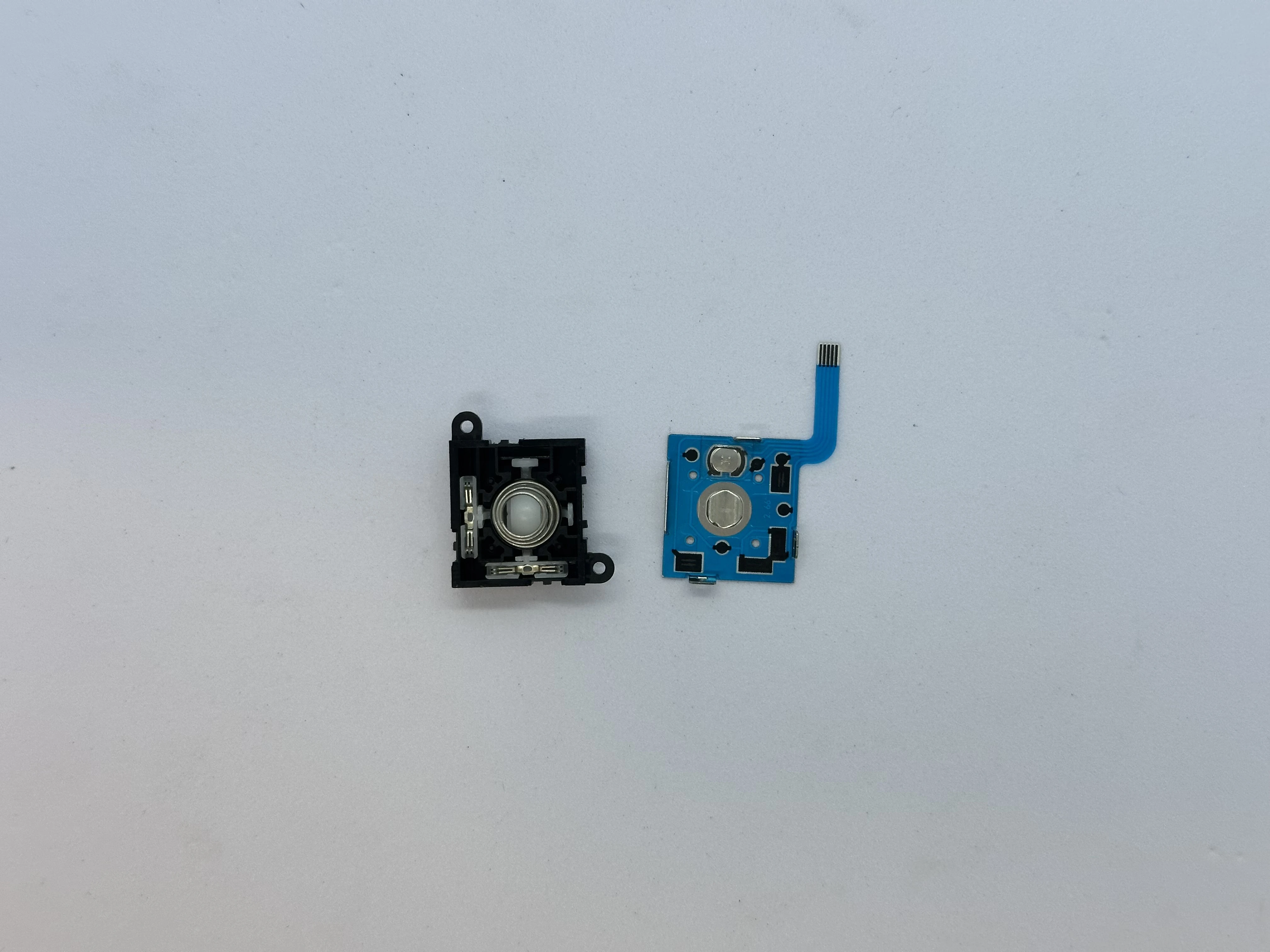
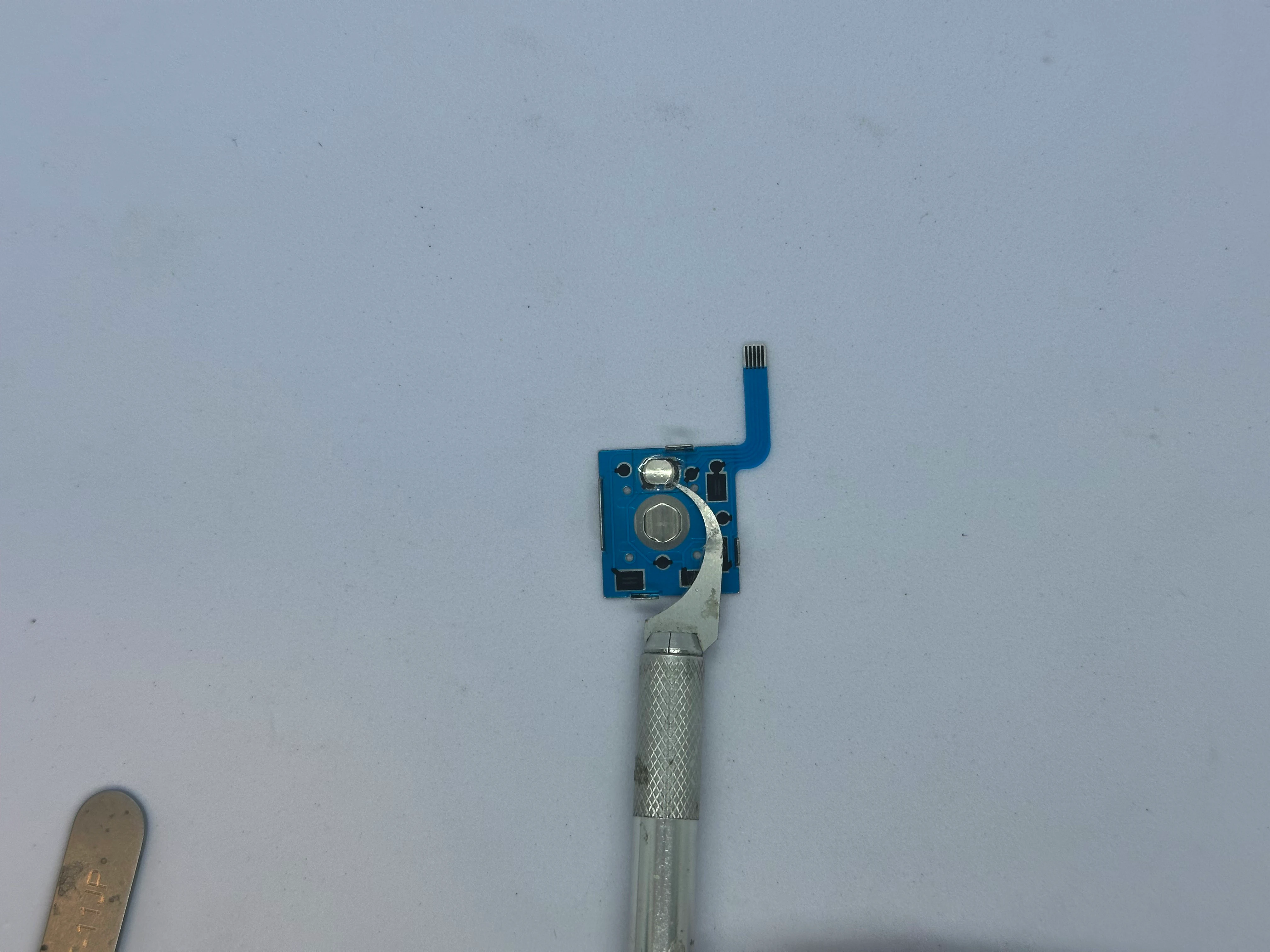
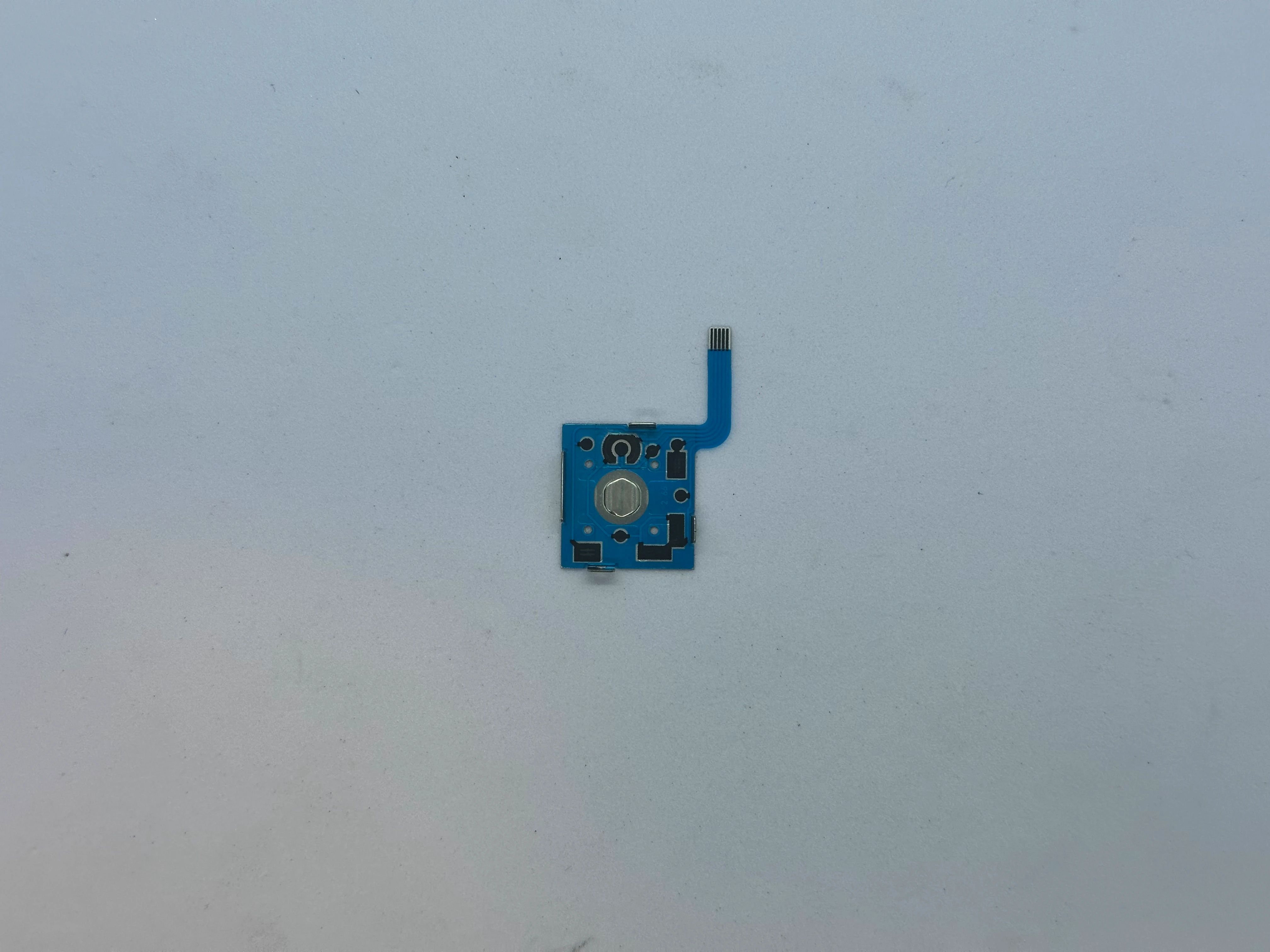
- On the FPC, carefully peel off the button using an X-ACTO blade. The button consists of an adhesive sticker with a small metal dome.
- If part of the joystick head broke inside the mechanism, remove the small white mechanical parts from the top section to clear the area. Then, use two pliers to remove the remaining part of the plastic head.
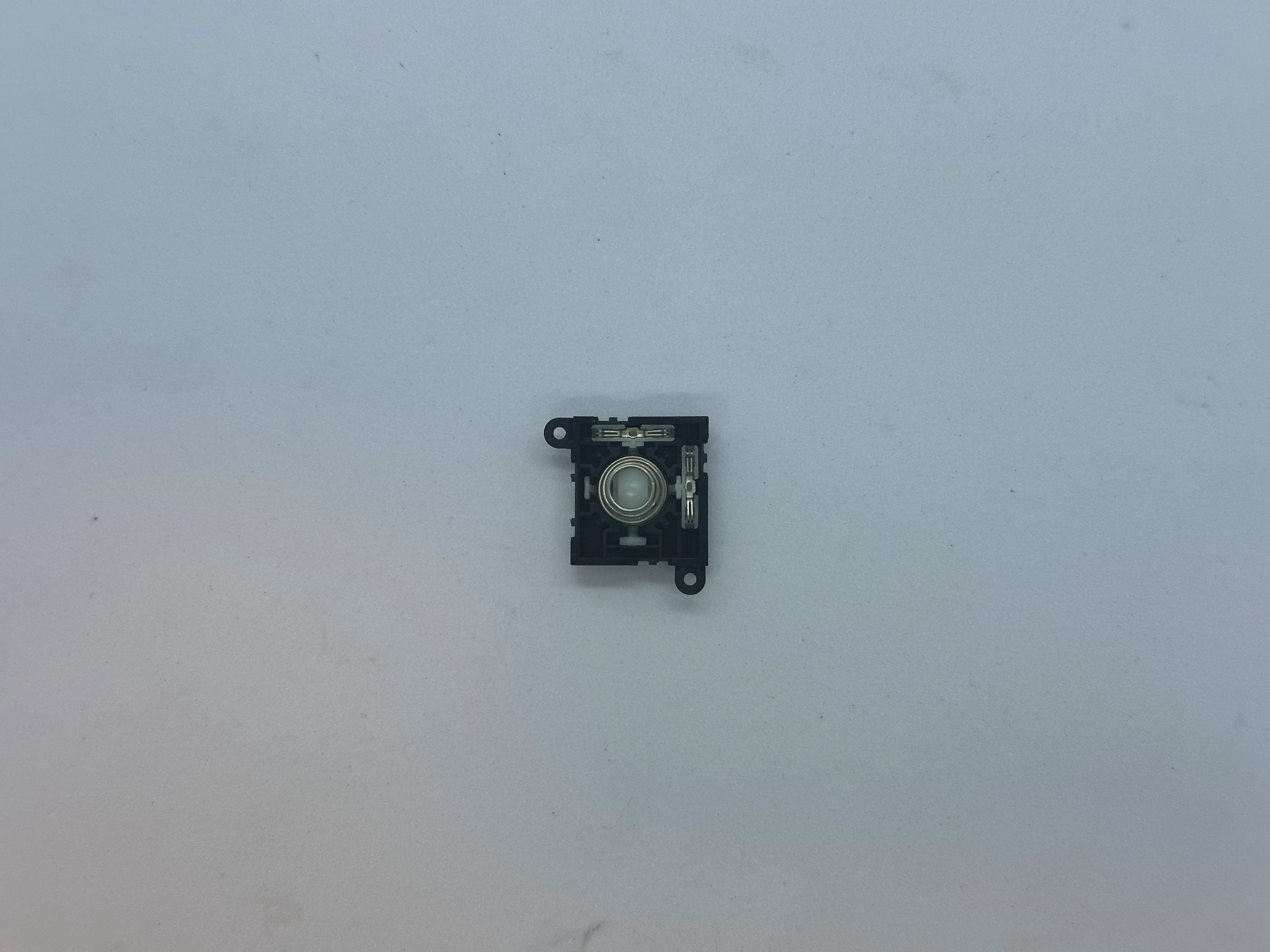
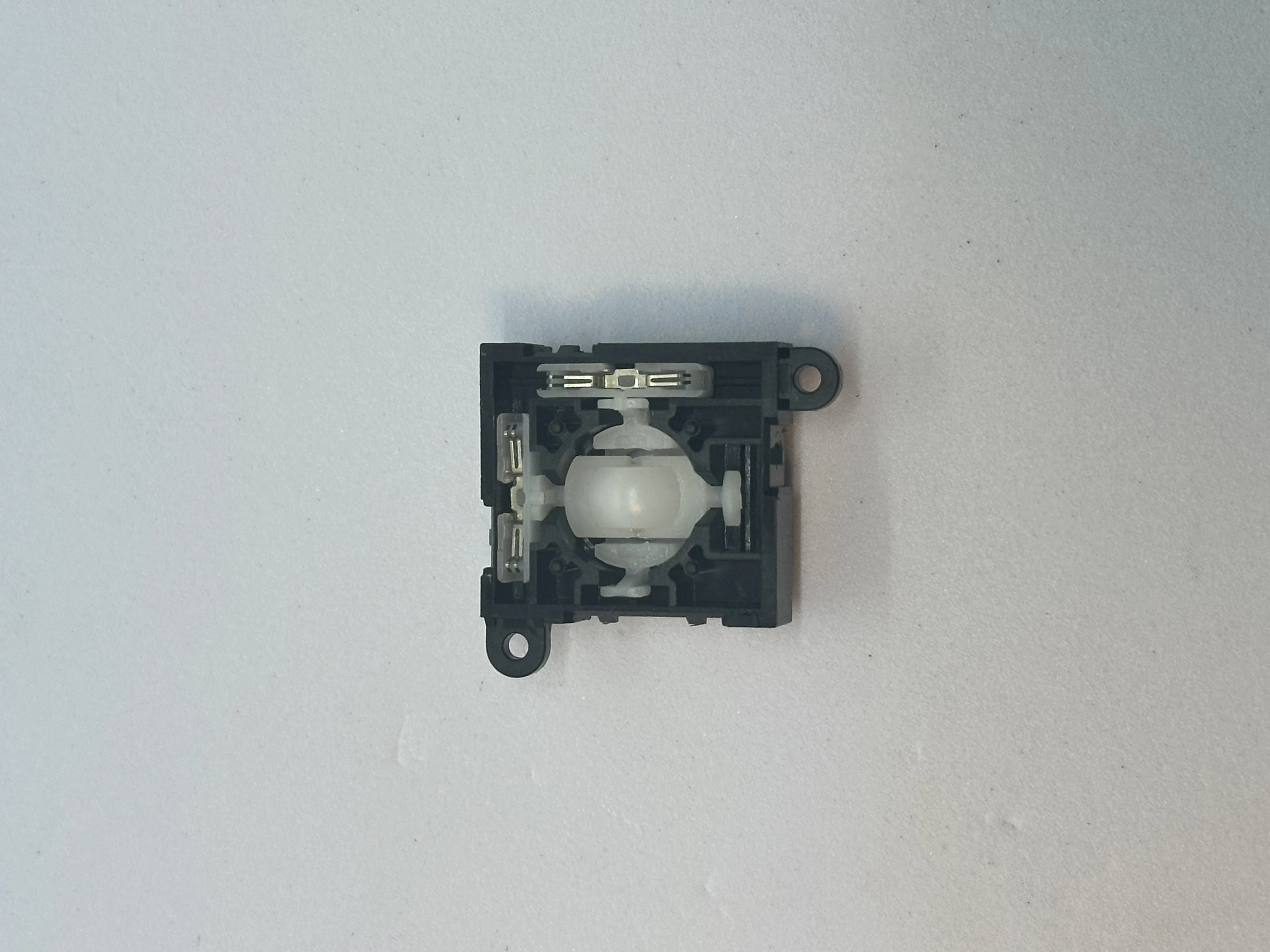
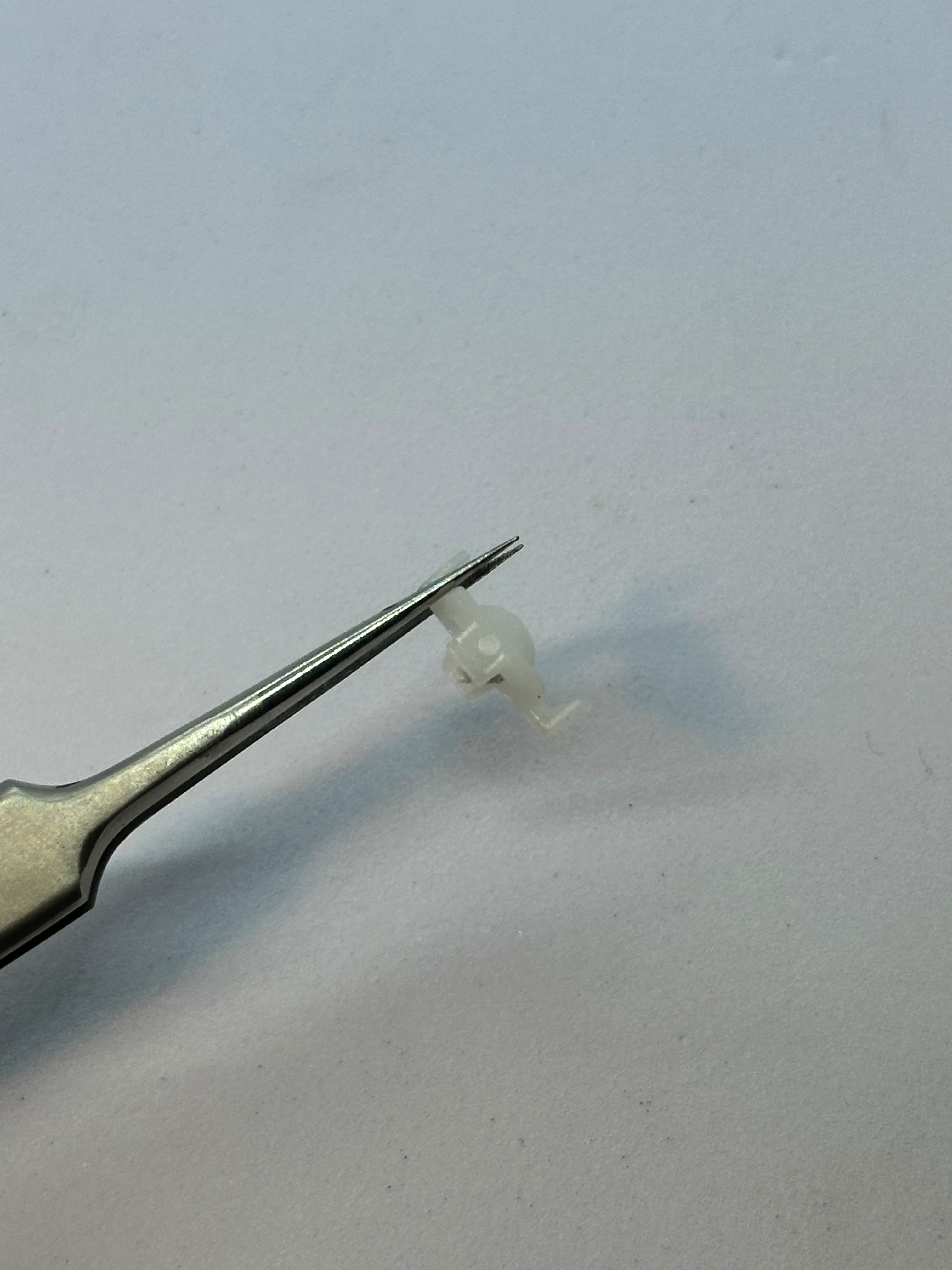
- Reassemble the joystick in the same way as before. Then install the 3D printed trigger by pressing the trigger down firmly from the top until it clicks into place.
Test the trigger to ensure it moves smoothly. If the movement is rough, remove the 3D printed trigger. Then, use a lighter for a moment by the bottom of the trigger. Insert it and repeat until the mechanism feels nice.
Repeat the process for the second trigger.
Lower Layer
Heatsink & Fan Installation
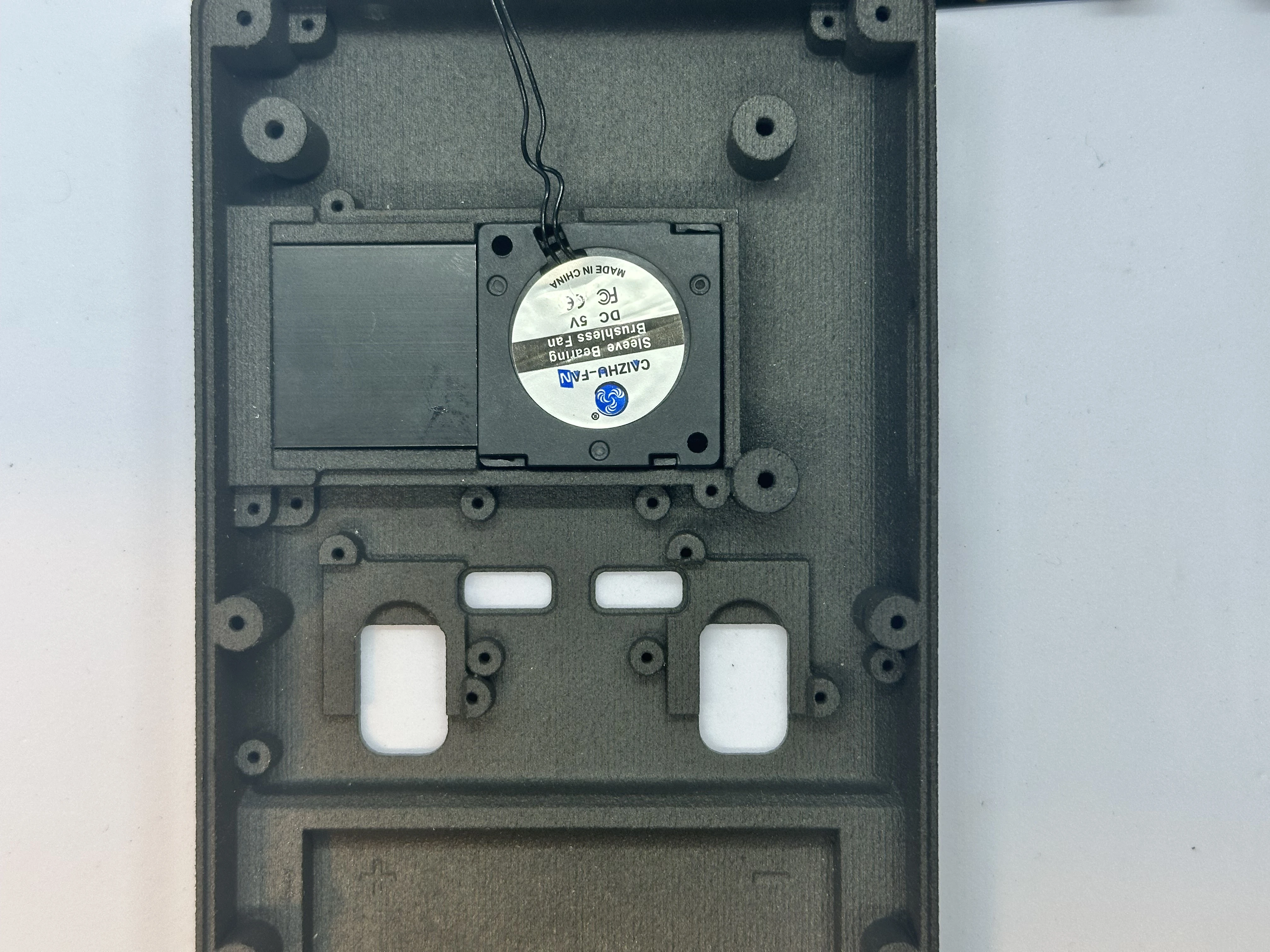
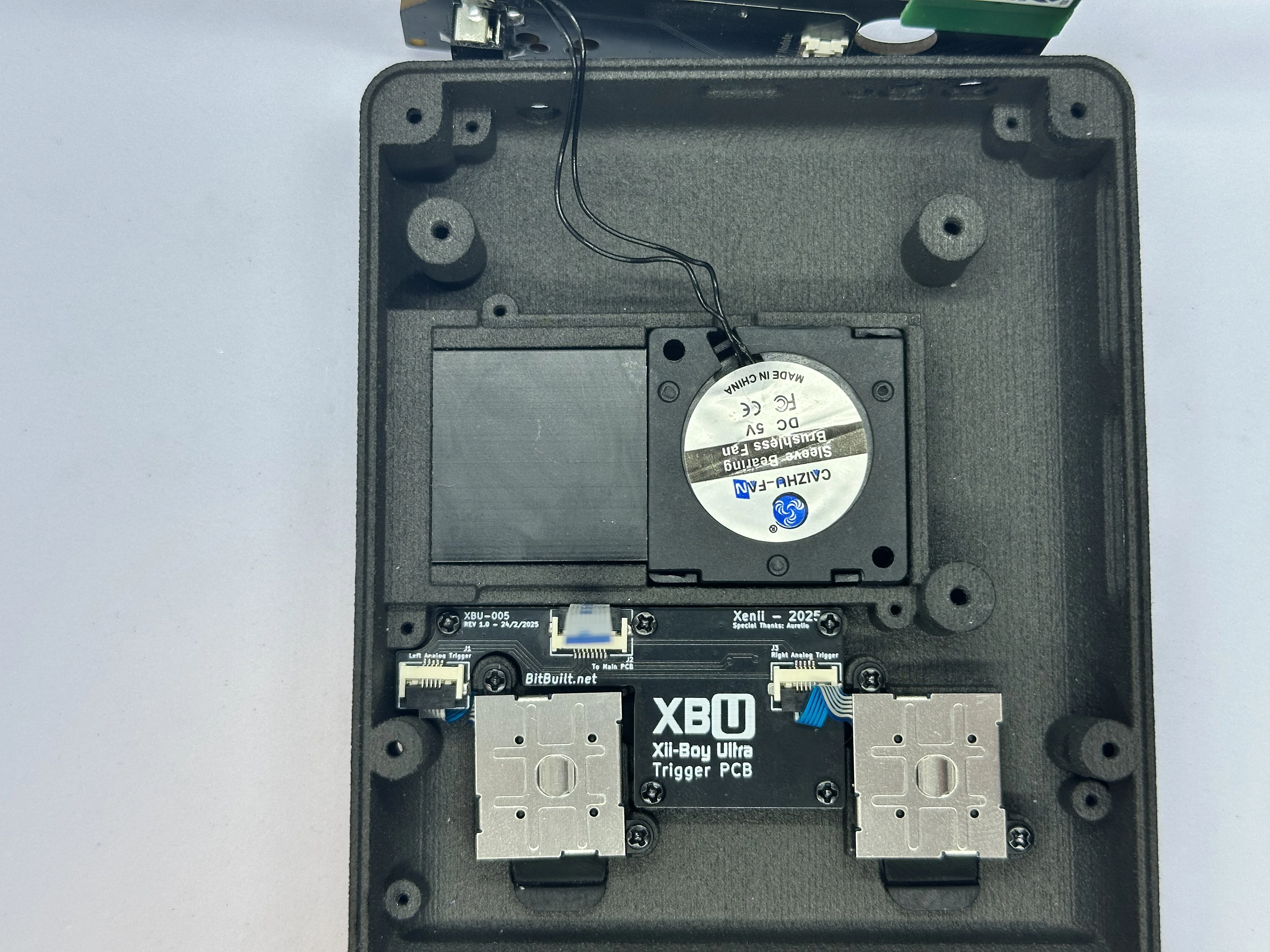
Retrieve the heatsink and fan from Bag B2. Before installation, inspect the heatsink base and fan for any dust or debris. Use a clean, dry cloth to gently remove any particles.
Position the heatsink and fan over the designated area in the bottom shell, with the fan's cable facing the USB-C port and the top of the shell. Align the heatsink so its fins and arches match the shell’s arches.
Once aligned, firmly press the assembly down to ensure it makes full contact with the shell. Both the heatsink and fan should be seated evenly without rocking. Route the cable through the small notch in the shell.
Trigger PCB (XBU-005)
- Retrieve the RZ and LZ bumper buttons from Bag G4. Place the RZ and LZ bumper buttons.
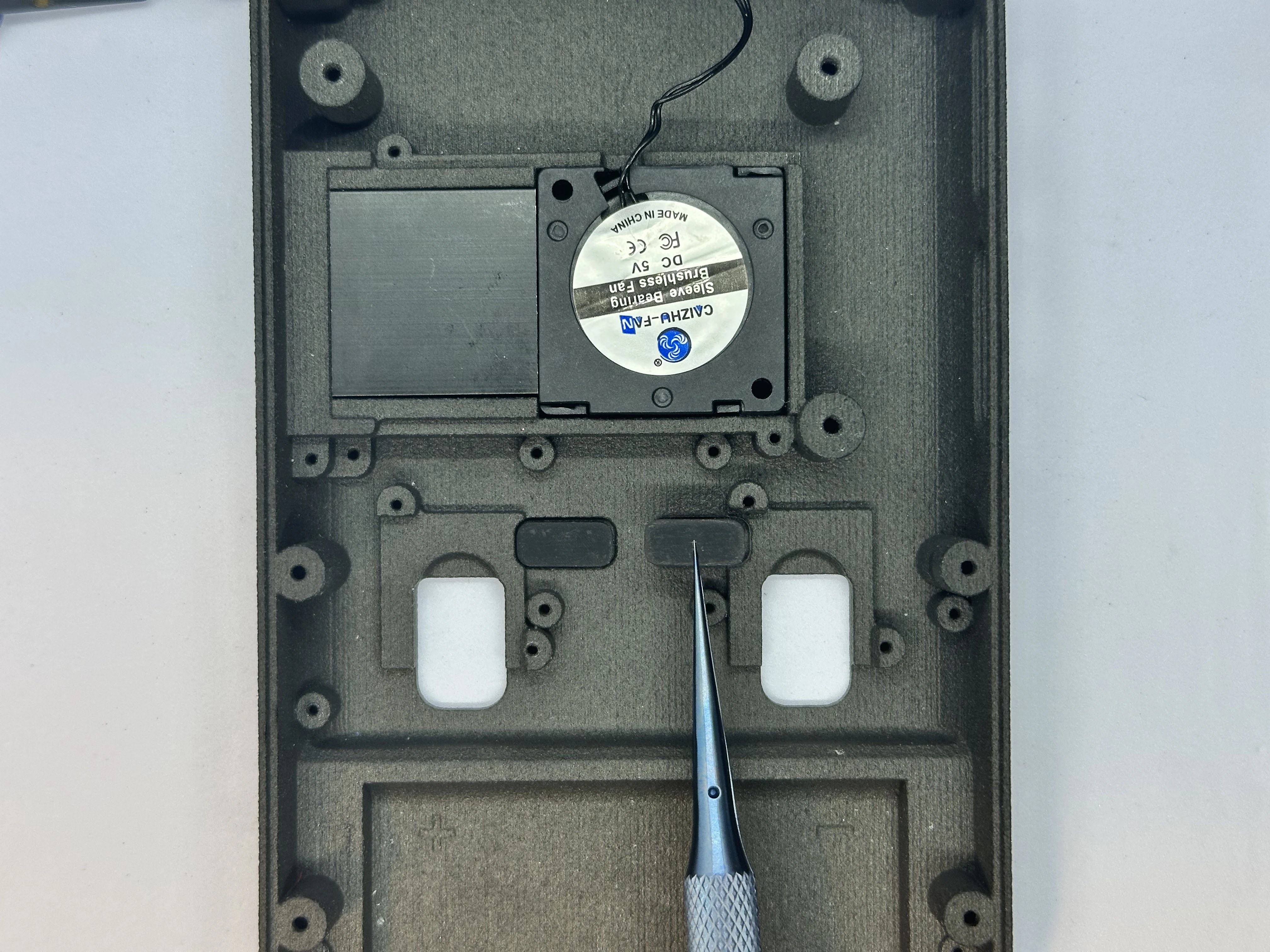
Important
GUIDE NEEDS UPDATED - PLACE WIFI ANTENNAS (STEP 8) BEFORE FASTENING THE TRIGGER PCB BOARD
- Connect the two modified Joy-Con Joystick Triggers to the Trigger PCB ZIF connectors.
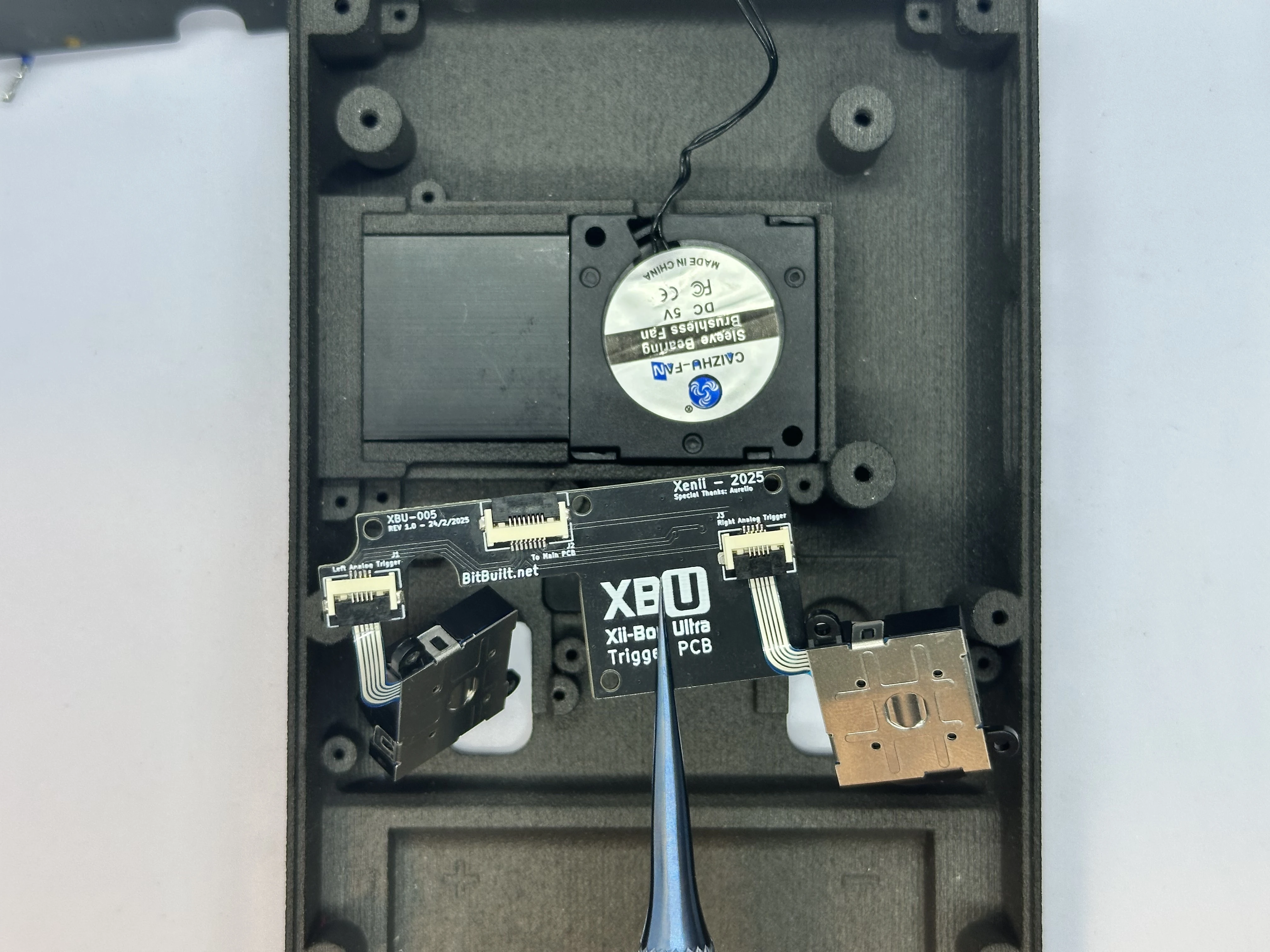
- Align the Trigger PCB and triggers with their respective screw posts. Fasten the Trigger PCB with five
4mmPhillips screws from Bag G3, and fasten the triggers with two4mmPhillips screws each.
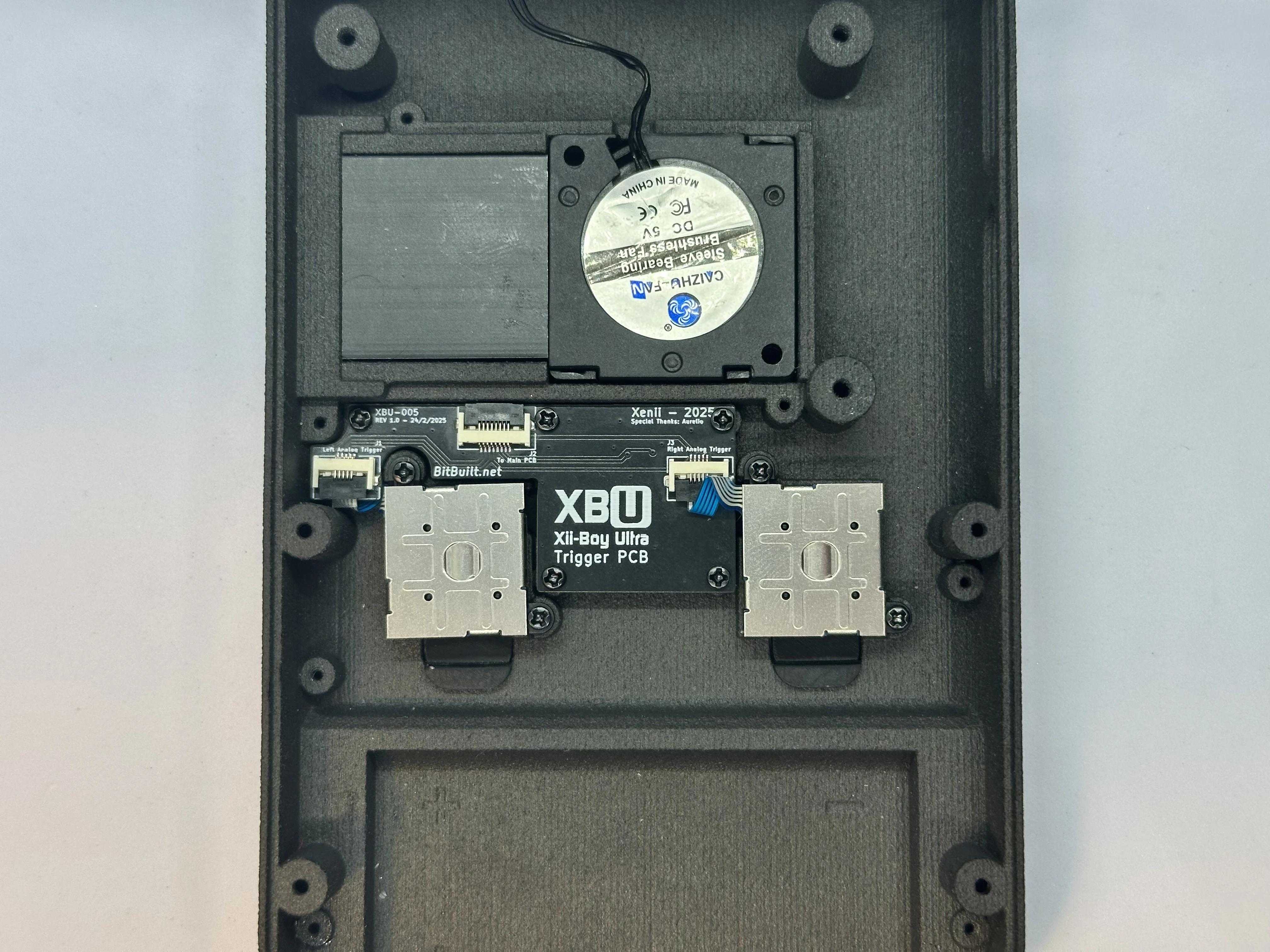
INFO
The ribbon cables on the triggers will need to be bent in order to fit properly.
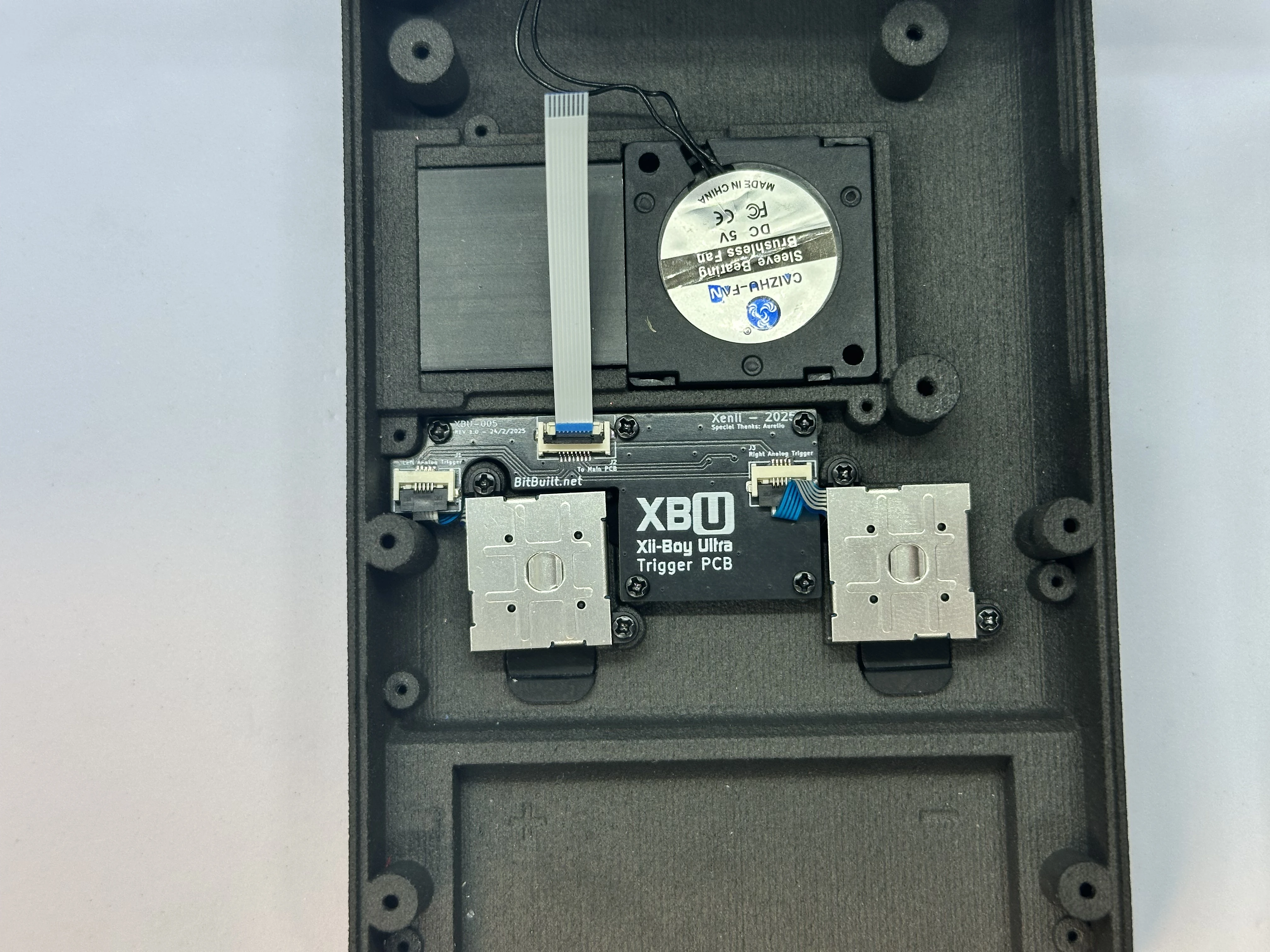
- Unlock the 8 Pin ZIF Connector on the Trigger PCB labeled “To Main PCB”. Retrieve the 8 Pin FFC from Bag G5. Insert the 8 Pin FFC and lock the connector. Bend the cable so that it is facing straight up - 90° from the connector.
Copper Heat Spreader
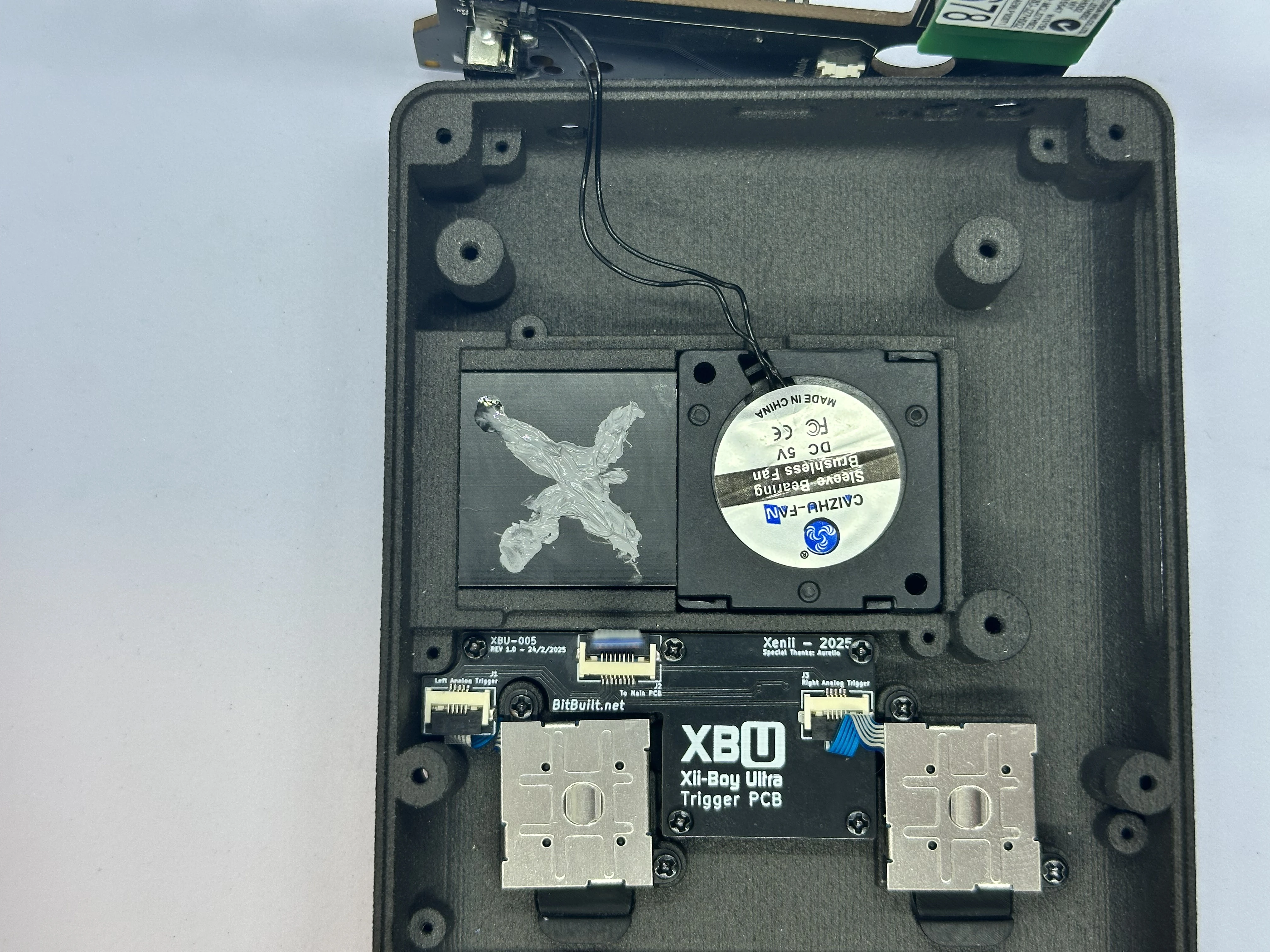
- Apply Arctic MX-4 thermal paste to the heat sink in an “X” shape. Apply more than what is pictured, but not so much it overflows.
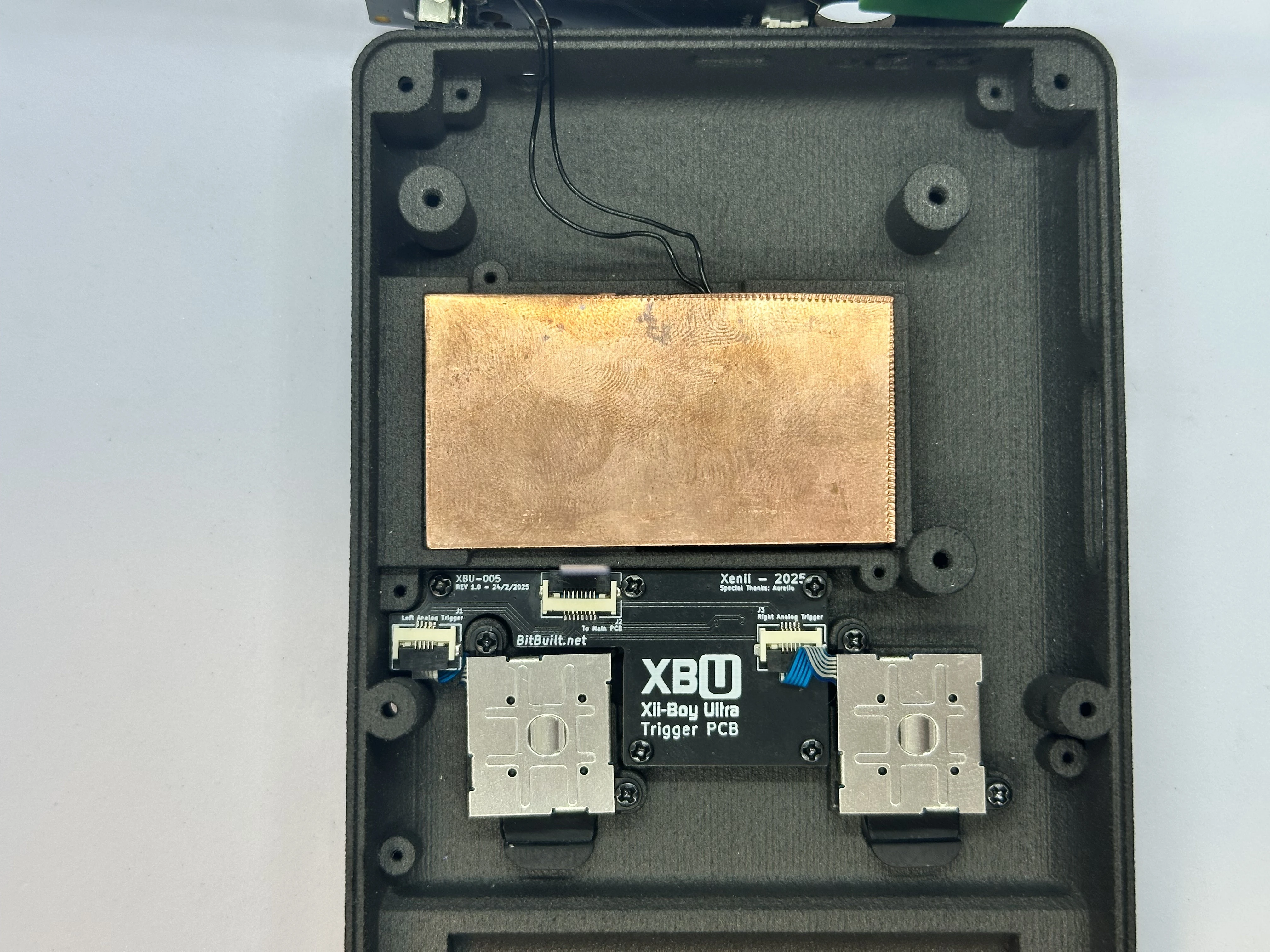
- Retrieve the copper plate from Bag B2. Firmly place the
30mm x 55mm x 1mmcopper plate over the heat sink and fan.
Placing & Routing WiFi Antennas
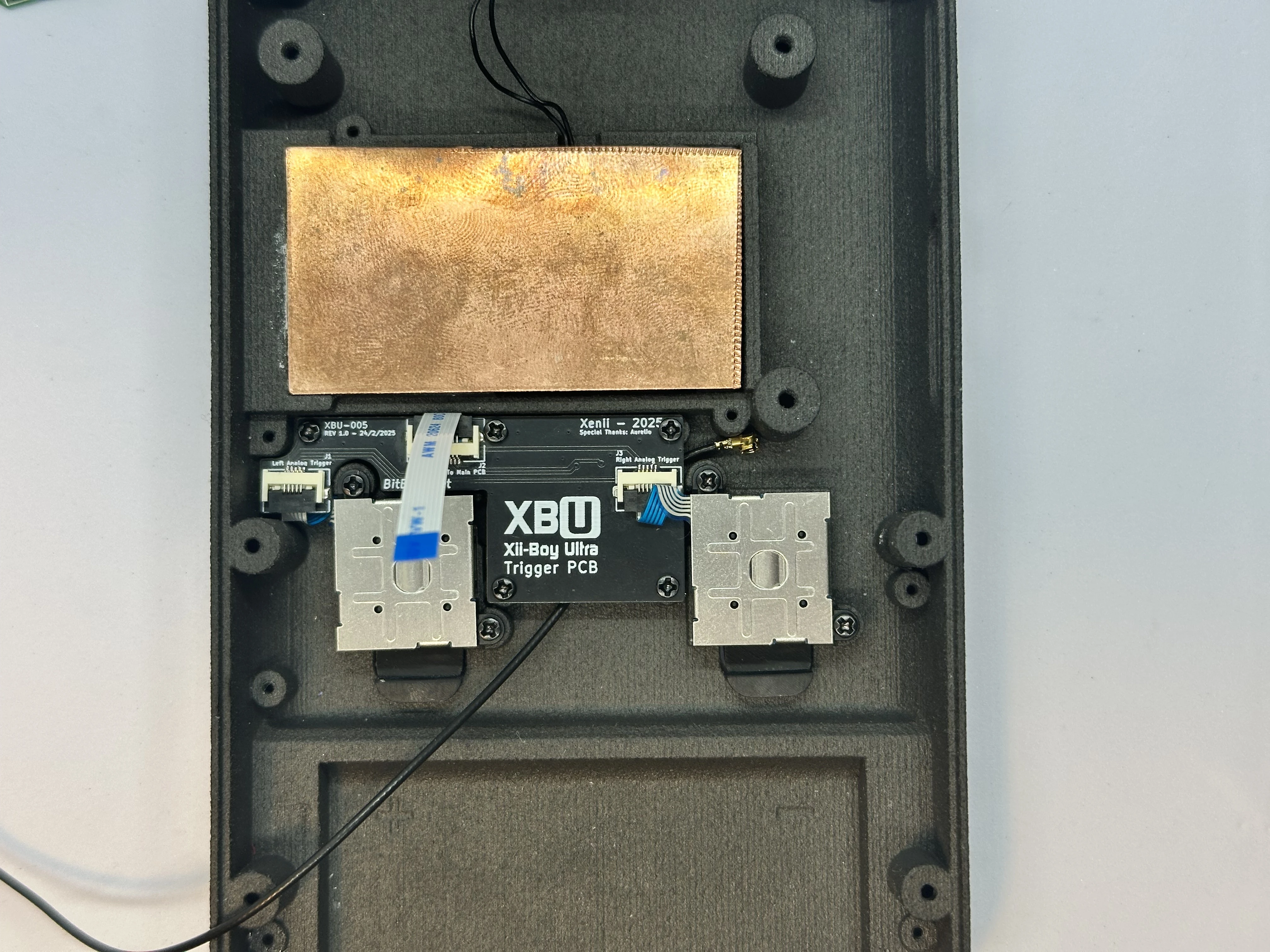
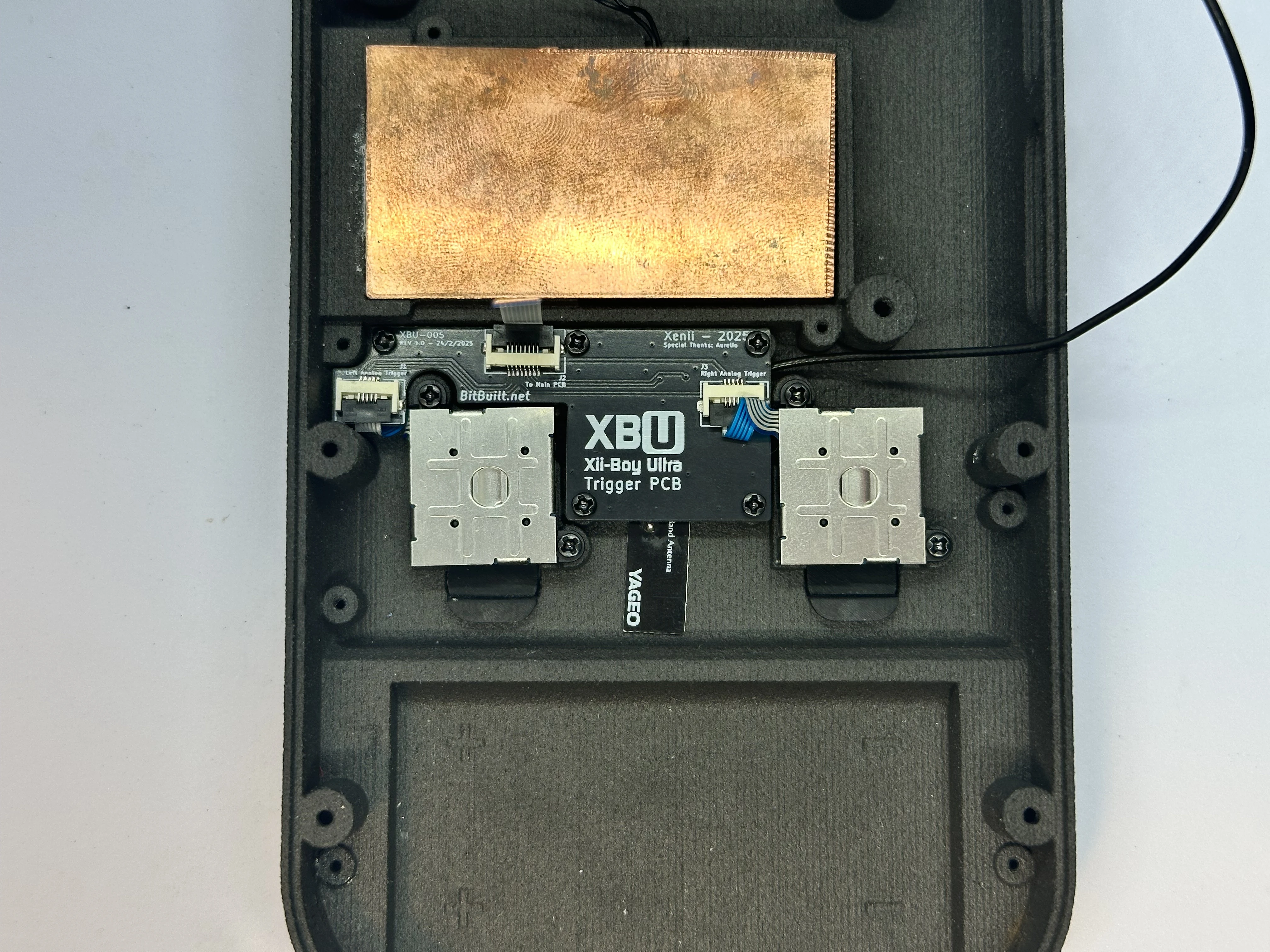
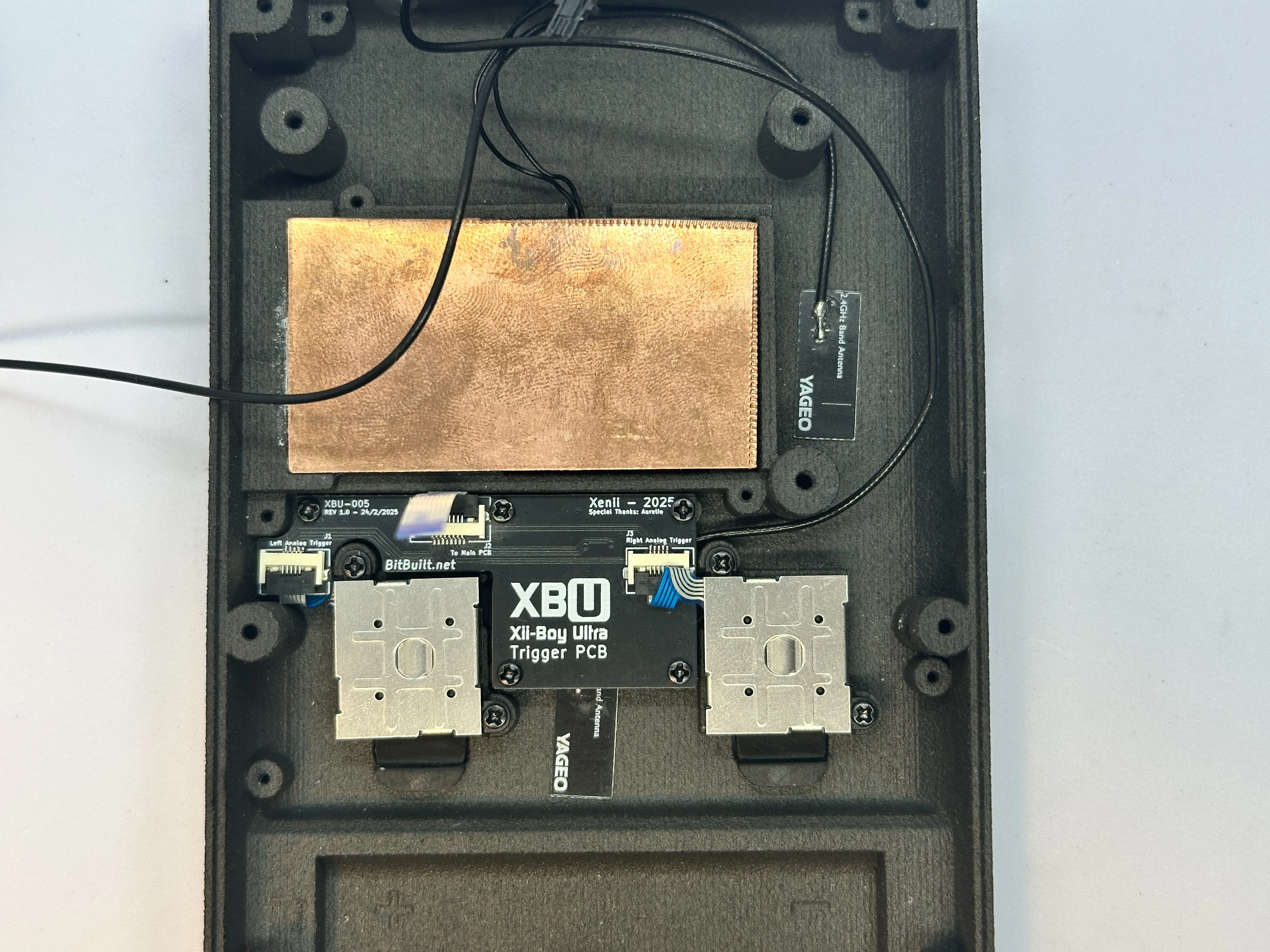
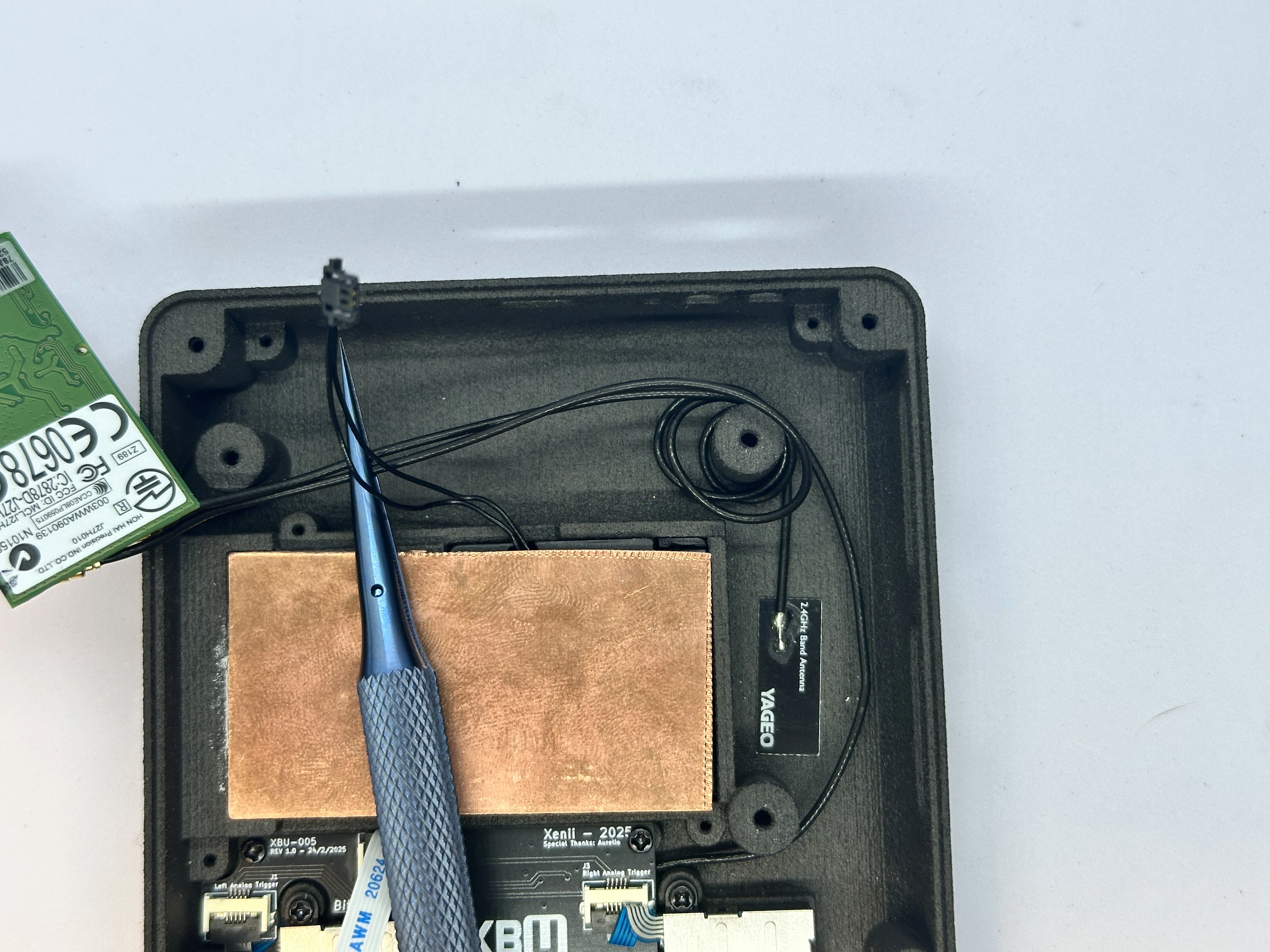
- Retrieve the Wi-Fi antennas from Bag B1. Remove the white adhesive strips from the two black Wi-Fi antennas and place them as pictured. Wrap each of the wires twice around the upper right screw post.
Side Buttons
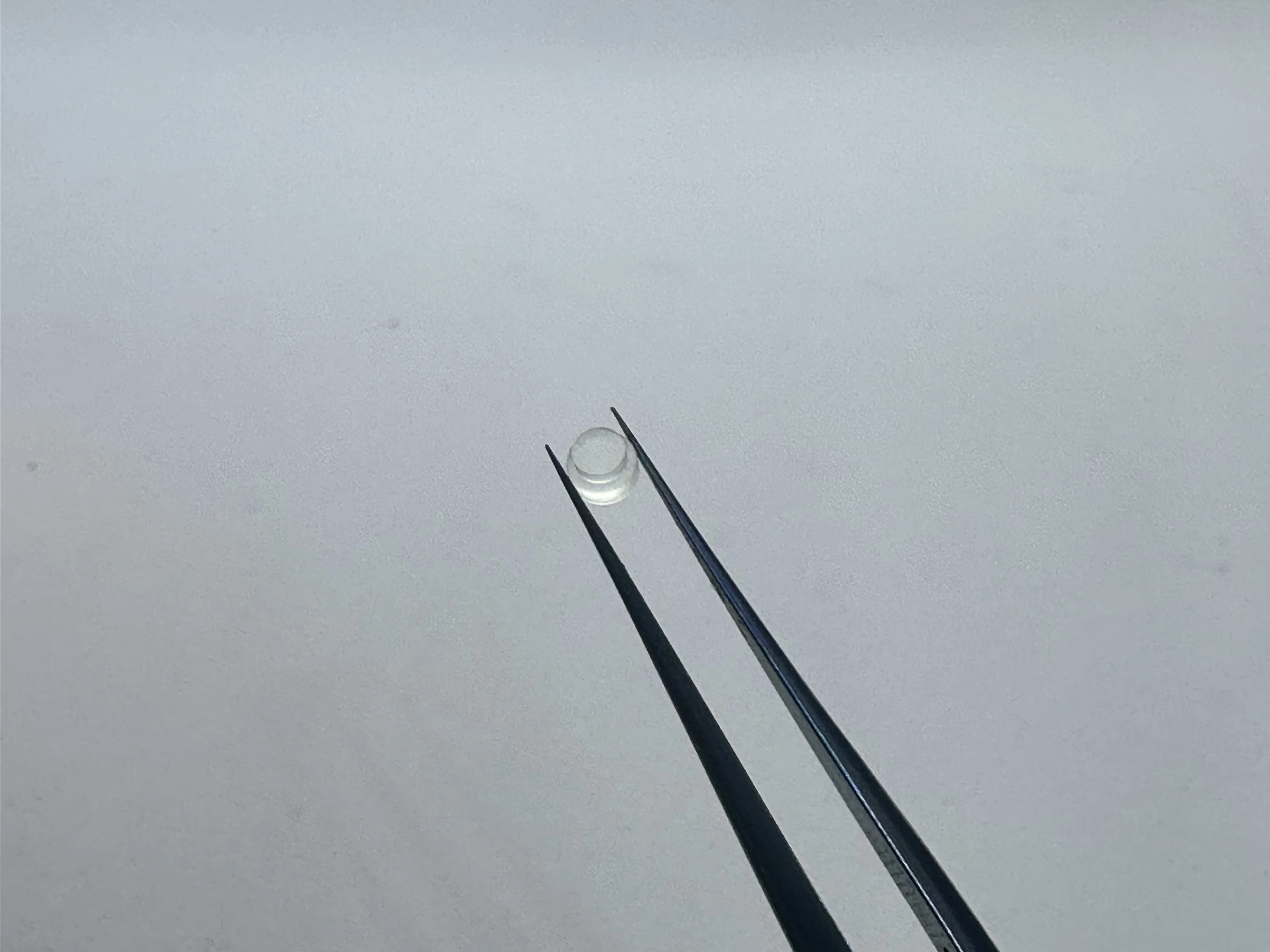
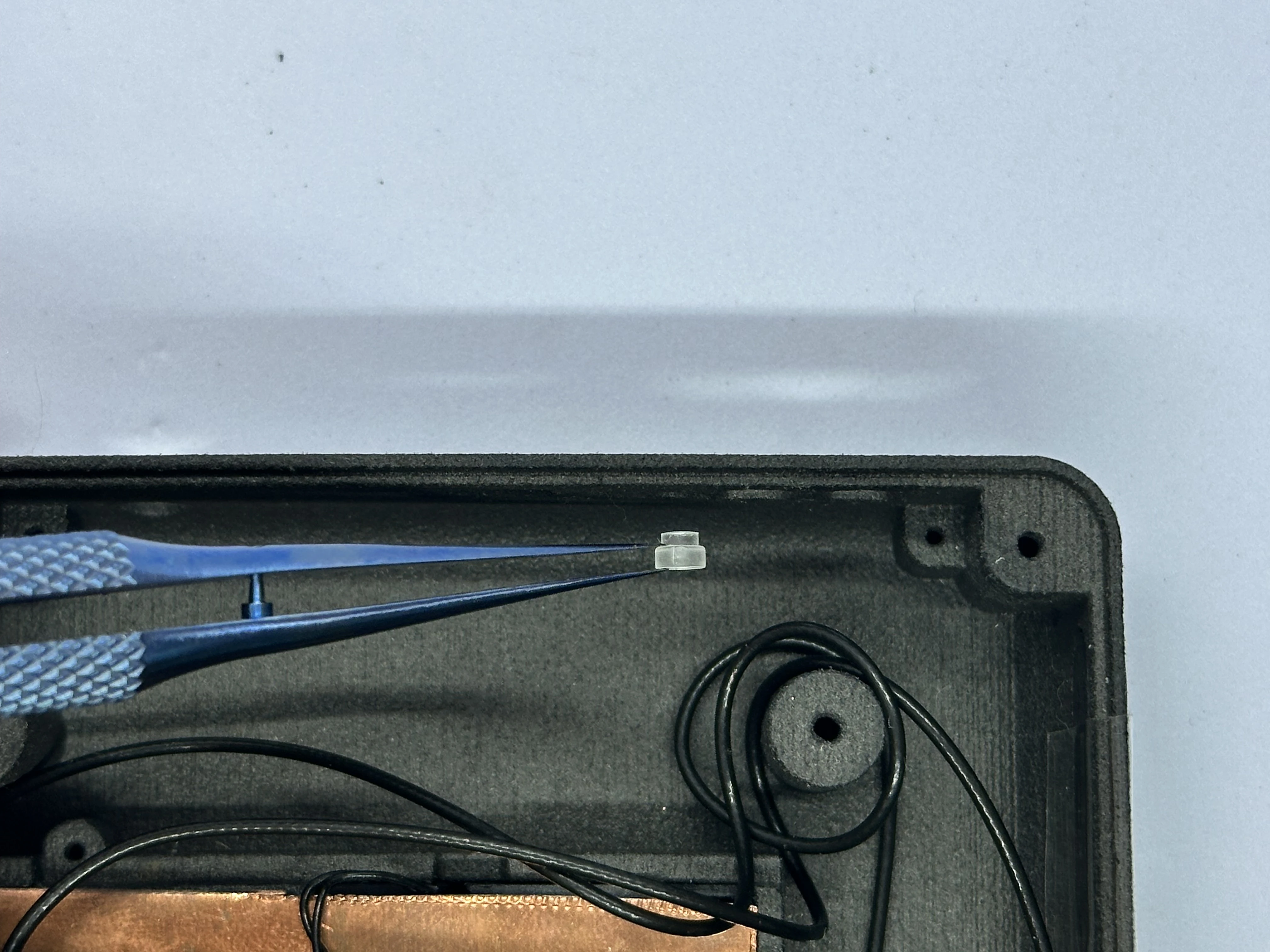
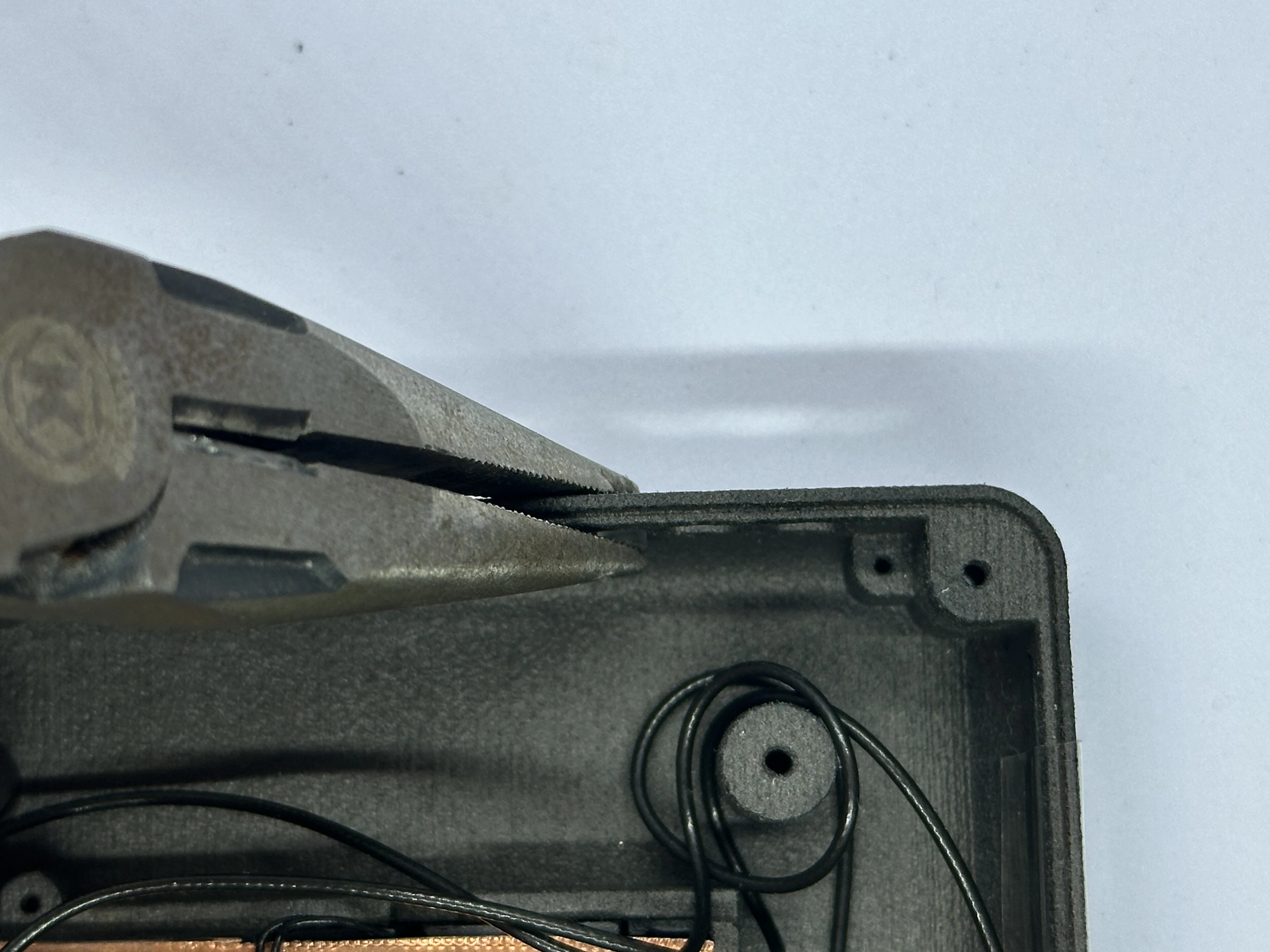
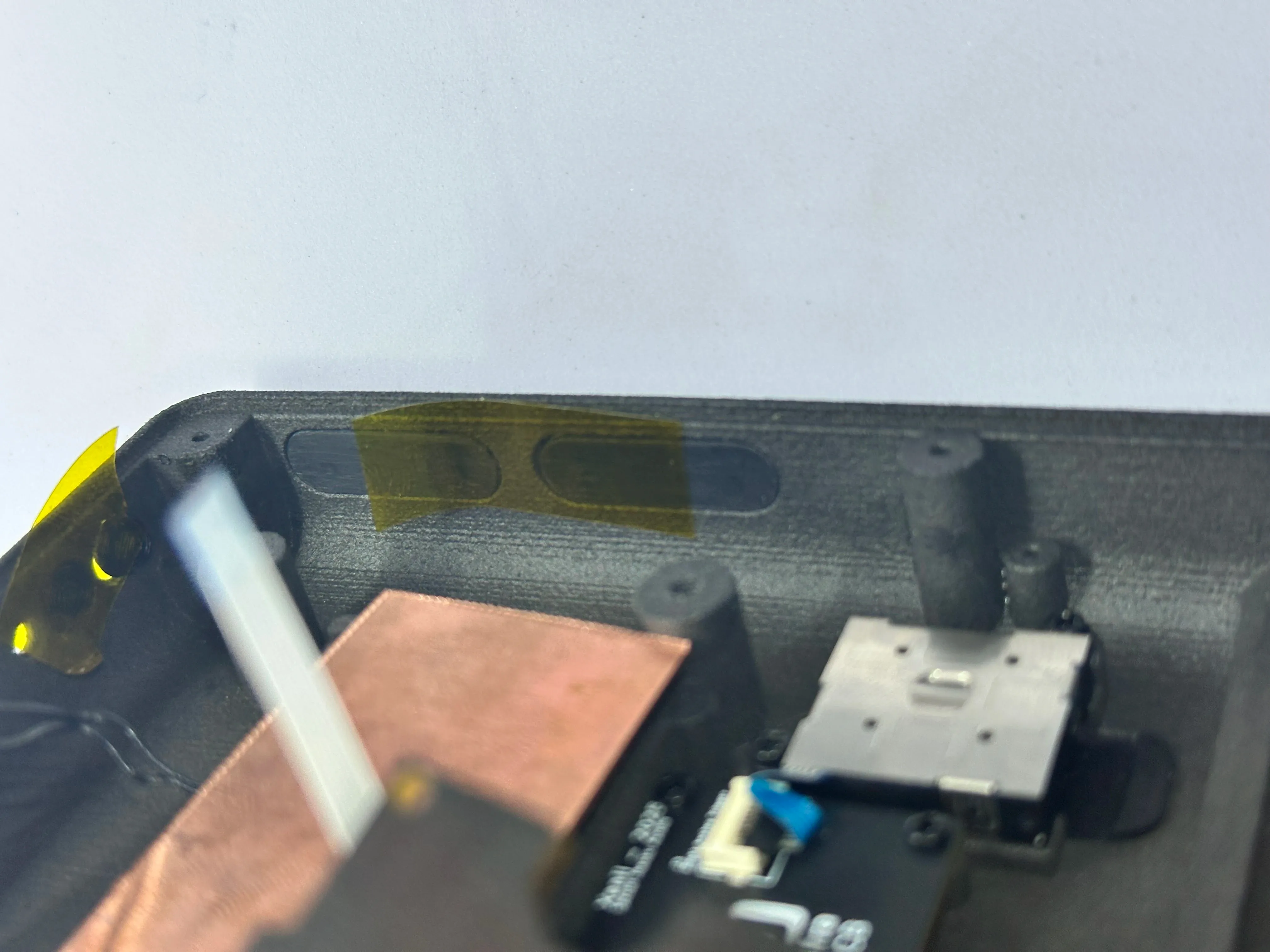
- Retrieve the clear light pipe from Bag B4. Take the clear light pipe and a pair of pliers. Position the light pipe at the top of the shell on the left of the power button hole. Carefully use the pliers to push the pipe into place. Do not apply too much force, as this could crack the shell easily.
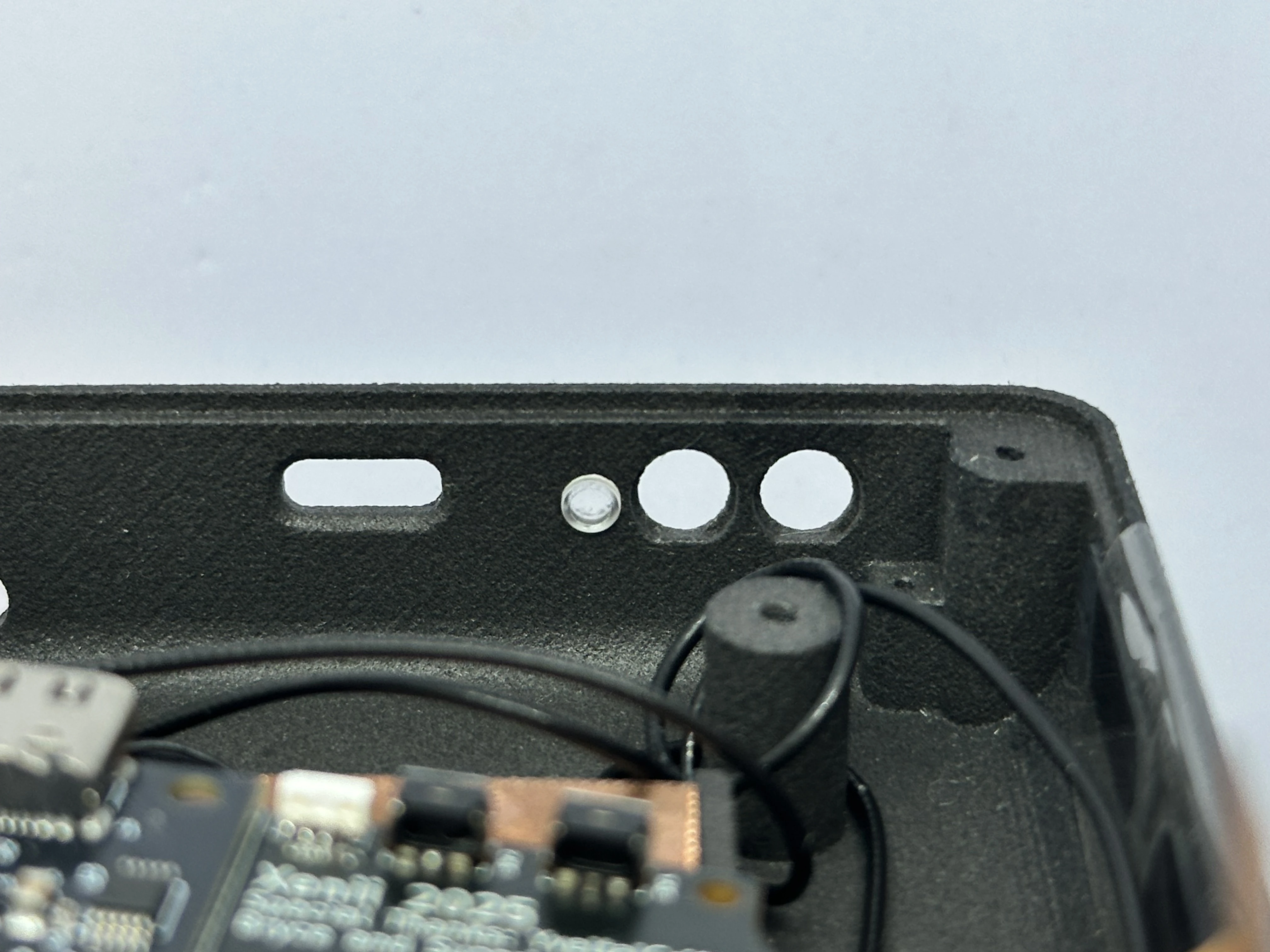
- Retrieve the Power and Bluetooth Sync buttons from Bag G4. Place the
Power(closest to the light pipe) andBluetooth Sync(closest to the corner) buttons in their slots. Each button has a notch, so note the orientation. A small piece of tape can be used to keep them in place.
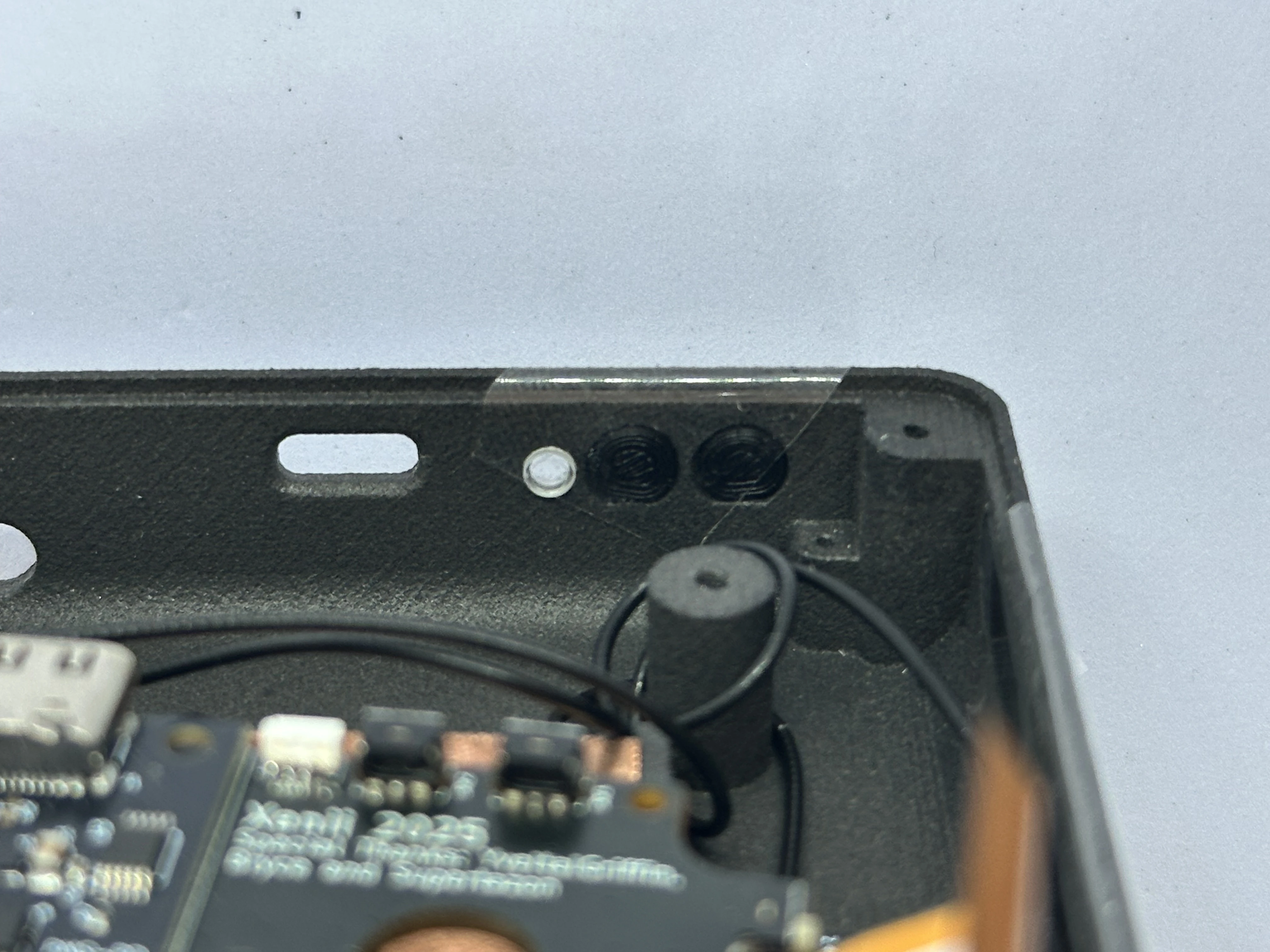
- Retrieve the Brightness and Volume rockers from Bag G4. Place the
BrightnessandVolumerockers into their slots. Each rocker has a notch, so note the orientation. A small piece of tape can be used to keep them there.
Main PCB Preparation
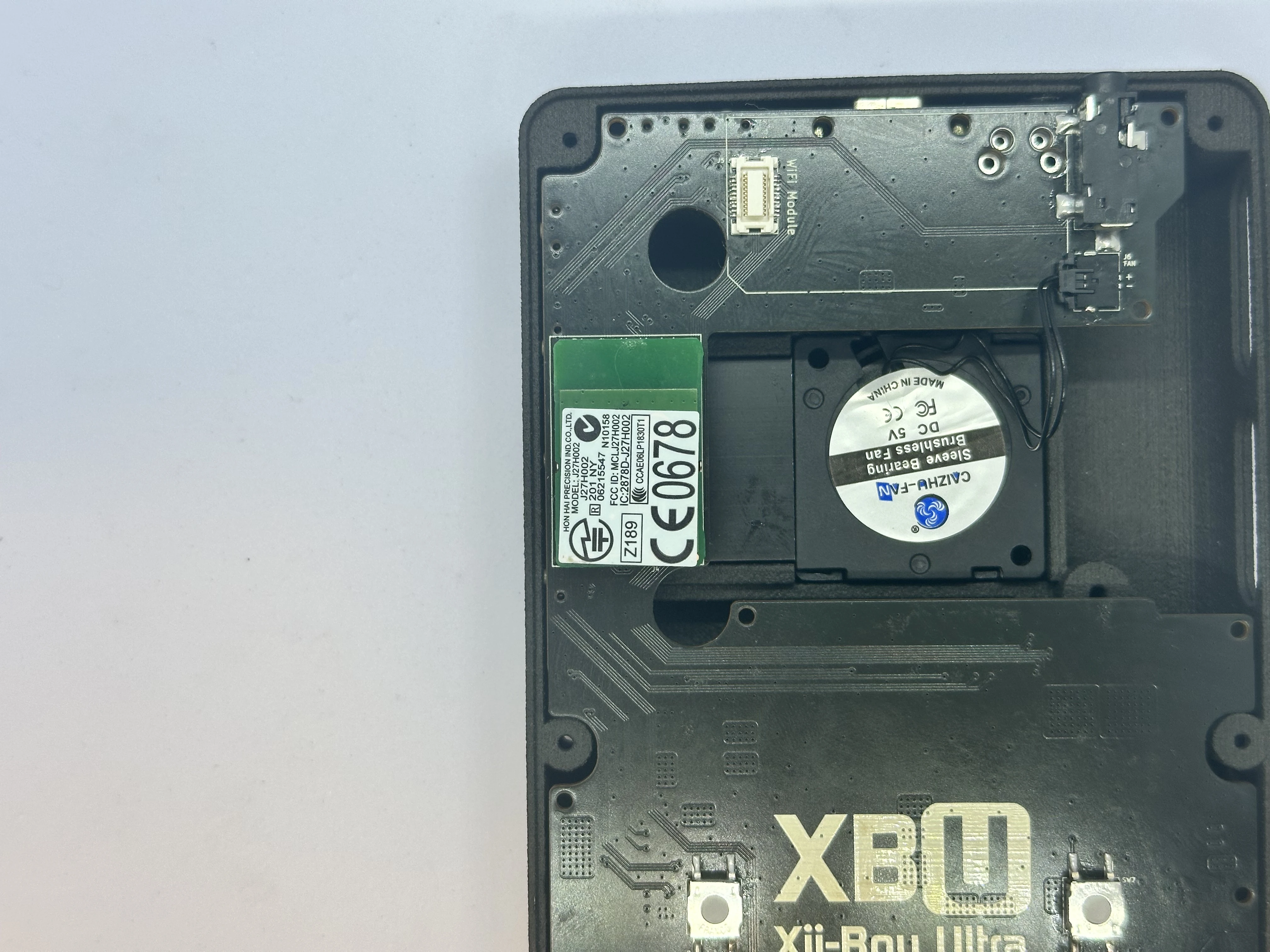
- Take the Bluetooth module that was retrieved from the Wii’s PCB and insert it into the gray connector on the bottom of the Main PCB. The module should have a small cushion to keep it adhered to the Main PCB. If the cushion ripped or is missing, a strip of double sided tape works instead.
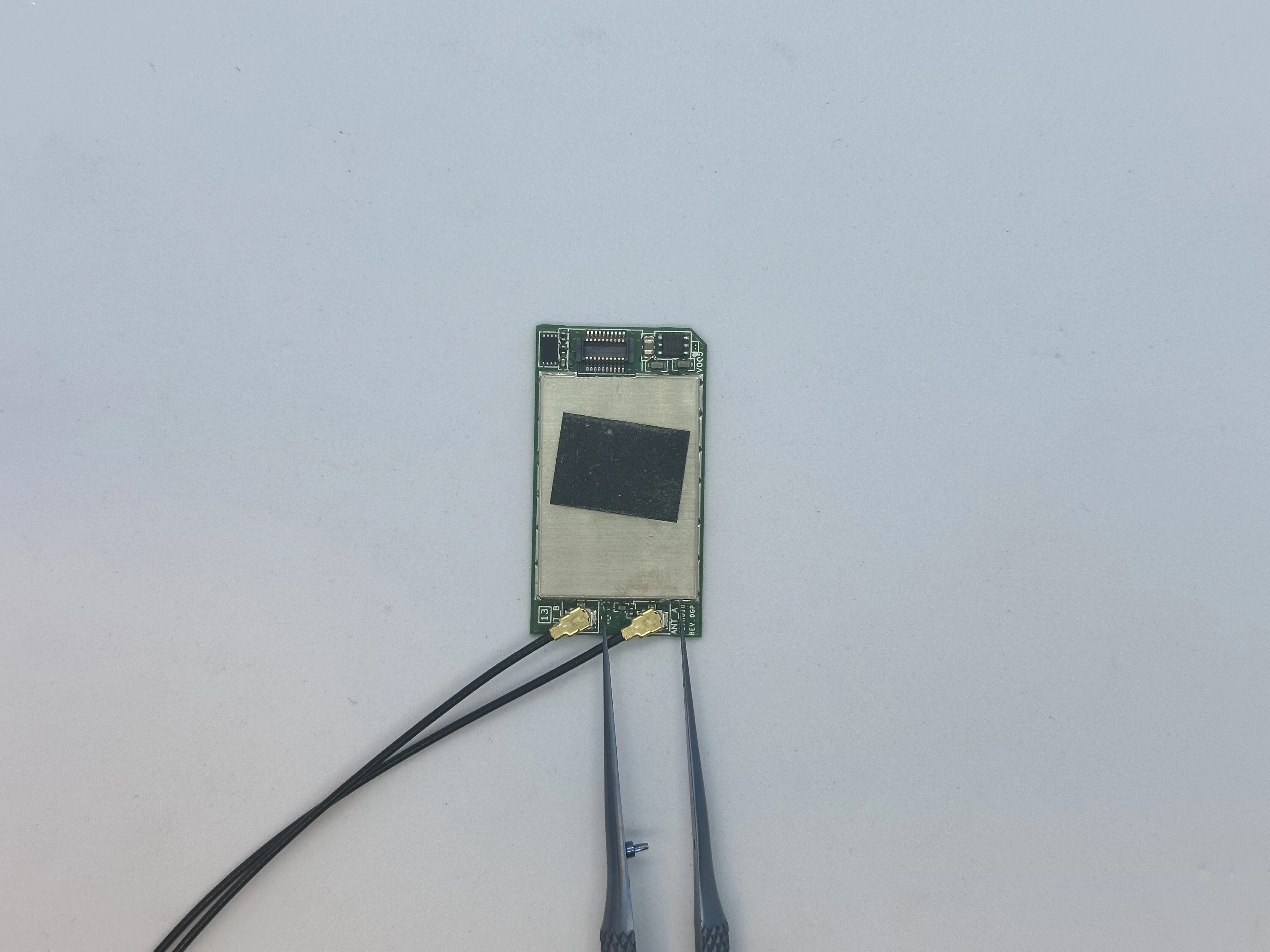
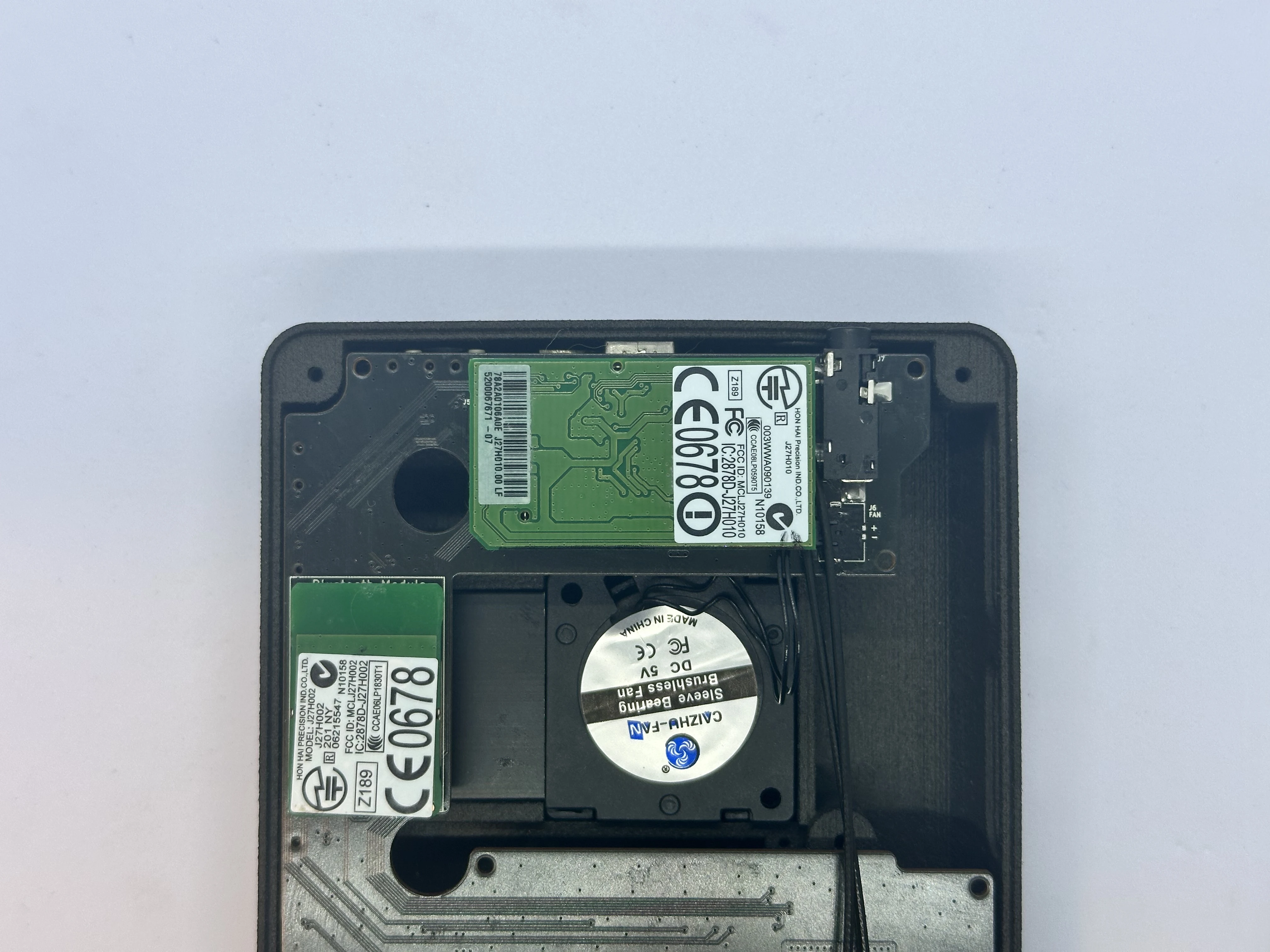
- Take the Wi-Fi module that was retrieved from the Wii’s PCB and attach the Wi-Fi antenna connectors. Insert the Wi-Fi connector into the white connector on the bottom of the Main PCB. Ensure the Wi-Fi antenna cables are facing toward the top of the shell.
Upper Layer
Main PCB (XBU-001)
- Insert the Main PCB into the shell at a
45°angle. The USB-C port and Headphone Jack will slot nicely into place. While lowering the PCB, ensure the Trigger PCB flex cable and Fan PicoLock (not pictured) pass into the Upper Layer.
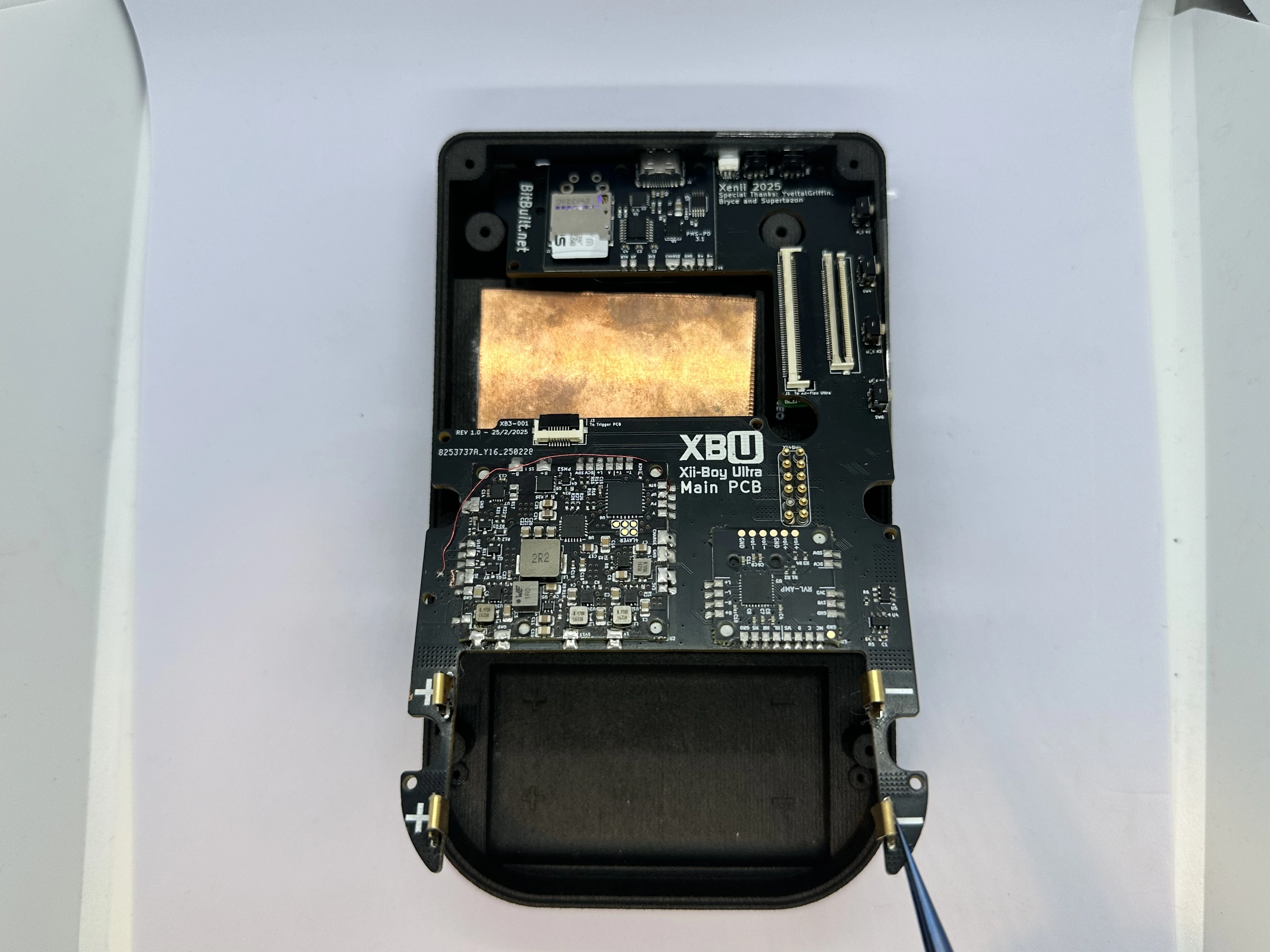
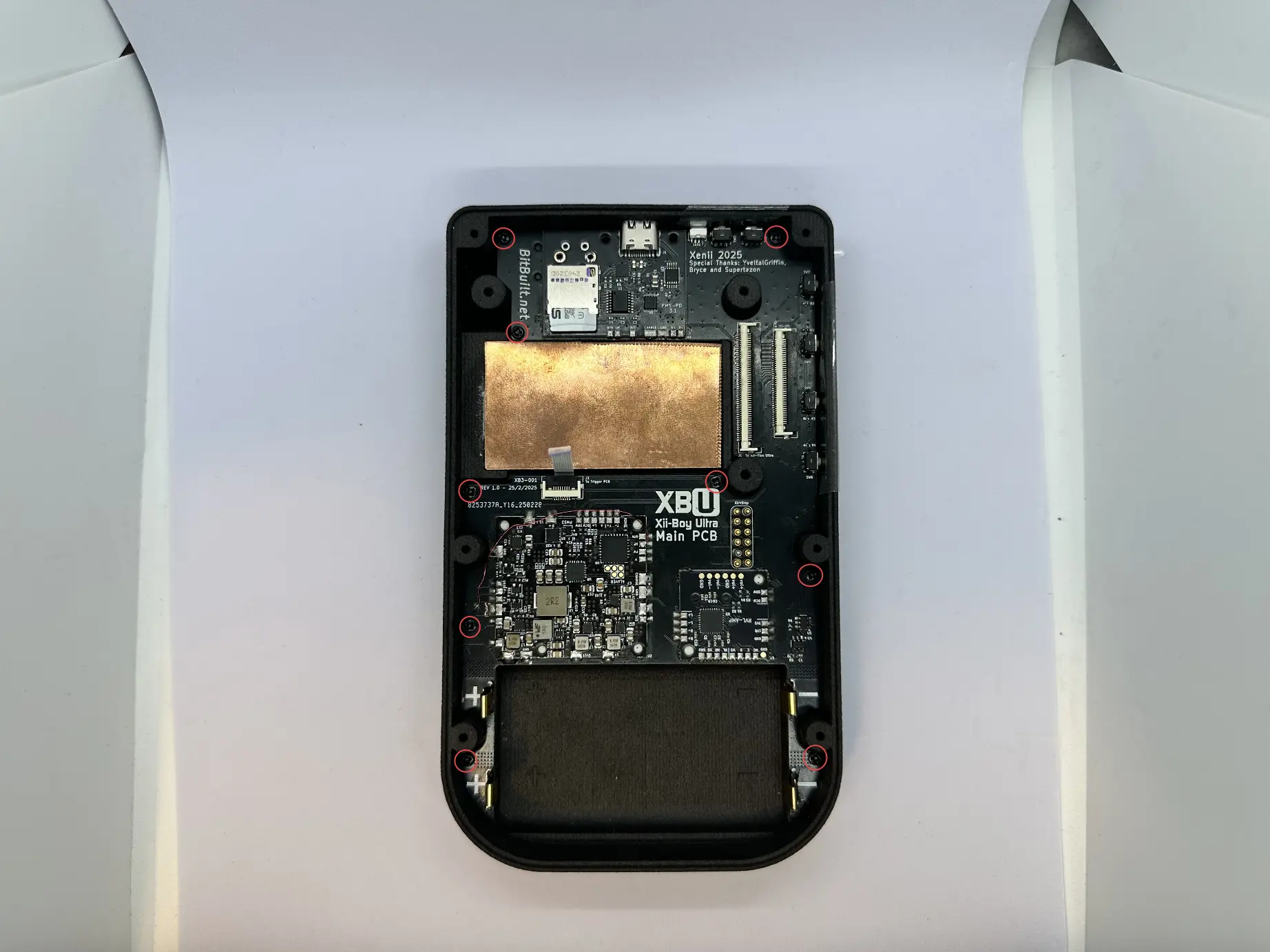
- If everything was performed properly, the Main PCB will sit flat against the shell. If not, lift it and try again, ensuring no cables were pinched underneath. Then, screw nine
4mmPhillips screws from Bag G3 into place.
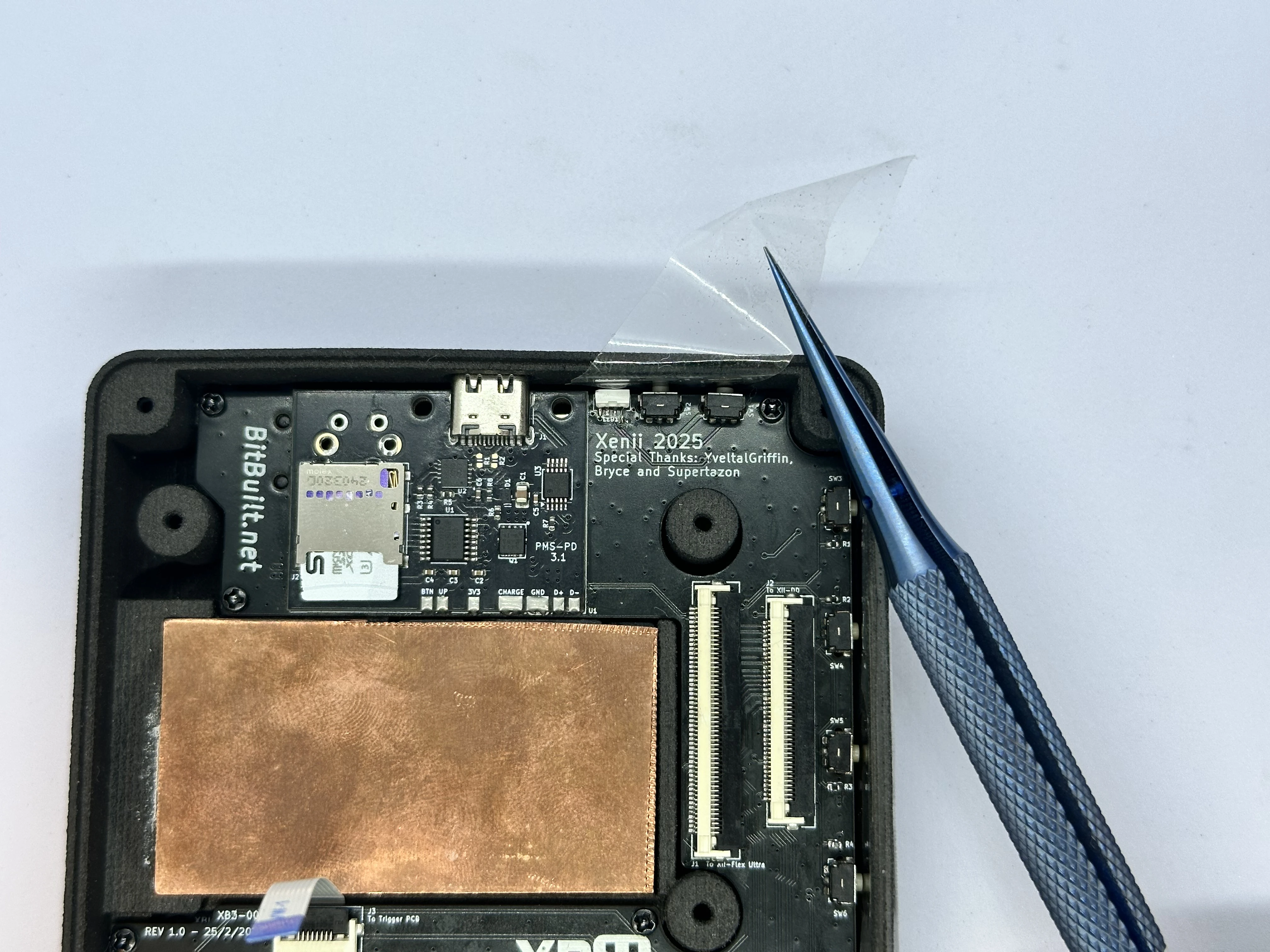
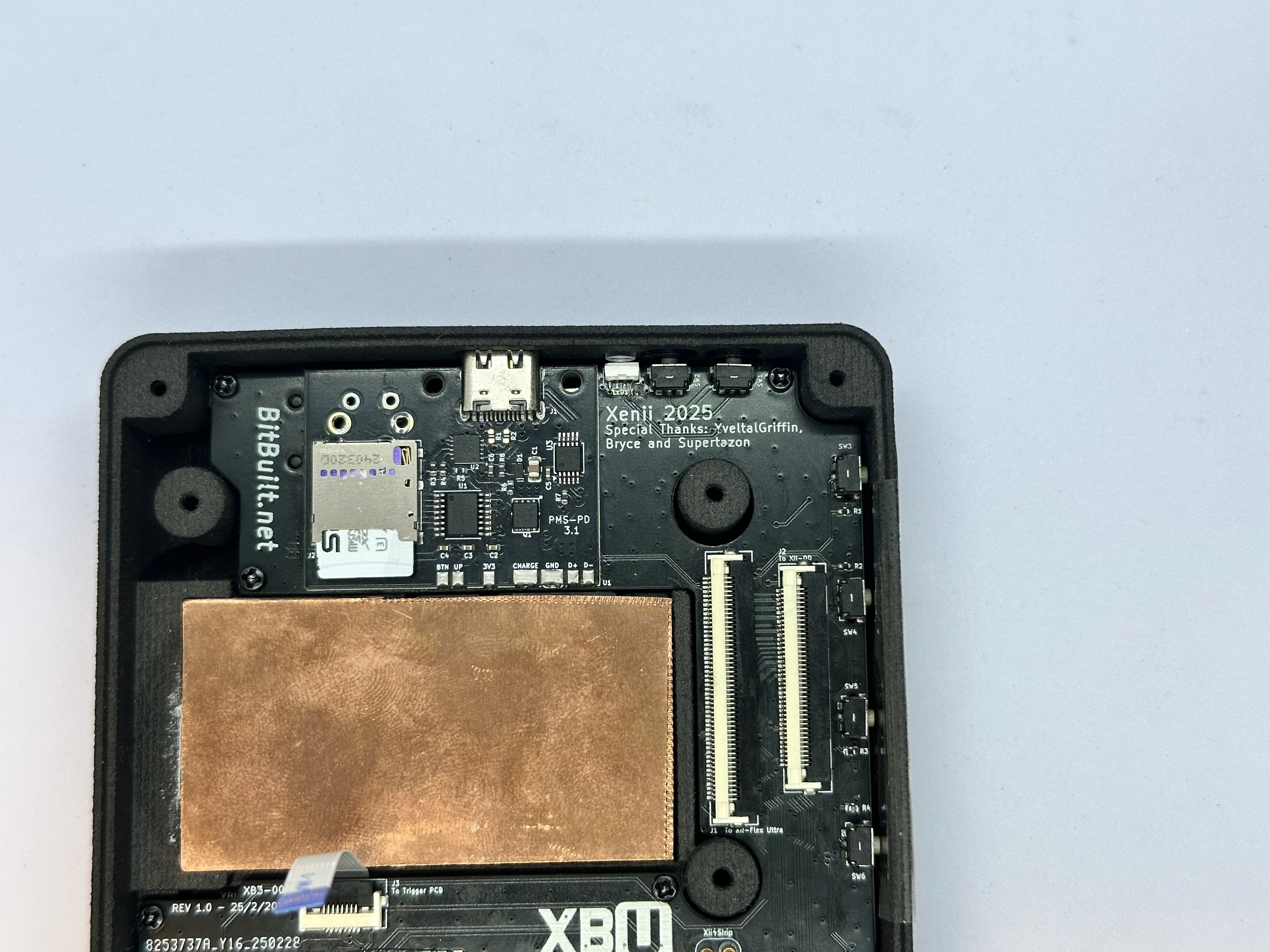
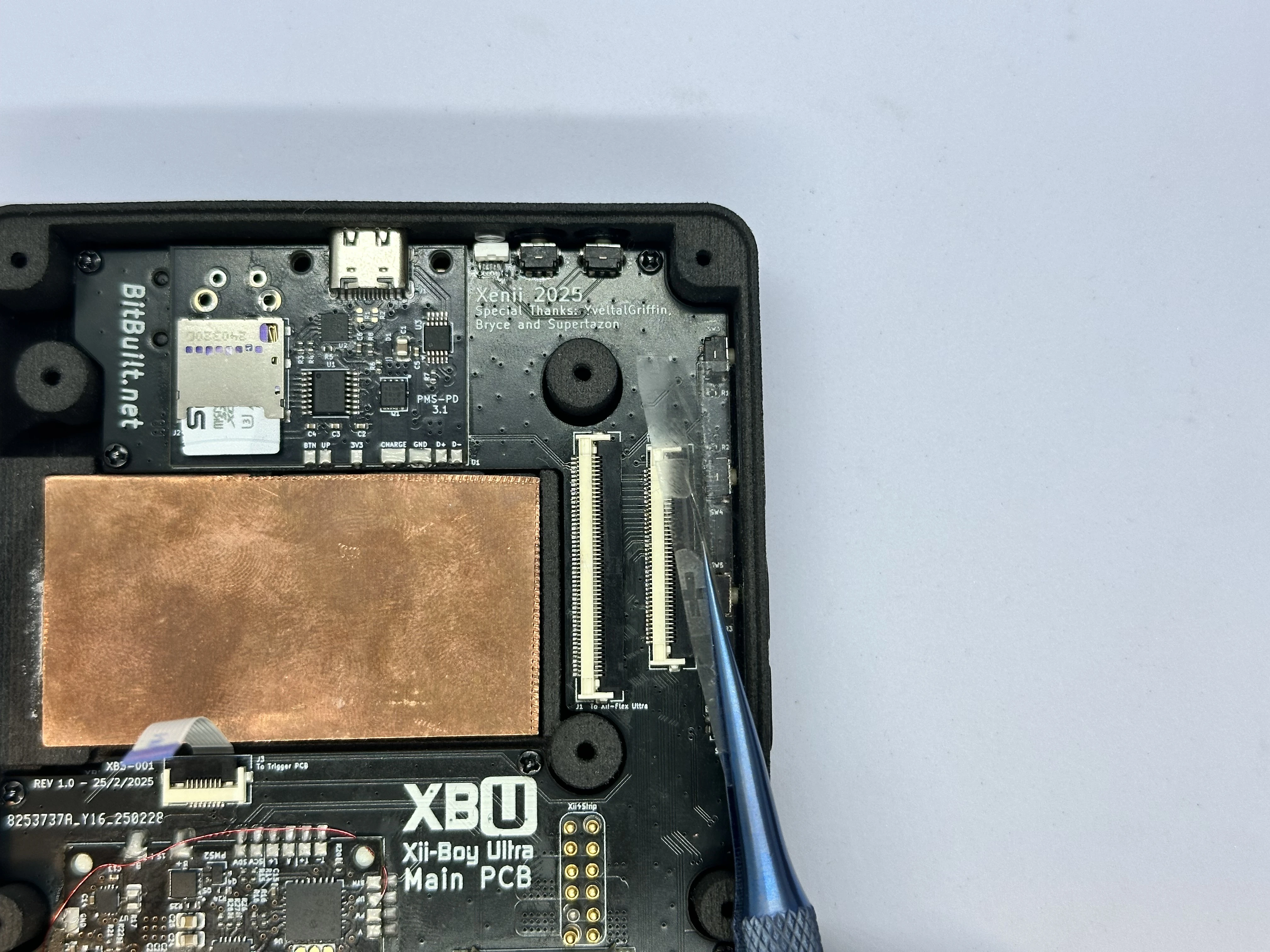
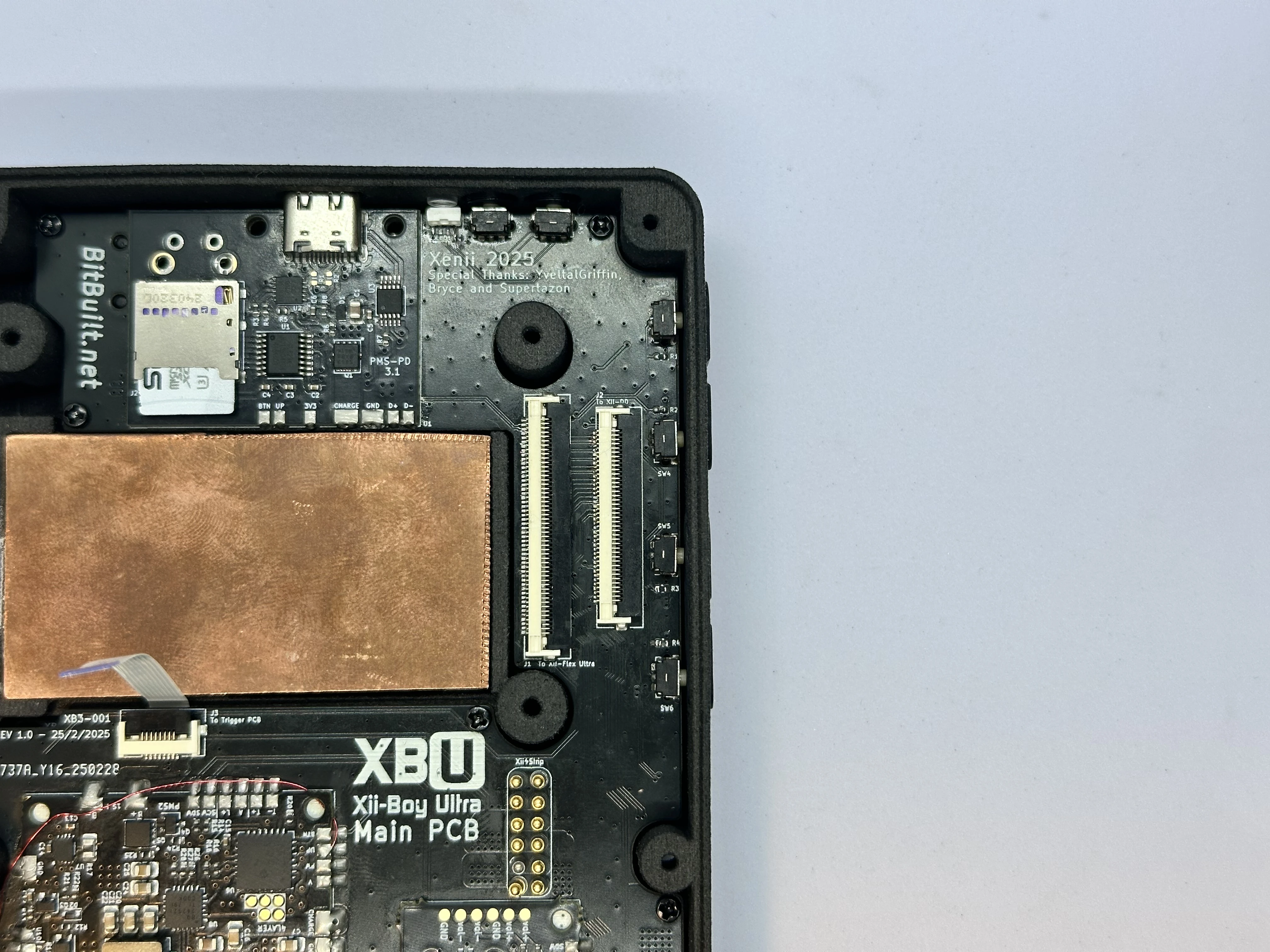
- Pull directly up and remove the tape covering the
Power,BT Sync,Brightness, andVolumebuttons.
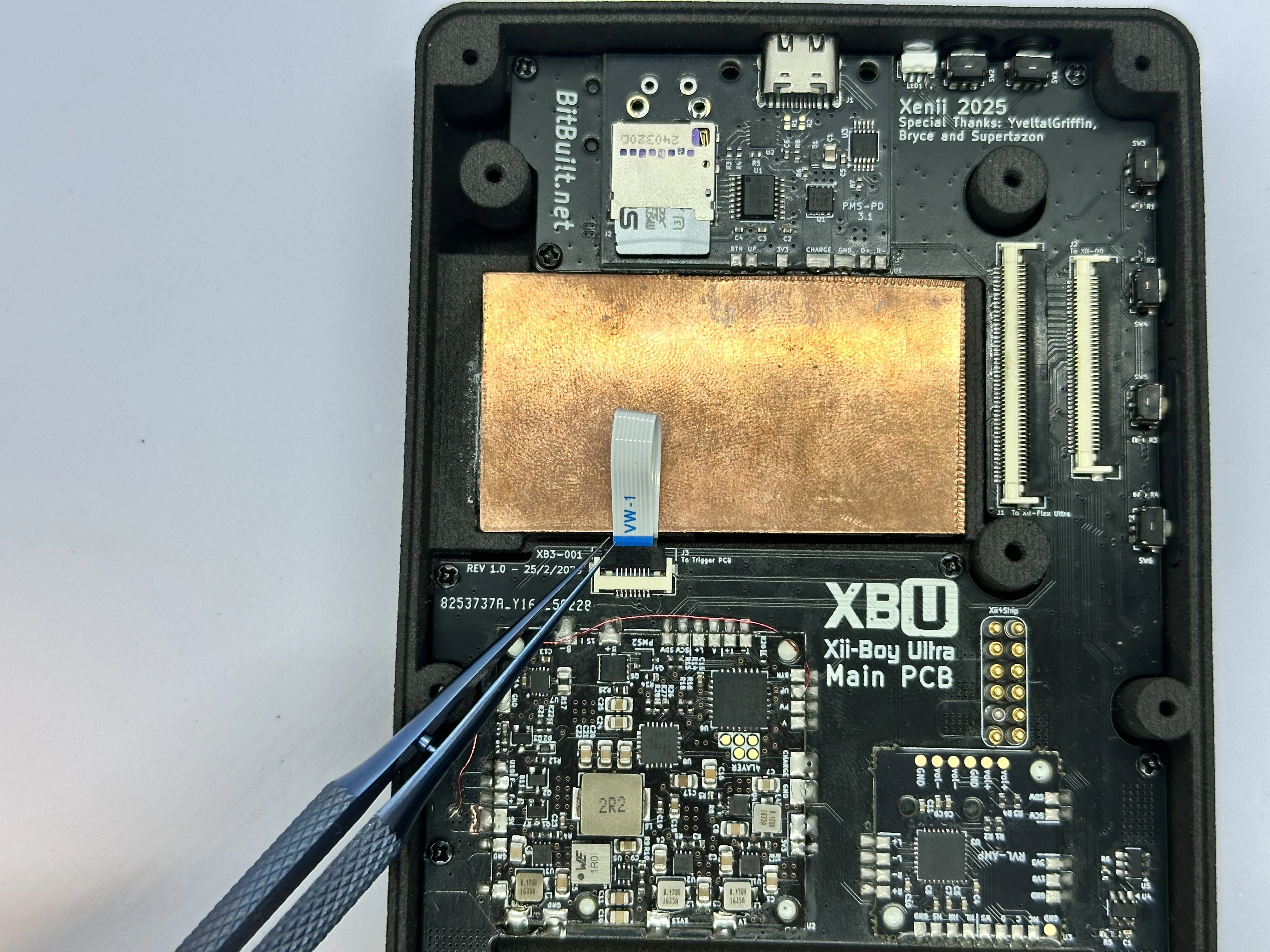
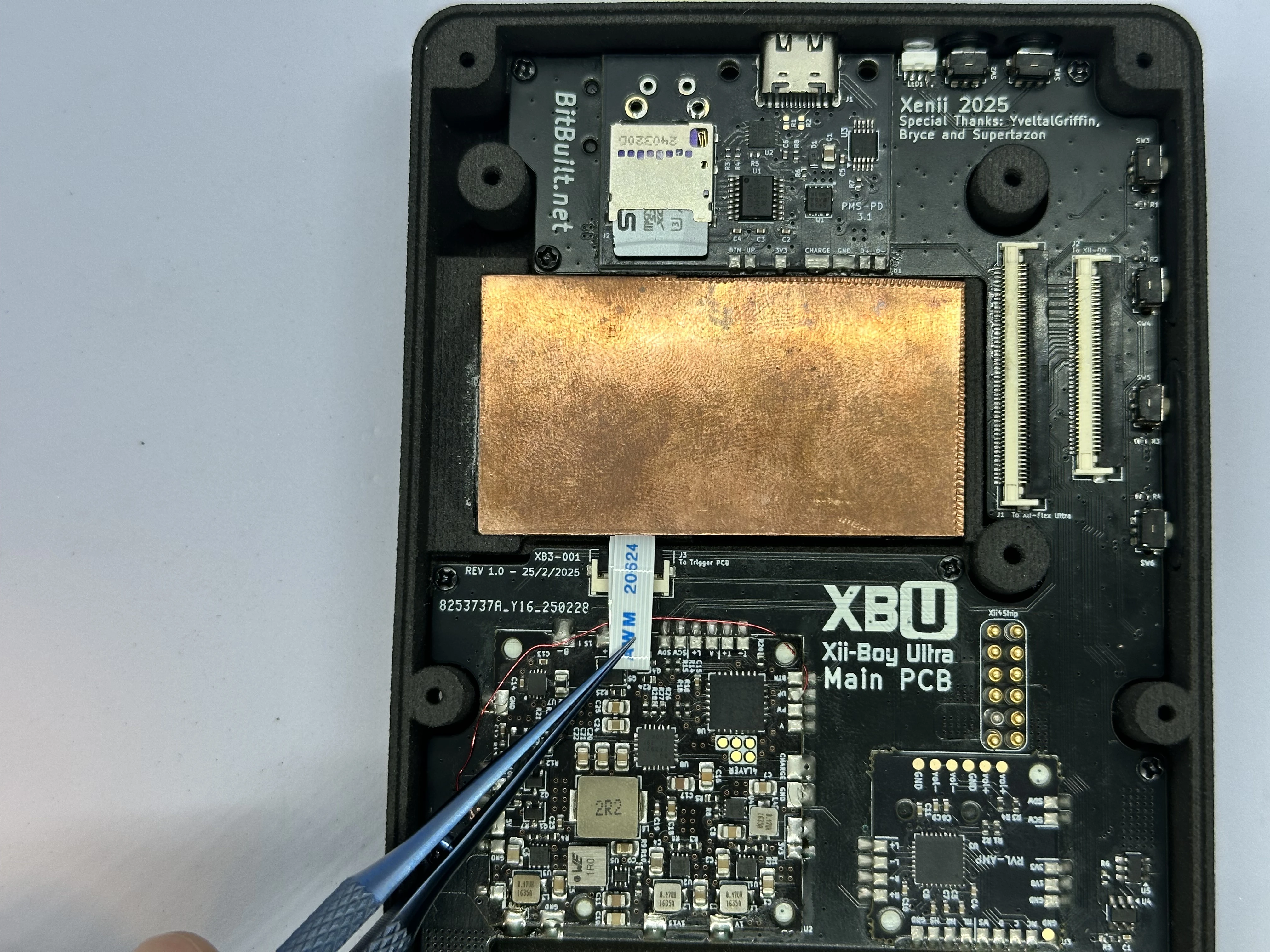
- Unlock the 8 Pin Trigger PCB ZIF connector. Bend the FFC as pictured and insert it into the ZIF connector. Lock the connector, and bend the cable over the RVL-PMS2.
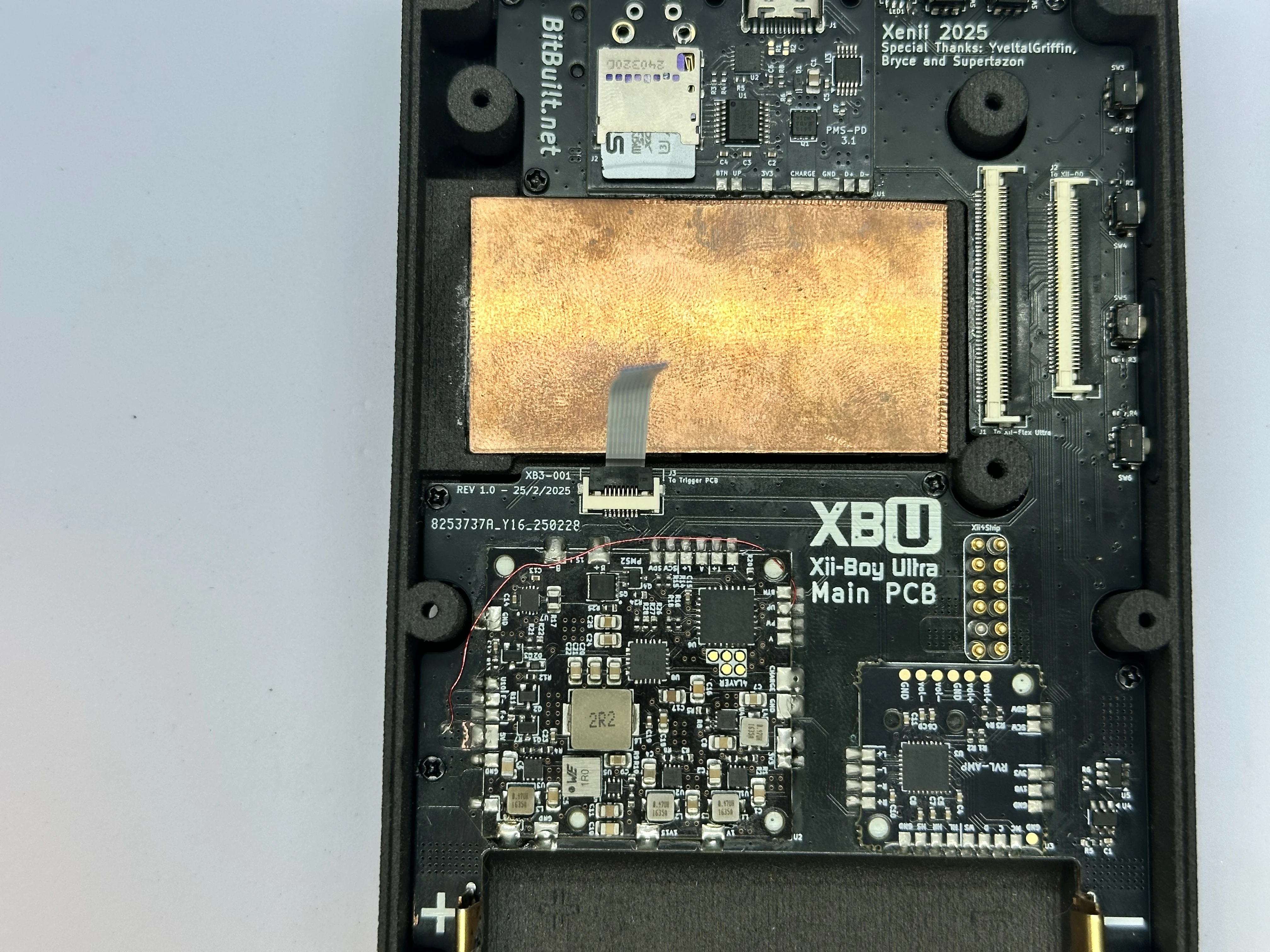
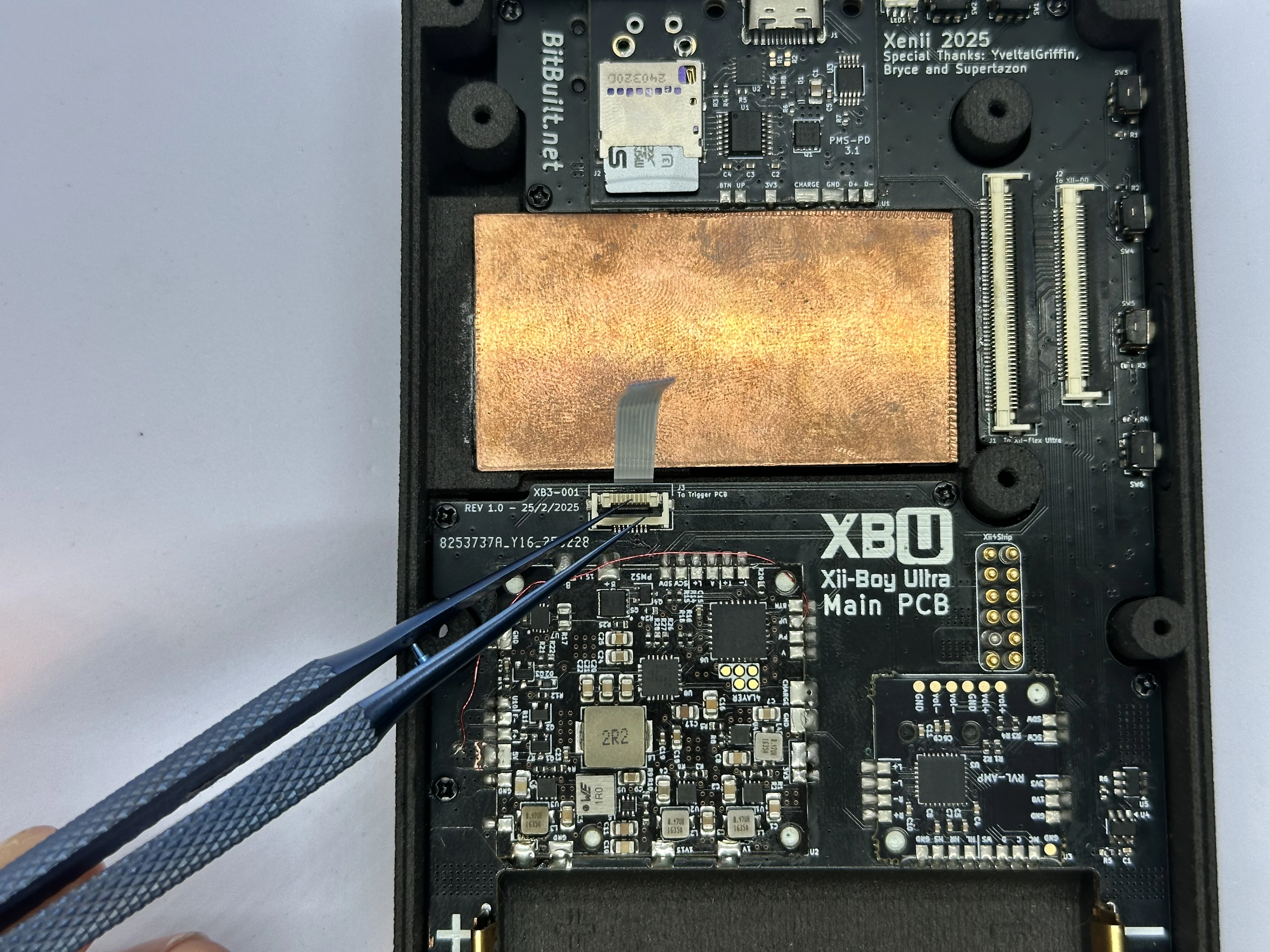
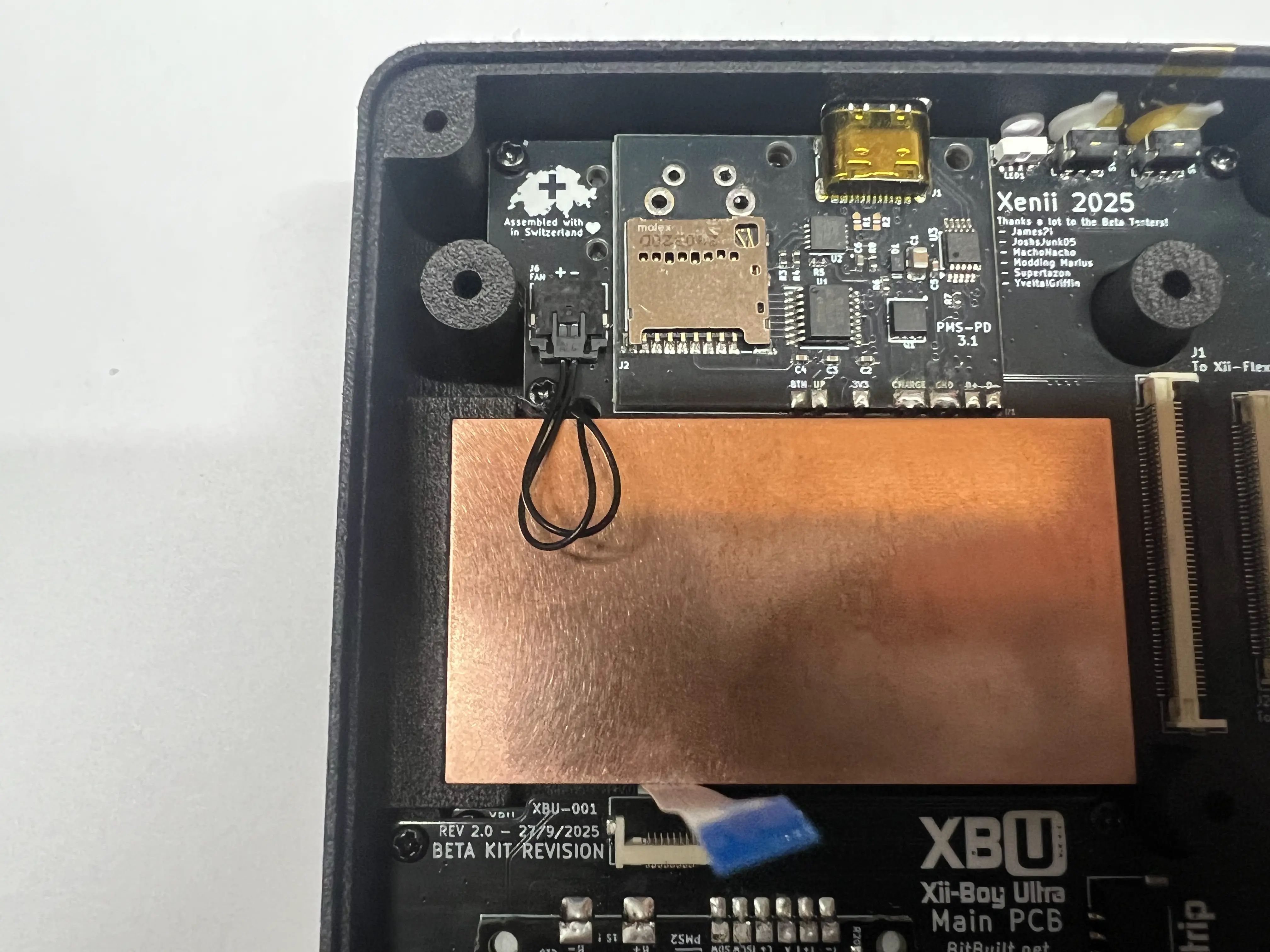
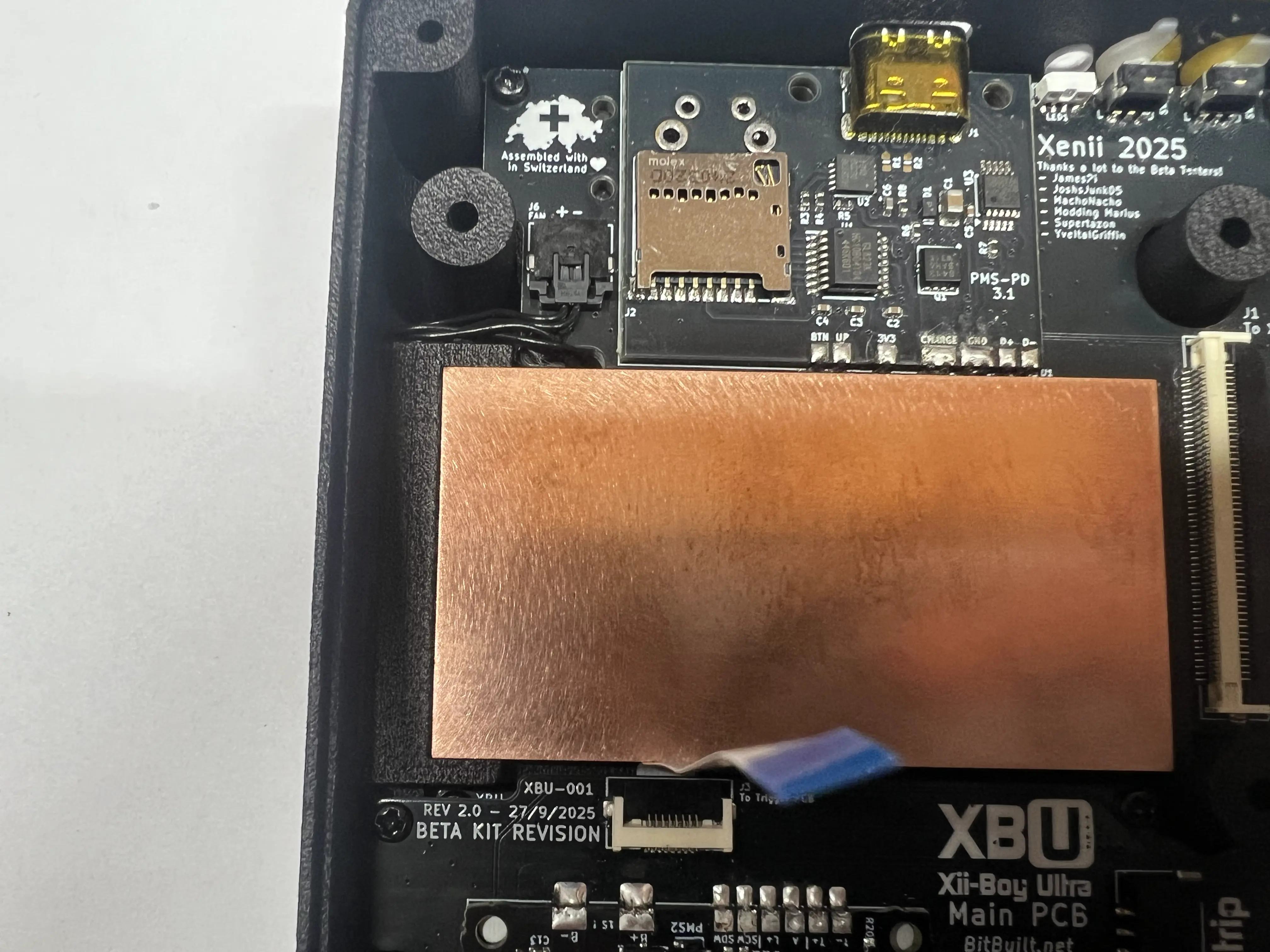
- Connect the Fan’s male PicoLock connector to the Main PCB’s Female connector located in the upper left corner of the board. Tuck the excess cable to the side so it avoids the copper plate.
Finishing Bottom Half
- Retrieve the 40p Shielded FFC from Bag B6. Take the 40p Shielded FFC (XBU-007) and bend the tips of the stiffener. Note the orientation, as the flex can only be installed one way. If it is inserted in the incorrect orientation, it will cause a short between 3.3v and GND.
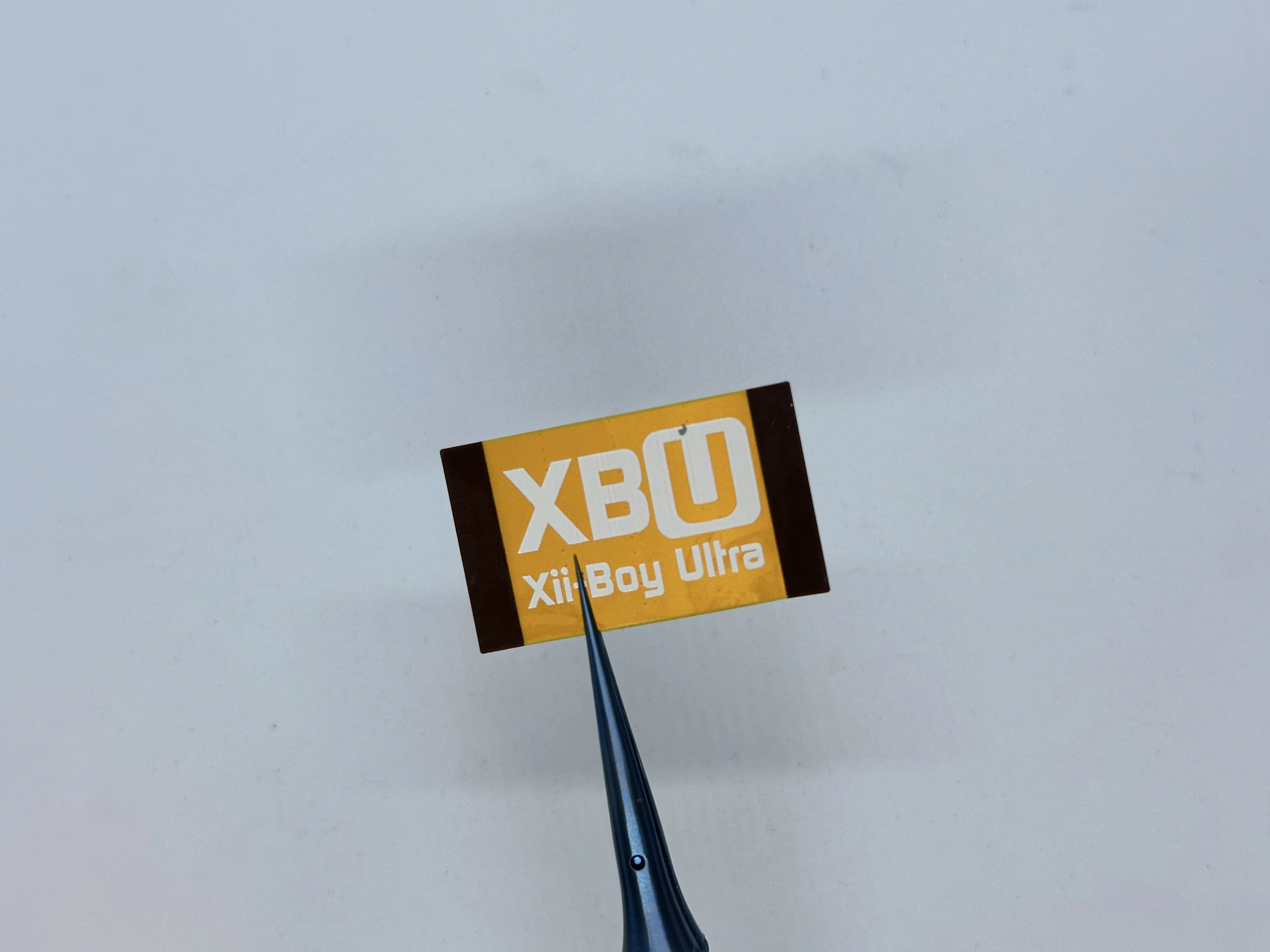
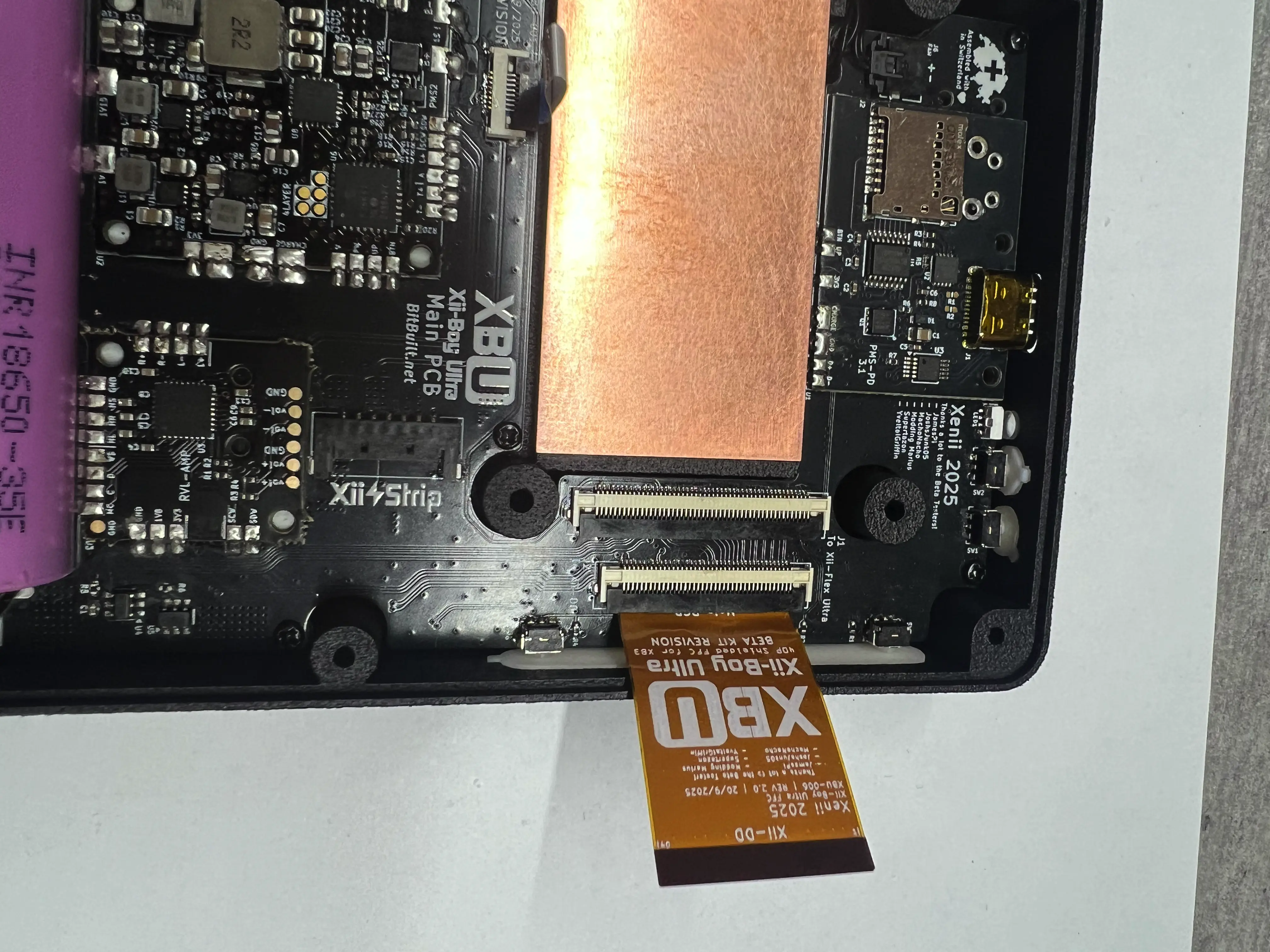
- Unlock the 40 Pin Xii-DD ZIF connector. Bend the FFC as pictured and insert it into the ZIF connector. Lock the connector.
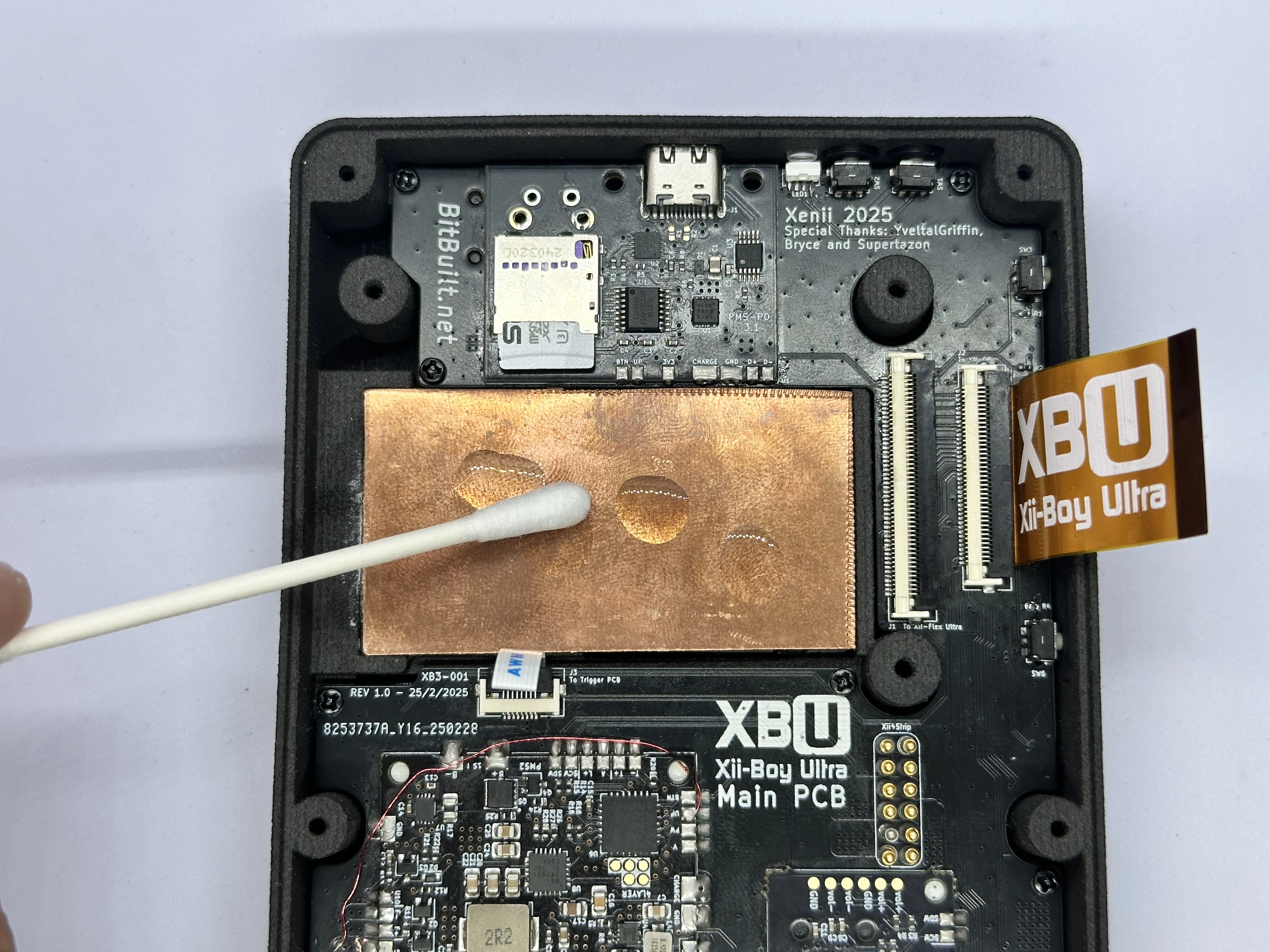
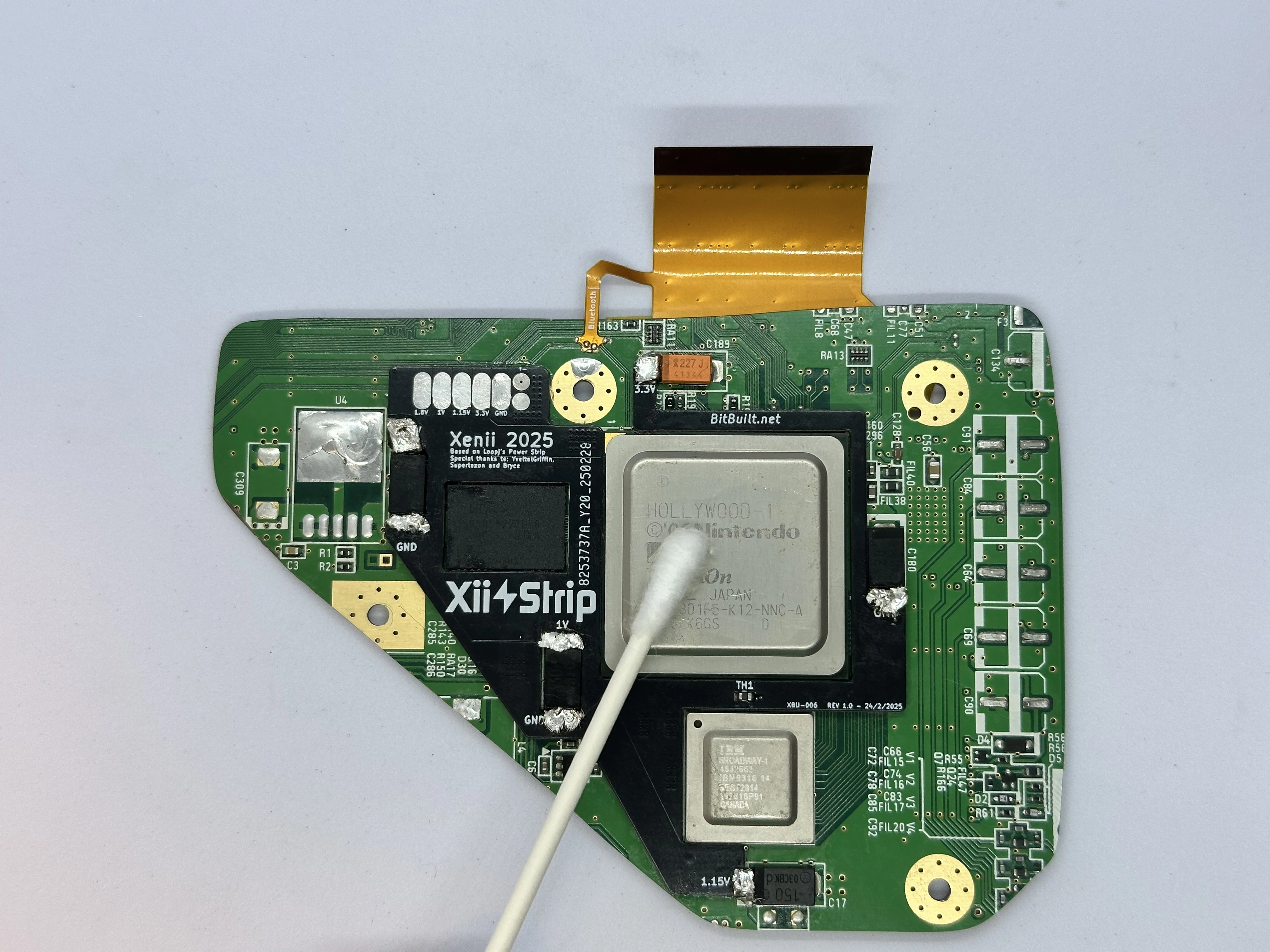
- Apply a few drops of 91% isopropyl alcohol onto the copper plate. A Q-Tip can then be used to wipe it up and clean off the surface. Repeat for the Hollywood and Broadway chips on the Wii’s PCB.
- Check the voltages of both 18650 battery cells with a multimeter. Ensure they are within ~0.1v of each other. Insert each of the batteries into the holders at the bottom of the shell, noting the orientation (+ on the left and - on the right). Check that there is a solid connection between the battery terminals and the Main PCB battery tabs.
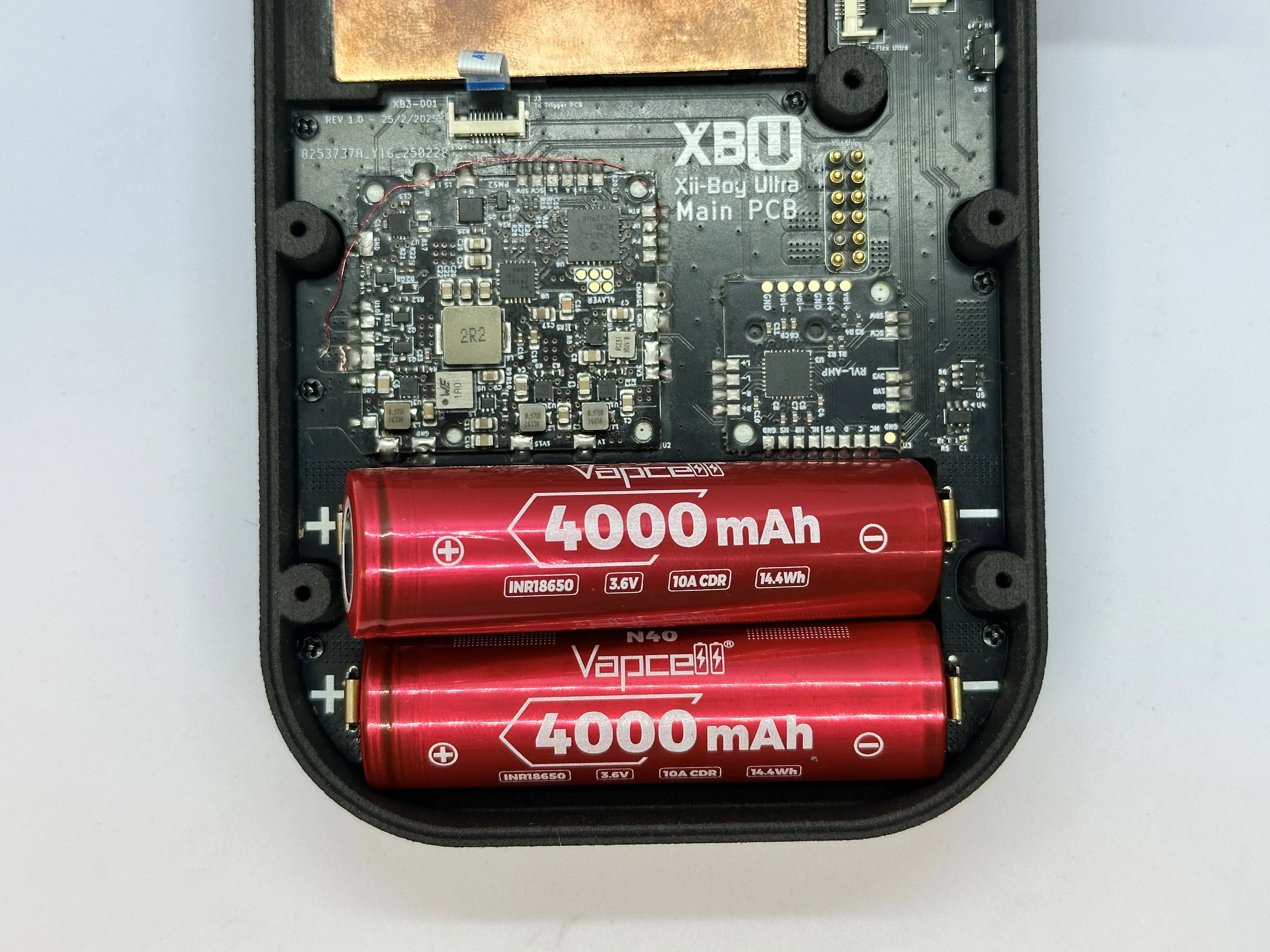
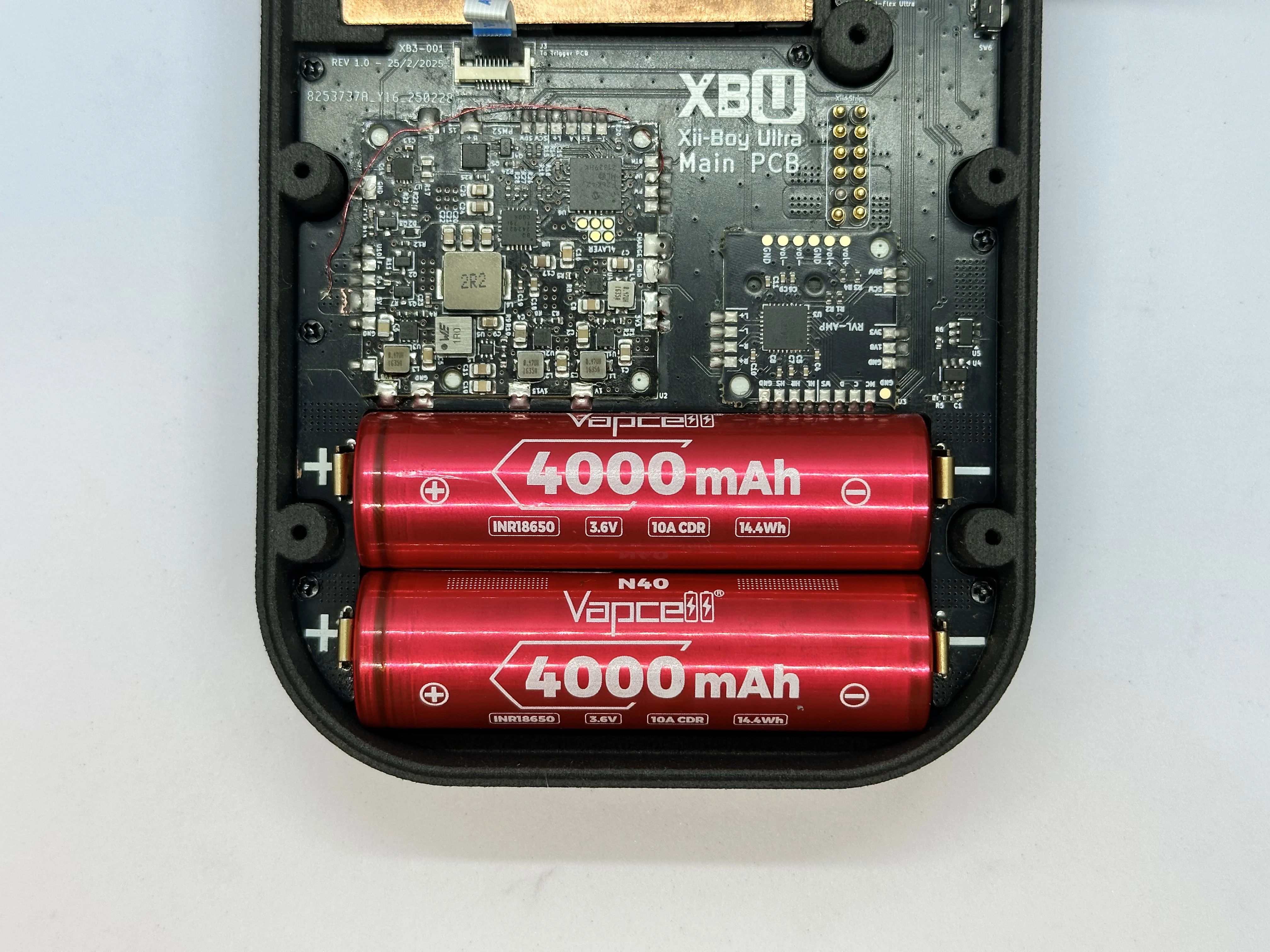
IMPORTANT: Battery Safety
The orientation of the batteries is crucial, inserting them backwards can cause permanent damage to the RVL-PMS2 and the rest of the Xii-Boy Ultra. Connecting two batteries in parallel at drastically different voltages can cause a fire in the worst case scenario, and damage the battery capacity at best. If the batteries are not within ~0.1v of each other, charge one until it is equivalent.
- Apply thermal paste to the copper plate in two
Xshapes. One largeXfor Hollywood, and a smallerXfor Broadway.
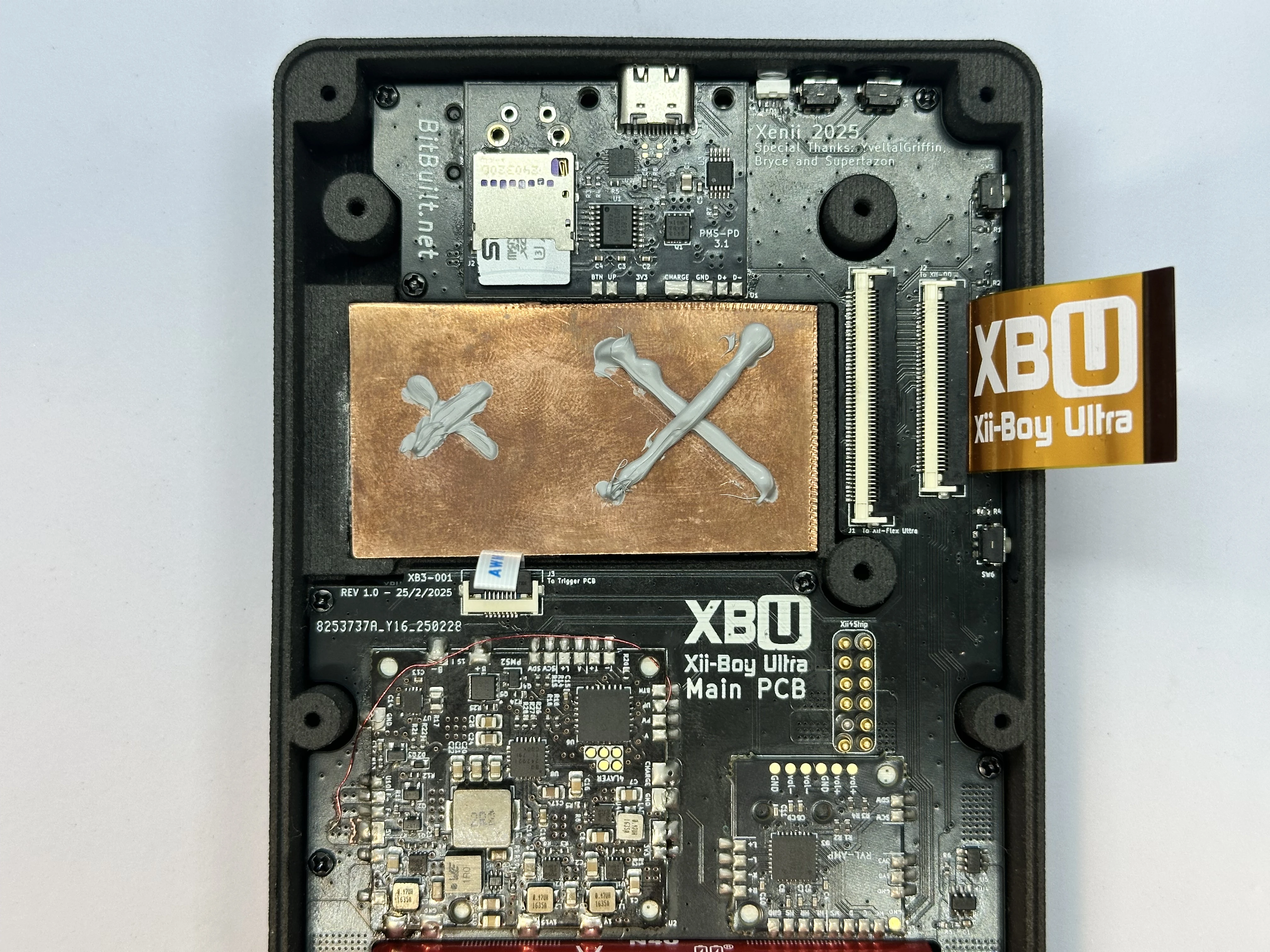
- Unlock the 50 Pin Xii-Flex Ultra ZIF connector. Insert the Xii-Flex Ultra into the ZIF connector and lock it.
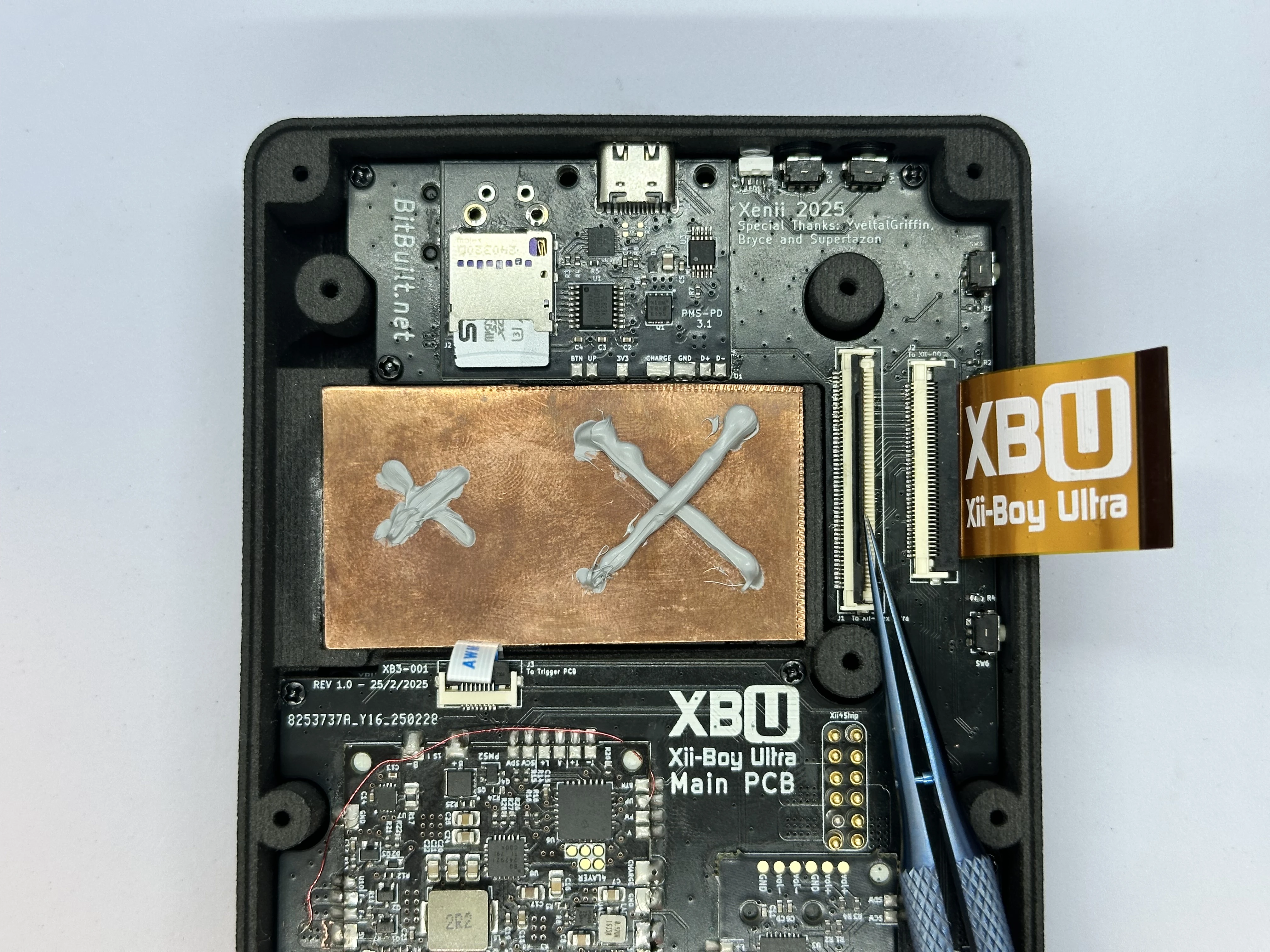
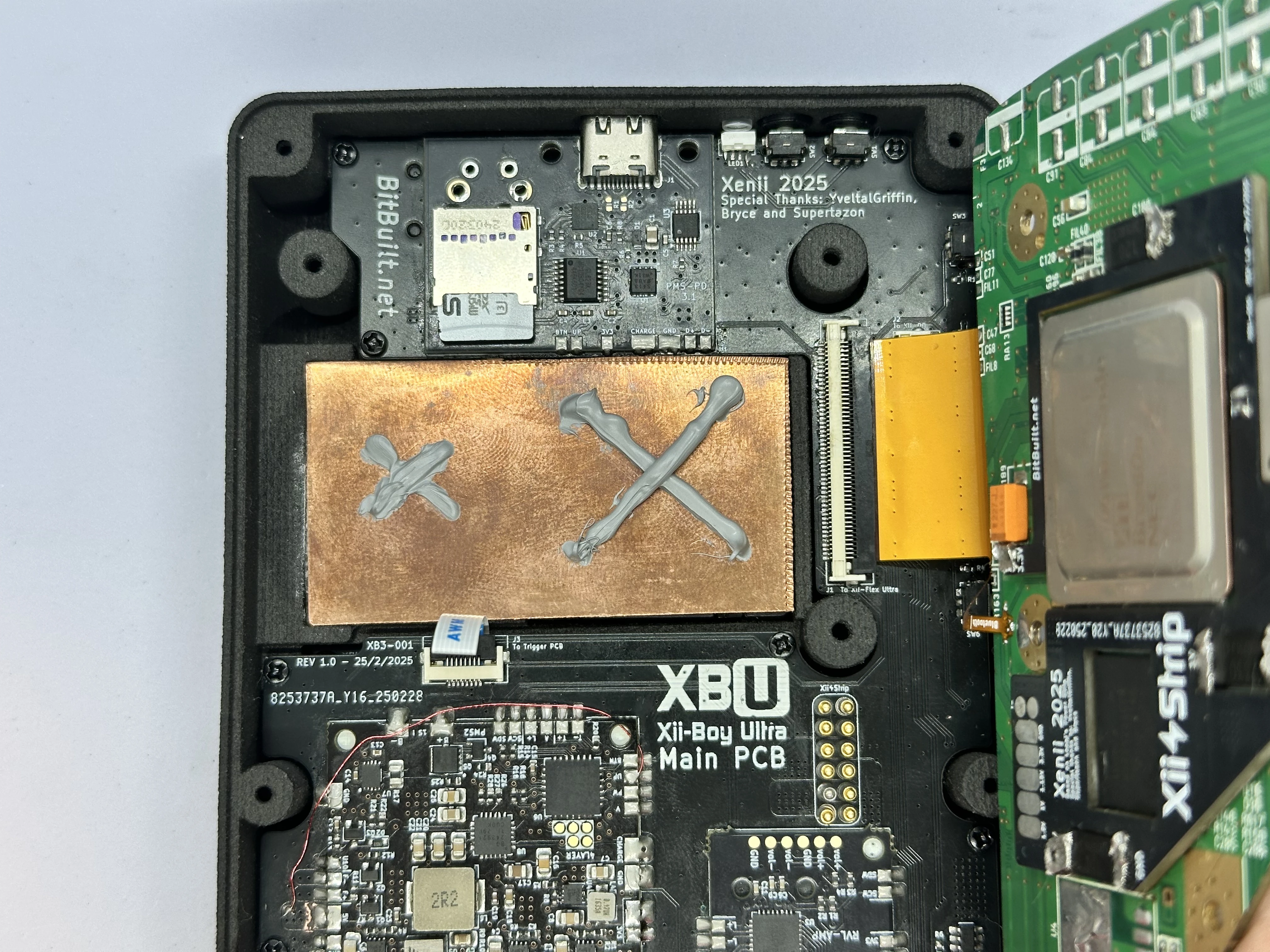
- Insert the PicoLock power connector into the Main PCB and the Xii-Strip.
INFO
This is not pictured, as it was added in a later revision. It replaces the pogo pins in the images.
- Fold the Wii over the copper plate and press down firmly to spread the thermal paste. Align the screw holes on the Wii with the three screw posts on the bottom shell. Use three silver
7.3mmPhillips screws from the Wii’s motherboard cover (https://www.ifixit.com/Guide/Nintendo+Wii+Heat+Sink+Replacement/3458#s16575) to fasten the trimmed Wii in place.
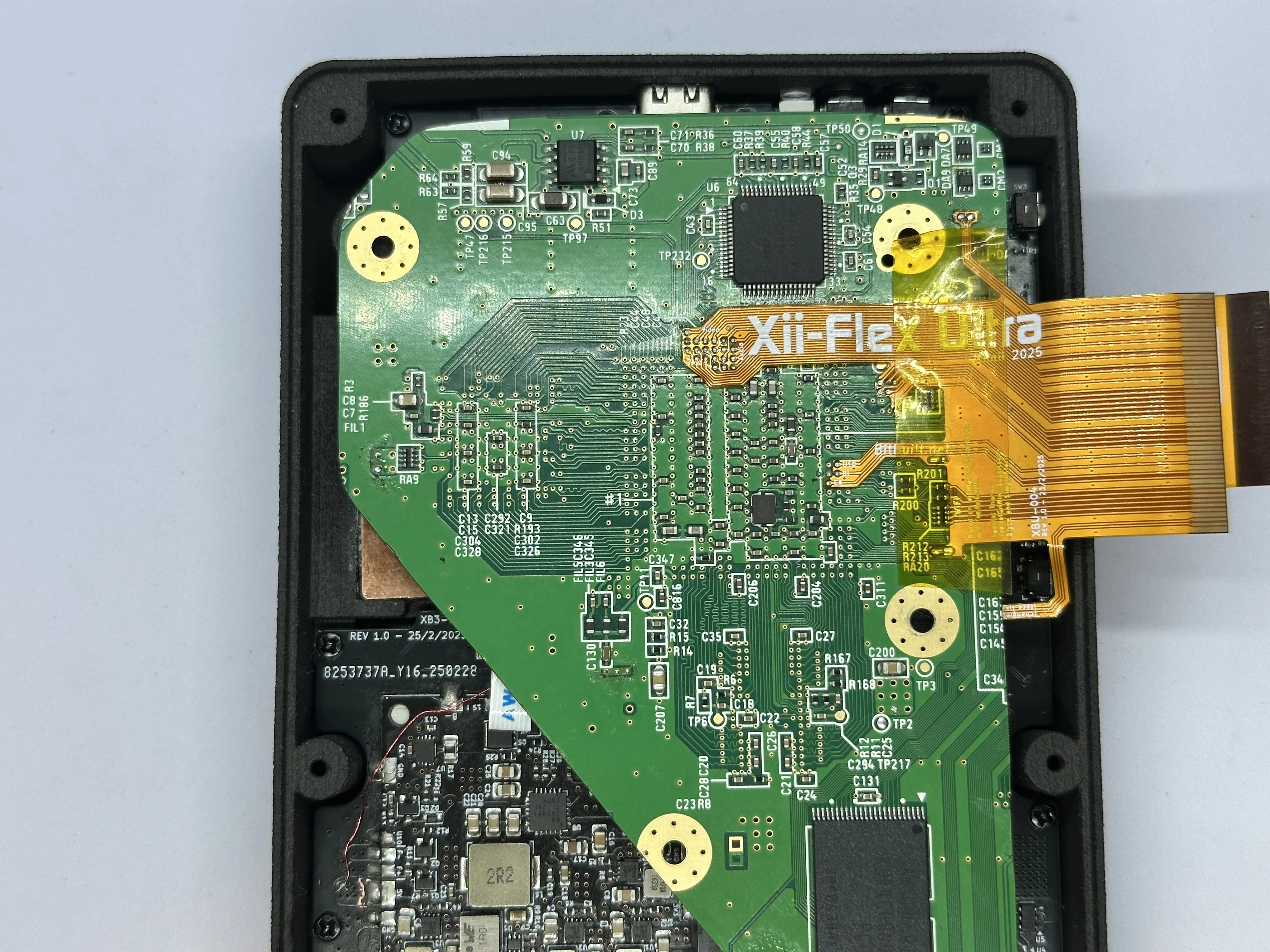
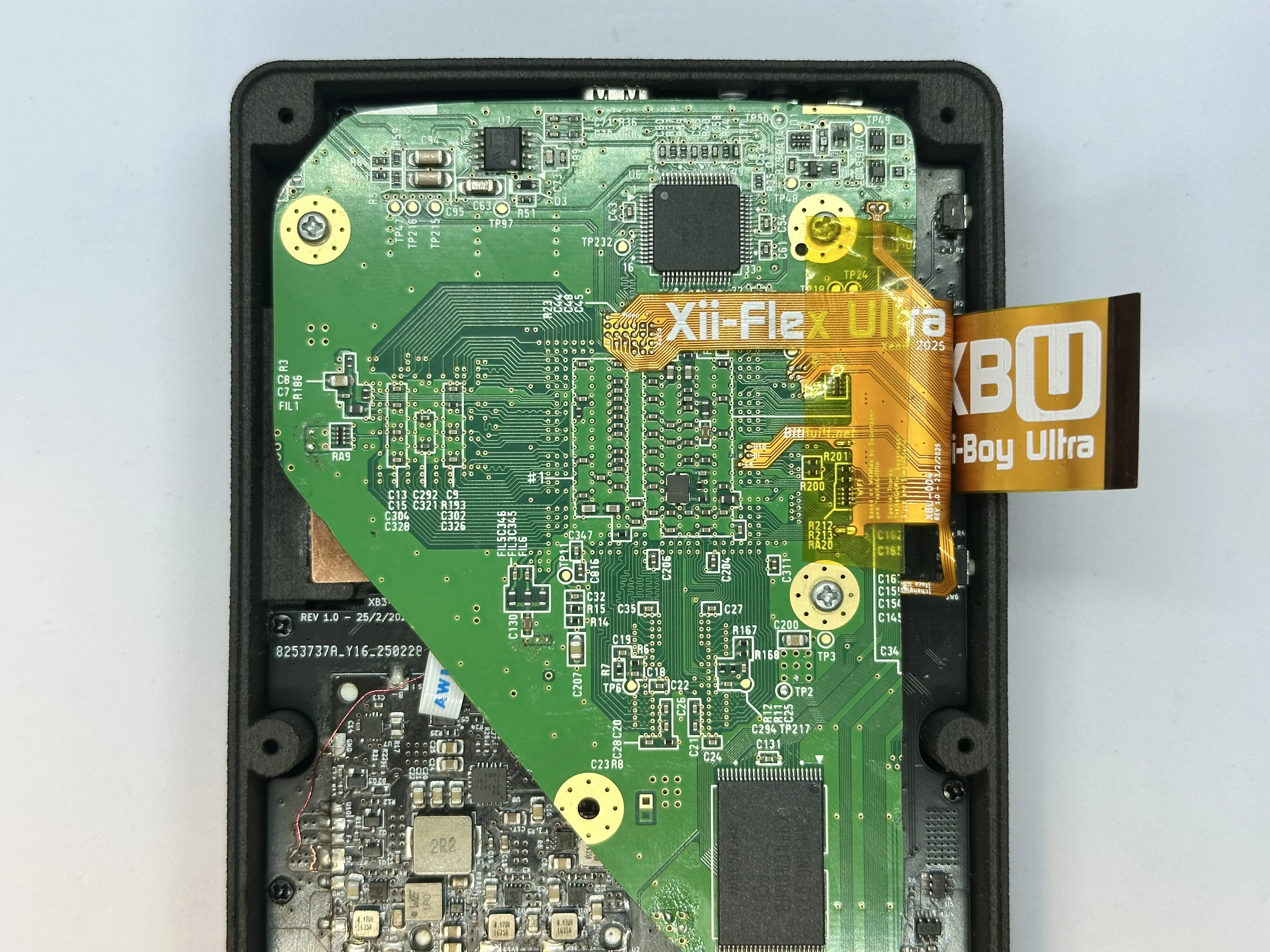
- Unlock the 40 Pin Main PCB ZIF connector on the Xii-DD PCB. Insert the 40 Pin Shielded FFC and lock the connector.
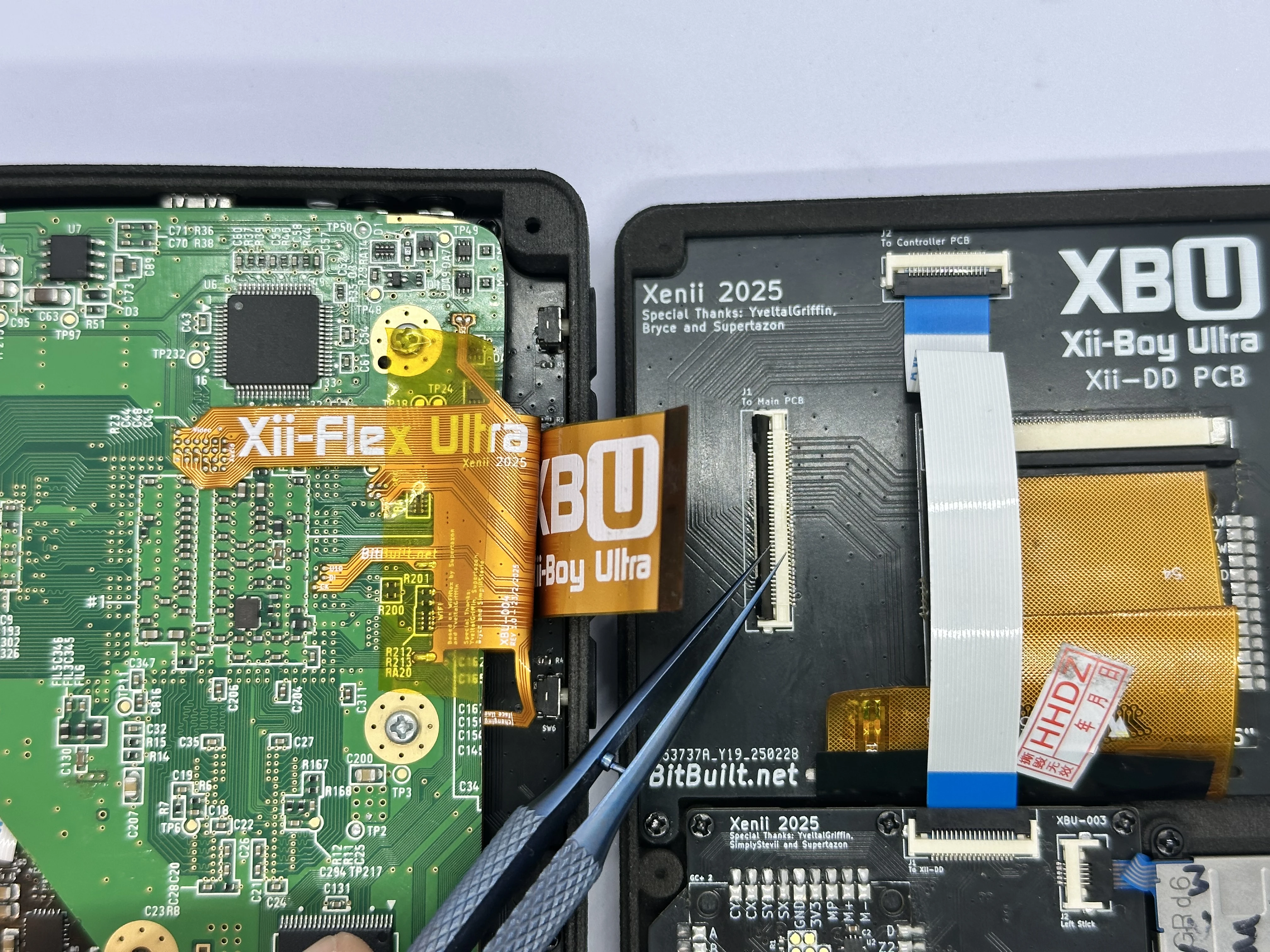
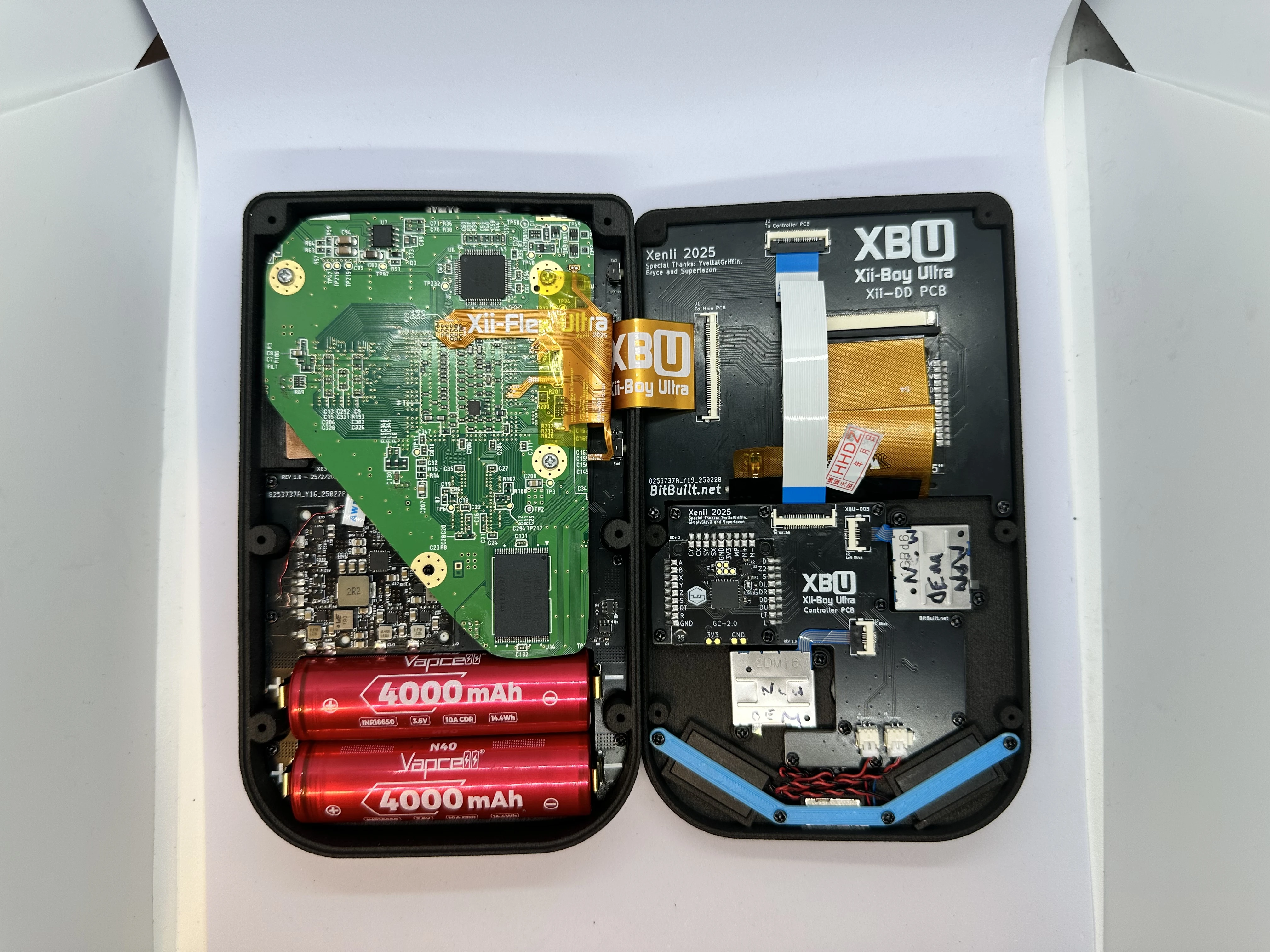
- Close both halves and connect them with six
6mmPhillips screws from Bag G3. The screwholes in the bottom shell are recessed, so a screwdriver with a long tip is required.
The Xii-Boy Ultra Assembly is now complete. Proceed to RVLoader setup.